How To Charge Laptop Using Power Bank: 2026 Guide
You can charge your laptop with a power bank by using one that supports laptop charging, has the right wattage, and includes a compatible USB-C or DC output port.
If your laptop battery is dying and there's no outlet in sight, a power bank can feel like a lifesaver. I've been there. I once had to finish a client presentation in a car during a road trip, and the only thing that saved me was a 65W power bank tucked in my backpack. Since then, I've tested dozens of power banks with different laptops, and I can tell you this: it works, but only if you pick the right one. In this guide, I'll walk you through exactly how to charge a laptop using a power bank, what to look for, and the mistakes you should avoid.
What You Need Before Charging a Laptop with a Power Bank
Before you plug anything in, it's important to make sure your setup is compatible. Not every power bank can charge a laptop. Here are the key things you'll need:
- A power bank with laptop charging support
- A compatible USB-C or DC output cable
- A laptop that supports USB-C charging or DC input
- Enough wattage to match your laptop's power needs
Most modern laptops charge via USB-C, especially ultrabooks and MacBooks. If your laptop uses a proprietary barrel charger, you'll need a power bank with a DC output port and the right tip size.
Understanding Power Bank Wattage and Laptop Requirements
This is where most people go wrong. They grab any power bank, plug it in, and wonder why nothing happens.
Your laptop has a specific power requirement. For example:
- MacBook Air: Around 30W to 45W
- MacBook Pro 13: 60W
- MacBook Pro 16: 96W to 140W
- Dell XPS 13: 45W
- Lenovo ThinkPad X1 Carbon: 65W
- Gaming laptops: 100W to 300W
The power bank you choose must deliver equal or higher wattage. If your laptop needs 65W and your power bank only outputs 18W, it will either charge very slowly or not at all. In some cases, it might not even recognize the connection.
Look for power banks labeled with "PD" or "Power Delivery 3.0." These support higher wattage and are designed for laptops. A 65W PD power bank is a sweet spot for most ultrabooks. For gaming laptops, you may need 100W or more.

Step-by-Step Guide: How to Charge a Laptop Using a Power Bank
Here's exactly how to do it without damaging your devices or wasting time.
Step 1: Check Your Laptop's Charging Port
Look at your laptop's charging port. If it's a small oval-shaped USB-C port, you're in luck. Most USB-C ports support charging, but not all. Check your laptop's specs to confirm it supports "USB-C Power Delivery" or "PD charging."
If your laptop uses a round barrel plug, skip to the DC power bank section below.
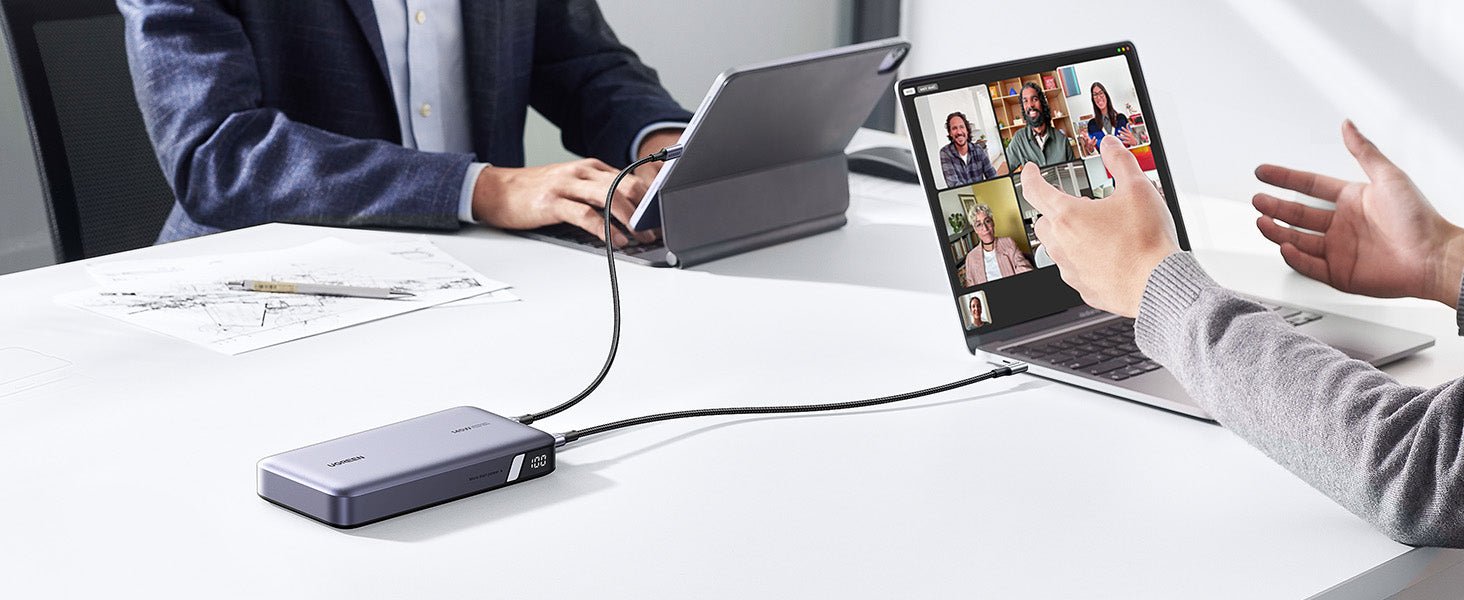
Step 2: Use a USB-C to USB-C Cable
Connect a good quality USB-C to USB-C cable between the power bank and your laptop. Make sure the cable supports 60W or 100W charging. Cheap cables often limit power to 15W or 20W, which is fine for phones but useless for laptops.
I've made the mistake of using a random phone cable before. The laptop showed "charging," but the battery percentage stayed flat. That usually means the cable can't handle the wattage.
Step 3: Press the Power Button on the Power Bank
Some power banks start charging automatically. Others need you to press a button to activate the output. Once you do, your laptop should recognize the power source and start charging.
Step 4: Monitor the Charging Process
Watch the battery icon on your laptop. If it shows a lightning bolt or charging symbol, you're good. If it shows a slow or no charge, double-check your wattage and cable.
Step 5: For Laptops with Barrel Chargers
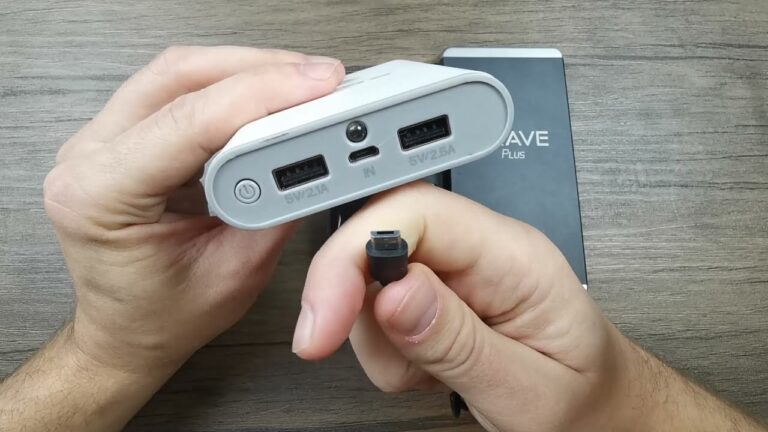
If your laptop uses a round DC plug, you'll need a power bank with a DC output. These power banks come with adjustable voltage and multiple tips. Match the voltage (usually 16V to 20V) and current rating to your laptop's original charger.
Best Power Bank Features for Laptop Charging
Not all power banks are built the same. When shopping for one, look for these features:
- High capacity: 20,000mAh or more is ideal for laptops
- Power Delivery 3.0: This protocol allows up to 100W output
- Multiple ports: So you can charge your phone and laptop at the same time
- Pass-through charging: Lets you charge the power bank while it charges your laptop
- Battery type: Lithium-polymer batteries last longer and are safer
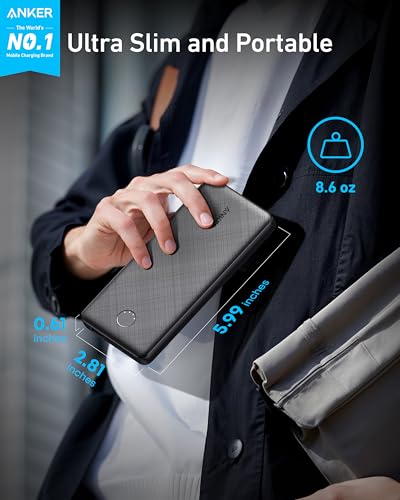
Brands like Anker, RAVPower, Baseus, and OmniCharge make reliable laptop power banks. I personally carry an Anker 737 with 140W output, and it charges my MacBook Pro 16 in about 90 minutes.
Common Mistakes to Avoid
Here are some things I've learned the hard way so you don't have to:
- Using a low-wattage power bank: It won't charge your laptop properly
- Using a cheap cable: It limits power transfer and can overheat
- Ignoring voltage mismatch: Especially with DC power banks, wrong voltage can damage your laptop
- Draining the power bank completely: This shortens its lifespan
- Expecting fast charging: Power banks are slower than wall chargers
- Charging while doing heavy tasks: Gaming or video editing while charging drains both devices faster
How Long Does It Take to Charge a Laptop with a Power Bank?
Charging time depends on three things:
- Battery capacity of the power bank
- Wattage output
- Your laptop's battery size
Here's a rough example:
- A 20,000mAh power bank at 65W can charge a 50Wh laptop battery about 1.5 times
- A 26,800mAh power bank at 100W can charge a 75Wh battery once
- A 40,000mAh power bank at 140W can charge a 100Wh gaming laptop once
Expect slower charging compared to a wall outlet. If your laptop is at 0%, it might take 2 to 4 hours. If it's at 50%, it might take 1 to 1.5 hours.

Can You Use Any Power Bank to Charge a Laptop?
No. Only power banks with the right wattage and ports can charge a laptop. A regular 10,000mAh phone power bank won't work. It simply doesn't have the output capability.
The minimum requirement is usually 30W for smaller laptops and 60W for most modern laptops. Anything below that won't work well.
Tips to Maximize Your Power Bank's Performance
Want to get the most out of your power bank? Try these tips:
- Charge the power bank fully before traveling
- Use short, high-quality cables to reduce power loss
- Turn off unnecessary apps on your laptop while charging
- Keep the power bank cool; heat reduces efficiency
- Don't charge your laptop and phone at the same time unless your power bank supports it
I've noticed that closing background apps like Chrome and Slack speeds up charging by about 15 to 20 percent. It's a small trick but it works.
Frequently Asked Questions
Can a 20,000mAh power bank charge a laptop?
Yes, a 20,000mAh power bank can charge a laptop if it supports 45W to 65W Power Delivery. It will give you about one full charge for most ultrabooks.
Is it safe to charge a laptop with a power bank?
It's completely safe as long as you use a high-quality power bank with proper voltage regulation and a compatible cable. Avoid cheap no-brand power banks that lack safety features.
Why is my laptop not charging from the power bank?
This usually happens because of low wattage, a poor cable, or an unsupported charging protocol. Make sure your power bank supports USB-C PD and your cable is rated for high wattage.
Can I charge a gaming laptop with a power bank?
Yes, but you need a high-wattage power bank, usually 100W or more, and your gaming laptop must support USB-C charging. Expect slower charging and shorter battery life during gameplay.
How many times can a power bank charge a laptop?
It depends on the capacity. A 20,000mAh power bank can charge a 50Wh laptop about 1.5 times. A 40,000mAh power bank can charge a 100Wh gaming laptop about once.
Final Thoughts
Charging your laptop with a power bank is a game-changer, especially if you travel, work remotely, or deal with power outages. The key is choosing the right power bank with enough wattage, using a proper cable, and understanding your laptop's power needs. Once you have the right setup, you'll never have to worry about a dead battery again. Start by checking your laptop's charging specs, then pick a reliable power bank that matches. Trust me, once you experience the freedom of portable power, you'll never look at wall outlets the same way.