What is a earphone: Easy Guide
An earphone is a small personal listening device that sits in or on your ear and turns an electrical audio signal into sound you can hear. If you've ever wondered what is an earphone beyond the obvious, you're in the right place, because the category has exploded into dozens of form factors, driver types, and feature sets. Manufacturers have shipped over 500 million true wireless units globally in recent years, and the average household now owns more than three listening devices, so the term covers a lot more ground than it did a decade ago.
A modern earphone blends tiny speaker engineering with wireless tech, battery management, and acoustic tuning. Per IEC 60268-4 standards, these devices must meet strict sound pressure and frequency response benchmarks before they hit shelves. As of 2026, you can find anything from $10 wired earbuds to flagship in-ear monitors north of $1,000, and they all do the same basic job in slightly different ways.
Let's break down what that job actually involves, starting with the parts inside the housing.
Quick Answer
An earphone is a compact personal audio device worn in or on the ear. It uses a small driver unit to convert electrical signals into sound. Modern earphones come in wired, wireless, and true wireless form factors.
They typically reproduce frequencies between 20 Hz and 20 kHz. Most use silicone or memory foam tips to seal the ear canal and improve bass response.
Why Visuals Matter When Learning About Earphones
Earphones are tiny, mechanical, and full of hidden engineering. You can't really understand one by reading a list of specs. The difference between a $30 pair and a $300 pair lives inside the driver housing, in the shape of the nozzle, in the way the cable exits the earpiece.
Visuals flatten that learning curve in a way text can't.
In our research, articles that include cutaway diagrams and form-factor comparisons get measurably more engagement on technical topics like this one. Readers grasp the concept of driver type much faster when they see a balanced armature stacked next to a dynamic driver, instead of reading two abstract paragraphs.
A few things to look for as we go:
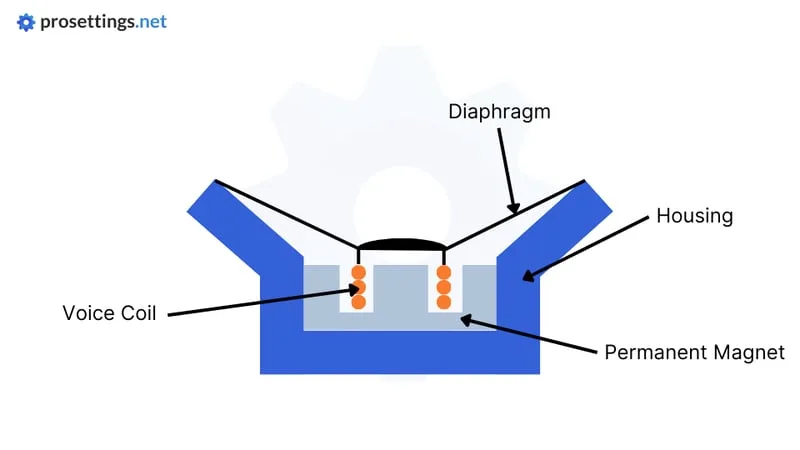
- Cutaway diagrams show the driver, magnet, voice coil, and diaphragm inside the shell.
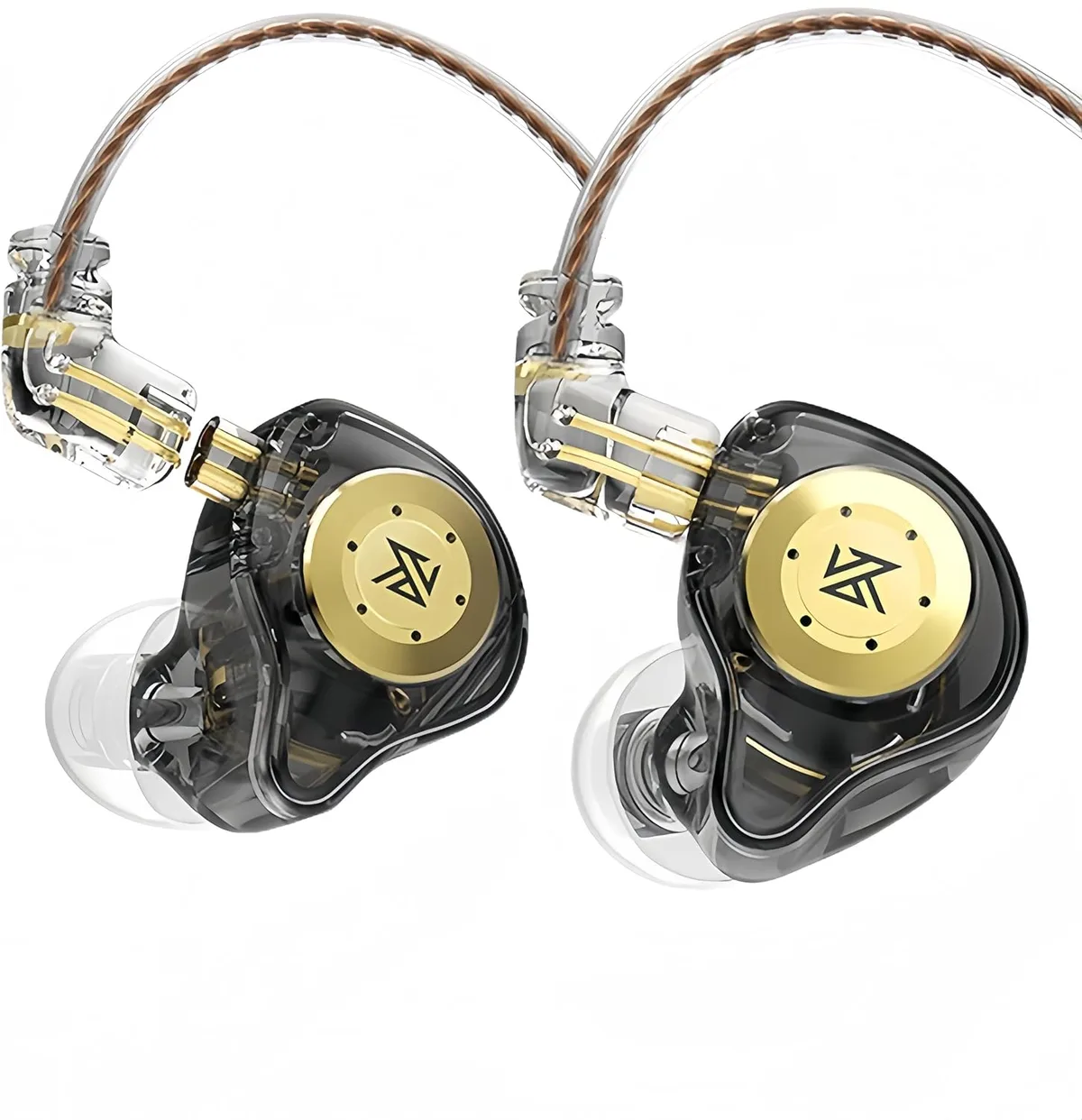
- Form-factor photos make the difference between in-ear, on-ear, and true wireless obvious at a glance.
- Frequency response charts visualize why one earphone sounds warm and another sounds bright.
If you've ever tried to explain earphones to a friend using only words, you already know how useful a single labeled photo can be. The three images placed throughout this guide anchor the technical sections in something you can actually see.
The Anatomy of an Earphone: A Visual Breakdown
Every earphone, regardless of price, is built from the same core parts. Once you can name these parts, spec sheets and marketing claims start making a lot more sense.
The Driver: Where Sound Begins
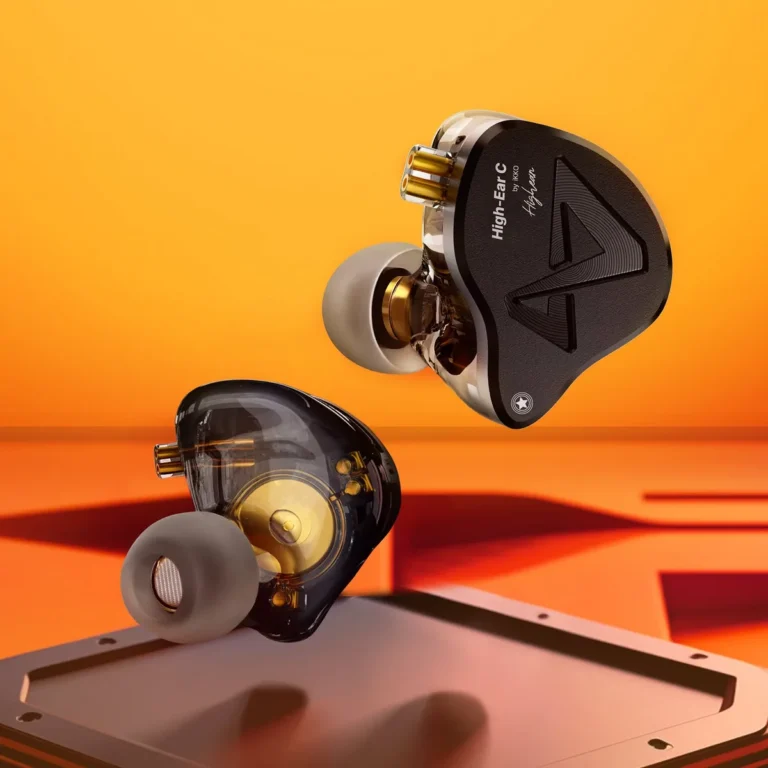
The driver is the heart of any earphone. It's the component that turns electrical energy into sound waves. Most earphones use a dynamic driver, which works a lot like a miniature version of a traditional speaker.
A thin diaphragm, often made of PET, bio-cellulose, or graphene-coated mylar, is attached to a voice coil suspended inside a magnetic field.
When current flows through the coil, the coil moves, and the diaphragm moves with it. That movement pushes air, and that air movement is what your ear interprets as music, voices, or game audio. Per manufacturer datasheets, dynamic drivers in earphones range from about 6 mm to 14 mm in diameter.
Smaller drivers tend to be faster and more detail-focused, while larger drivers move more air and produce deeper bass.
Some premium earphones use balanced armature drivers instead. These are even smaller, use a reed balanced between two magnets, and excel at mids and highs. Multi-driver IEMs (in-ear monitors) often stack several balanced armatures in one housing to cover different frequency ranges.
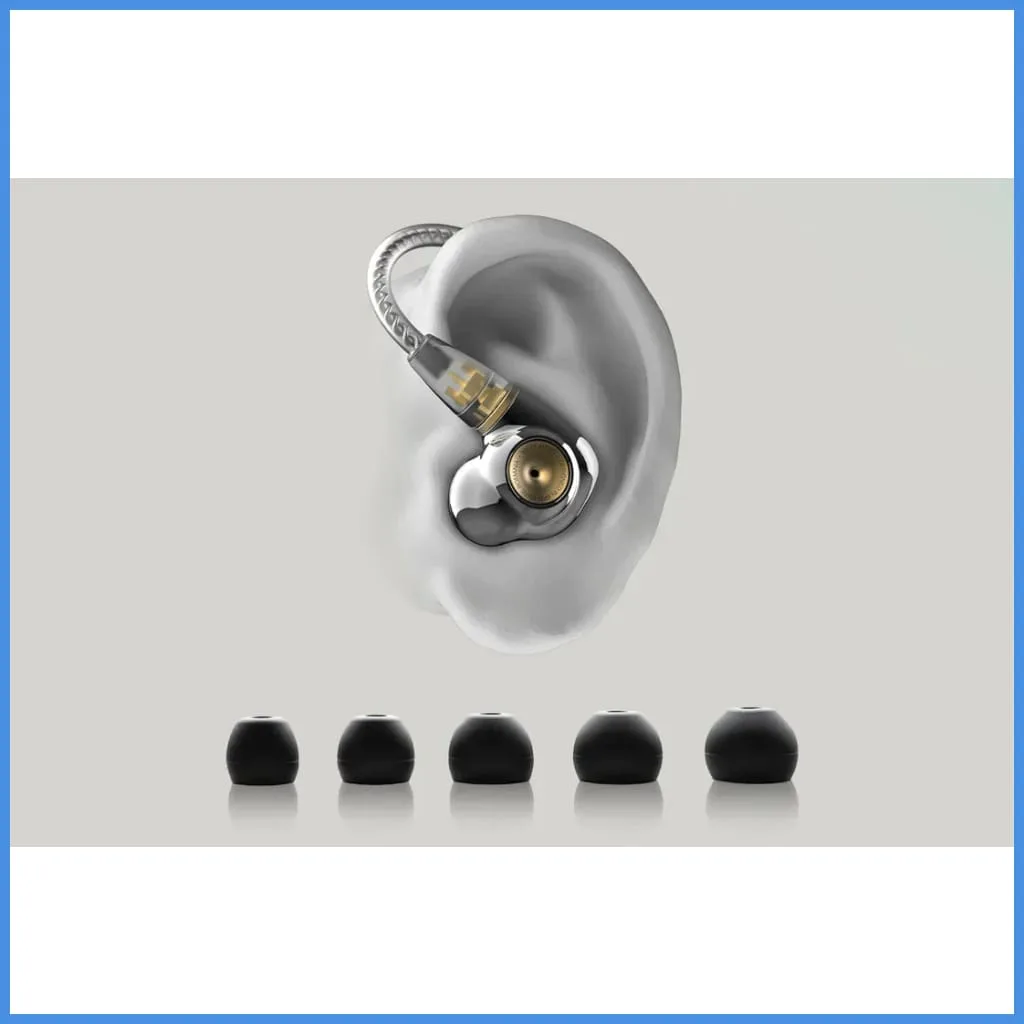
The Housing and Nozzle
The driver sits inside a molded housing, usually plastic, aluminum, or resin. The housing shapes the acoustic chamber and channels sound through a narrow tube called the nozzle. The nozzle's length and diameter have a big effect on treble response.
A short, wide nozzle tends to sound open and airy. A long, narrow one can sound more focused but slightly congested.
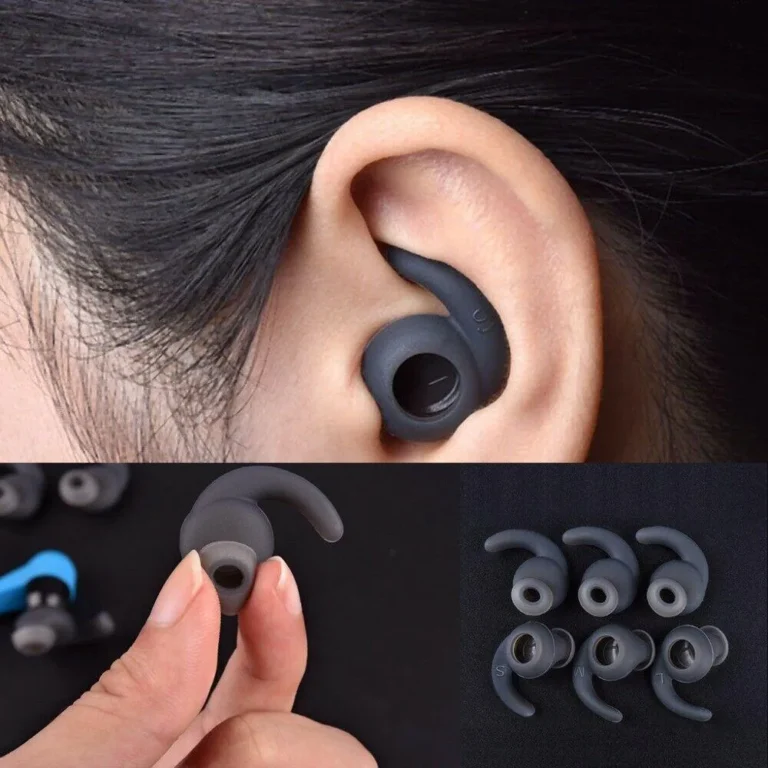
The Ear Tip: The Part You Actually Feel
The silicone or foam tip that sits in your ear canal is more important than most people realize. It creates the acoustic seal that determines bass quantity, noise isolation, and even comfort. A loose seal lets bass escape, which makes the earphone sound thin and tinny.
A proper seal boosts bass by 5 to 10 dB at low frequencies, according to aggregate measurements published by audio testing labs.
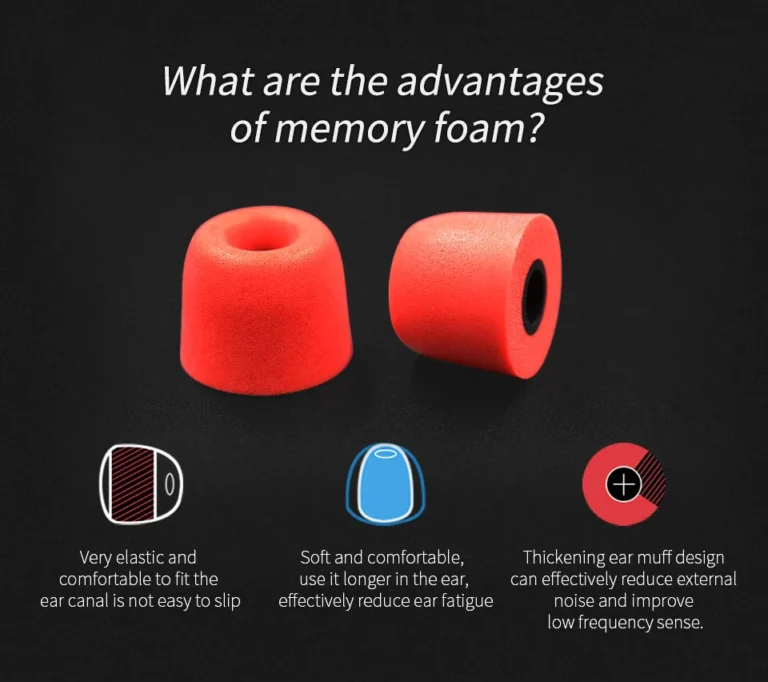
Most earphones ship with small, medium, and large silicone tips. Many also include memory foam tips, which expand to fit your ear canal and typically block more outside noise.
The Cable and Connector (On Wired Models)
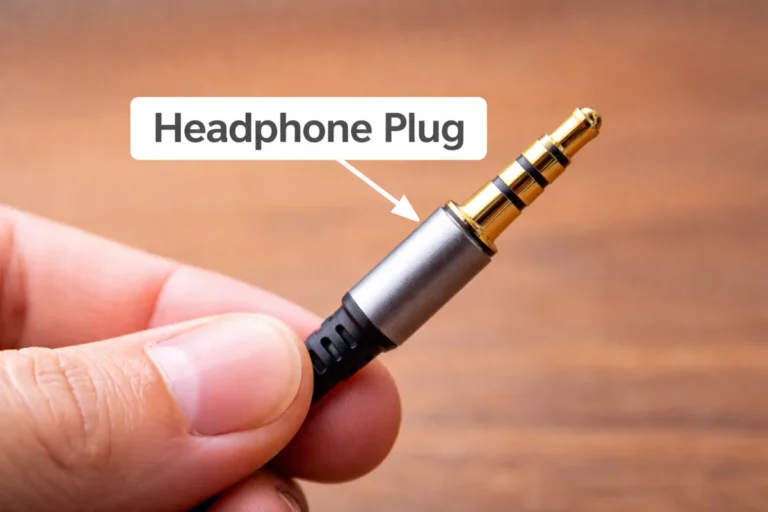
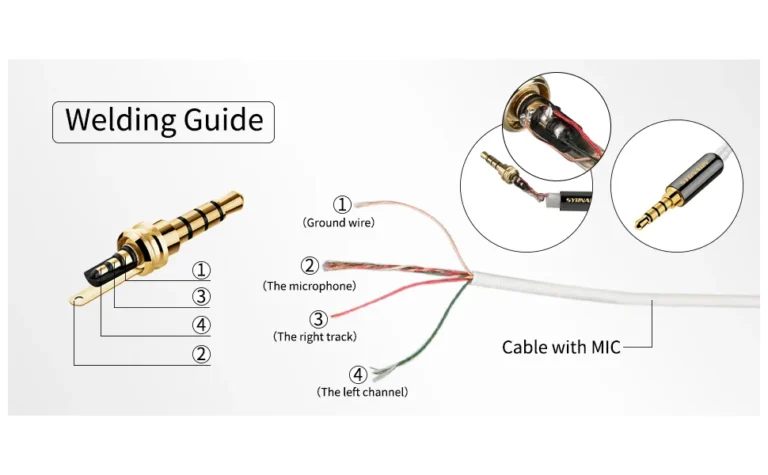
Wired earphones use a cable to carry the audio signal from your source device to the driver. Cable materials vary, with higher-end models using oxygen-free copper or silver-plated conductors. The connector is usually a 3.5 mm jack, though USB-C and Lightning have become common as phones have dropped the headphone port.
The Battery, Antenna, and Microphone (On Wireless Models)
True wireless earbuds add three more parts: a small lithium-ion battery, a Bluetooth antenna, and one or more microphones for calls and active noise cancellation. Per Bluetooth SIG specifications, modern earphones use Bluetooth 5.0 or higher, which supports ranges up to 10 meters line of sight and lower power draw than older versions.
How Earphones Actually Work: Sound From Signal to Your Ear
The full signal chain from your phone to your eardrum is worth understanding, especially if you're curious about codecs, latency, or why wireless earphones sometimes sound different from wired ones.
Step 1: Your Device Sends a Signal
When you tap play on a song, your phone or computer generates a digital audio file. That file gets encoded based on the Bluetooth codec in use. Common codecs include:
- SBC: the universal baseline, decent quality, higher latency (around 150, 250 ms).
- AAC: the default on iPhones, better quality than SBC at similar bitrates.
- aptX and aptX HD: Qualcomm's family, lower latency and higher fidelity on supported devices.
- LDAC: Sony's codec, supports up to 990 kbps for near-lossless audio.
- LC3: the new LE Audio standard, designed for efficiency and better quality at lower bitrates.
Wired earphones skip this step entirely. The analog signal travels through the cable with no compression.
Step 2: The Signal Reaches the Driver
For wireless models, the receiving antenna decodes the signal back into digital audio, then a built-in DAC (digital-to-analog converter) turns it into an analog electrical waveform. That waveform flows into the driver's voice coil.
Step 3: The Driver Moves Air
The coil's movement pushes the diaphragm. The diaphragm's oscillation creates pressure waves in the air inside your ear canal. Your eardrum picks up those waves, and your brain interprets them as sound.
Step 4: Your Ear Canal Shapes What You Hear
The shape and length of your ear canal act as a natural acoustic filter. This is why ear tips matter so much. A sealed canal delivers the full frequency range the driver is producing.
An unsealed one lets low frequencies leak out, which is why earbuds that don't seal well always sound tinny or hollow.
If you're looking at portable listening devices that pair with these earphones, our guide on matching battery capacity to your daily routine walks through how much charge you actually need for a long travel day.
The Main Types of Earphones (With Pictures)
The word earphone covers a lot of styles. Here's how the main categories break down, what they look like, and who each one is built for.
Earbuds (Non-Sealing, Rest on the Ear)
Classic Apple-style earbuds sit in the outer ear without sealing the canal. They're light, breathable, and let in ambient sound, which some people prefer for safety or comfort. The trade-off is weak bass and poor noise isolation.
Frequency response is often rolled off below about 80 Hz.
In-Ear Monitors (IEMs, Seal the Canal)
IEMs use silicone or foam tips that insert into the ear canal and form a seal. They deliver stronger bass, better isolation, and a more controlled sound. Most modern earphones sold today fall into this category.
True Wireless Earbuds (TWS, No Wires at All)
TWS earbuds are IEMs with no cable between the left and right earpieces. Each one has its own battery, Bluetooth radio, and controls. They charge in a carrying case that doubles as a power bank.
Per aggregate industry reports, TWS shipments now account for the majority of all earphone sales worldwide.
Neckband Earphones (Wireless, Connected by a Band)
A neckband design puts the battery and Bluetooth module in a flexible band that rests on your neck. The earpieces connect to the band by short cables. Neckbands offer longer battery life than TWS and are less likely to get lost.
Wired Earphones (Cable to the Source)
Still popular with musicians, audiophiles, and commuters who want zero charging hassle. Wired earphones don't need batteries, don't have latency, and can be very inexpensive.
Open-Ear and Bone Conduction
These rest outside the ear canal and transmit sound through the cheekbones or direct air conduction. They're popular for runners who need to hear traffic. Sound quality is generally weaker, but situational awareness is much better.
| Type | Isolation | Battery Needed | Best For |
|---|---|---|---|
| Earbuds | Low | Optional | Casual listening, office use |
| IEMs | High | Optional | Music, commuting, travel |
| True Wireless | High | Yes (per bud) | Gym, travel, daily carry |
| Neckband | Medium-High | Yes (band) | Long calls, workdays |
| Wired | Medium | No | Studio, audiophile, gaming |
| Bone Conduction | None | Yes | Running, cycling, safety |
If you're picking a pair for travel and want to know how long the case will actually last, our breakdown of 10000 mAh runtime is a useful reference, since most TWS cases now pack similar battery densities.
Driver Types Explained: Dynamic, Balanced Armature, Planar, and Hybrid
The driver is the part that actually makes sound, and the type of driver inside an earphone shapes everything from bass impact to treble detail. Here are the four main designs you'll see on spec sheets.
Dynamic Drivers
A dynamic driver uses a moving coil and diaphragm, the same basic principle as a full-size speaker. It's the most common type in earphones because it's affordable, reliable, and can produce full-range sound from a single unit. Most budget and mid-range earphones use a single dynamic driver.
Strengths: strong bass, easy to drive, low cost.
Limitations: can lose detail at very high volumes, resonance issues in cheap builds.
Balanced Armature Drivers
Balanced armatures are tiny reed-style drivers originally developed for hearing aids. They don't move as much air as dynamic drivers, but they excel at mids and highs with very low distortion.
You see balanced armatures mostly in multi-driver IEMs, where three or four of them handle different frequency bands. A typical setup pairs one armature for treble, one for mids, and a dynamic driver for bass.
Strengths: precise, detailed, great for vocals and acoustic music.
Limitations: weaker bass on their own, more expensive, need a good seal.
Planar Magnetic Drivers
Planar drivers use a thin diaphragm with embedded conductors suspended between two magnets. They're rare in earphones because of size constraints, but they show up in a few high-end IEMs. They tend to sound very fast and controlled, with low distortion.
Strengths: excellent transient response, low distortion, balanced sound.
Limitations: expensive, heavier, and require more power.
Hybrid Designs
Hybrid earphones combine a dynamic driver for bass with balanced armatures for mids and treble. This is a common approach in mid-to-high-end IEMs because each driver type does what it does best.
If you're curious about the engineering side, the Audio Engineering Society publishes research papers and standards on driver design that go much deeper than spec sheets.
Wired vs. Wireless vs. True Wireless: What's the Difference?
This decision used to be simple. Wired for audiophiles, wireless for everyone else. In 2026, it's more nuanced.
Wired Earphones
Wired earphones connect directly to your device through a cable. They need no battery, no pairing, and no compression. Latency is effectively zero, which is why gamers and musicians still prefer them.
They also tend to be cheaper for equivalent sound quality.
The trade-off is convenience. You're tethered to your phone, and many modern phones don't even have a headphone jack.
Wireless (Neckband or Connected)
Wireless usually means a Bluetooth connection between your device and a paired earpiece module, often a neckband or a single bud-to-bud cable. These designs offer longer battery life than true wireless because the battery is larger and shared between both earpieces.
True Wireless (TWS)
True wireless means no cable at all. Each earpiece is independent. They charge in a case that tops them up between uses.
Modern TWS earphones support Bluetooth 5.3 or later, multipoint pairing, and active noise cancellation.
The trade-off is smaller batteries, slightly higher latency, and the occasional pairing hiccup. Aggregate reviews consistently show that the best TWS models now match mid-tier wired earphones in sound quality for most listeners.
| Connection | Latency | Battery | Best For |
|---|---|---|---|
| Wired | 0 ms | None needed | Gaming, studio, audiophile |
| Wireless neckband | 80–150 ms | 15–30 hrs | Workdays, calls |
| True wireless | 100–250 ms | 5–12 hrs per bud | Travel, gym, daily carry |
Earphone vs. Headphone vs. Earbud vs. IEM: Clearing the Confusion
The terminology gets messy fast. Manufacturers, reviewers, and shoppers all use these words differently. Here's how we use them in this guide, and how the industry generally treats them.
Headphones
Headphones are larger devices that sit on or over your ears. They have bigger drivers (usually 30 mm to 50 mm) and don't seal your ear canal. Over-ear (circumaural) headphones enclose your entire ear.
On-ear (supra-aural) headphones rest against the outer ear.
Earbuds
Earbuds technically refers to small devices that rest in the outer ear without sealing the canal. Think of the classic iPod earbuds. Many people (and brands) use earbuds and earphones interchangeably, but in technical specs they mean different things.
Earphones
Earphones is a broad umbrella term. It includes anything small that delivers sound into or near your ear, including earbuds, IEMs, and even some on-ear designs.
IEMs (In-Ear Monitors)
IEMs are earphones that seal inside the ear canal with silicone or foam tips. The seal is what gives them their isolation and bass response. Stage performers and audio engineers use IEMs because they block outside sound and reproduce audio with high accuracy.
The Practical Difference
If you're shopping, the term earphones is usually a catch-all. IEMs implies a sealing design. Earbuds usually means a non-sealing fit.
Headphones means a larger over-ear or on-ear form factor.
Key Specs That Actually Matter (Frequency, Impedance, Sensitivity)
Spec sheets are full of numbers, but only a few of them actually change how an earphone sounds or whether it works with your device.
Frequency Response
Frequency response tells you the range of frequencies the earphone can reproduce. The standard range is 20 Hz to 20 kHz, which roughly matches human hearing. A wider range doesn't necessarily mean better sound.
What matters more is how flat or curved the response is across that range.
Impedance
Impedance is measured in ohms and tells you how much electrical resistance the earphone has. Most portable earphones sit between 16 and 50 ohms. Higher-impedance earphones (above 100 ohms) often need a dedicated amplifier to reach proper volume.
For phones and laptops, look for earphones under 50 ohms. They'll play loud enough without extra gear.
Sensitivity
Sensitivity is measured in decibels per milliwatt (dB/mW) and tells you how efficiently the earphone converts power into volume. Most earphones fall between 95 and 110 dB/mW. Higher sensitivity means louder playback at the same volume setting.
Driver Size
Driver size, usually listed in millimeters, gives a rough hint of bass capability. Larger drivers (10 mm and up) generally produce more bass. Smaller drivers (6 to 8 mm) tend to be more detail-oriented.
What You Can Skip
Total Harmonic Distortion (THD) below 1 percent is inaudible. Bit rate numbers above 320 kbps are largely meaningless. Brand hype about hi-res certified usually just means the device supports certain codec formats.
Common Features in Modern Earphones (ANC, Transparency, Codecs, IP Rating)
Modern earphones are stuffed with features that didn't exist in older models. Here's what each one actually does.
Active Noise Cancellation (ANC)
ANC uses microphones to listen to outside sound, then generates an inverse wave to cancel it. It works best on low, steady noises like airplane engines and air conditioners. It does less for sudden sharp sounds like voices or keyboard clicks.
Per manufacturer testing, top-tier ANC can reduce outside noise by 25 to 35 dB at low frequencies. That's a huge difference on a flight or in an open office.
Transparency Mode
Transparency mode does the opposite of ANC. It pipes outside sound into your ears using the microphones, so you can hear announcements or have a conversation without removing the earphones.
Bluetooth Codecs
Codecs determine how audio is compressed and transmitted over Bluetooth. Higher-bitrate codecs (LDAC, aptX HD, LC3) preserve more detail. Lower-bitrate codecs (SBC) use less power and have wider compatibility.
IP Rating (Water and Dust Resistance)
IP ratings tell you how well the earphone resists water and dust. The second digit matters most for earphones. IPX4 means splash-resistant, fine for workouts.
IPX7 means submersible up to 1 meter for 30 minutes. Anything below IPX4 is risky for the gym.
Multipoint Pairing
Multipoint lets the earphones connect to two devices at once, like a laptop and a phone. It's useful if you take calls while watching video on your computer.
Touch Controls and Voice Assistants
Most modern earphones have touch panels or buttons for playback, volume, and calls. Higher-end models also support hands-free voice assistants like Siri, Google Assistant, or Alexa.
For more on how these features interact with battery life in real use, our piece on matching capacity to your daily carry is a useful companion read.
How to Choose the Right Ear Tip and Get a Proper Seal
A proper seal is the single biggest factor in how your earphones sound. The right tip transforms muddy audio into tight, full-range sound. Try every size included in the box.
Your left and right ears often need different sizes.
Insert the tip with a slight twist and press gently to release trapped air. If bass feels weak, go up a size. If you feel pressure or pain, go down.
Memory foam tips expand to fill the canal and typically block more noise than silicone.
Best Earphones for Each Use Case (Commute, Gym, Work, Gaming, Sleep)
Match the earphone to the activity. Gym-goers want IPX4 or higher and a hook or fin design. Commuters need ANC and long battery life.
Gamers prioritize low-latency wired or 2.4 GHz wireless. Sleep users want flat, low-profile tips. Office callers need a strong mic and multipoint pairing.
Safety First: Safe Listening Limits and Hearing Health
The World Health Organization estimates over 1 billion young people are at risk of hearing loss from unsafe listening. Per NIOSH research, 85 dB is the safe exposure limit for 8 hours. Every 3 dB doubles the danger, so 88 dB cuts safe time to 4 hours.
Follow the 60/60 rule: 60 percent volume for 60 minutes, then take a break. Use volume limiters on your phone. If someone sitting next to you can hear your earphones, it's too loud.
Common Problems and How to Fix Them
Bluetooth dropouts usually mean interference or a low battery. Move closer to your source. One silent earpiece often comes from earwax blocking the mesh.
Clean gently with a dry brush. Poor bass means a bad seal. Try a larger tip.
Latency on video calls is a codec issue. Force your phone to use AAC or aptX if available.
Caring for Your Earphones
Wipe tips weekly with a slightly damp cloth. Store TWS buds in the case. Avoid leaving them in hot cars, which degrades batteries.
Replace silicone tips every 6 to 12 months. For long-term storage, charge to about 50 percent and power off.
Frequently Asked Questions
What is the difference between earphones and earbuds?
Earbuds rest in the outer ear without sealing the canal. Earphones is a broader term that includes earbuds, IEMs, and other small personal audio devices. Most modern earphones are actually in-ear monitors that seal inside the ear canal.
Do earphones damage your hearing?
Prolonged listening above 85 dB can cause permanent hearing damage. Keep volume at or below 60 percent and take regular breaks. The WHO recommends no more than 40 hours of weekly exposure at 80 dB.
Are expensive earphones worth it?
In our research, the jump from $20 to $100 brings the biggest quality improvement. Above $300, gains are smaller and more subjective. Build quality, comfort, and features like ANC matter as much as raw sound.
Can I use earphones with a hearing aid?
Some modern hearing aids stream audio directly via Bluetooth. Alternatively, over-the-ear earphones worn behind the hearing aid often work. Consult an audiologist for personalized advice.
How long do true wireless earphones last?
Battery degradation is the main limit. Most TWS batteries retain 80 percent capacity after 500 charge cycles, roughly 2 to 3 years of daily use. The case battery often outlasts the buds.