What To Look For Power Bank Specs: 2026 Buying Guide
A good power bank spec comes down to capacity, output speed, and build quality, all working together to match how you actually charge. When those three line up with your device and habits, you stop guessing and start charging with confidence.
I've tested more power banks than I can count over the years. Some died in my bag within months. Others are still going strong after years of travel, road trips, and long workdays away from an outlet. The difference always came down to specs I paid attention to early on. Let me walk you through what to look for power bank specs so you can skip the bad buys and pick one that actually fits your life.

Capacity: How Much Juice Do You Really Need?
Capacity is the headline number, but it's also the most misunderstood. It's measured in milliamp hours (mAh) and tells you how much energy the power bank can store. The trick is that the capacity you see on the box isn't the capacity your phone actually receives.
A 20,000 mAh power bank sounds huge, but your phone will only get around 13,000 to 14,000 mAh of usable charge. That's because of energy loss during conversion and the fact that power banks run at 3.7 volts while your phone charges at 5 volts or higher. This is called conversion efficiency, and it's one of the first power bank specs worth understanding.
Here are the ranges I'd think about:
- 5,000 to 10,000 mAh is great for daily carry. It's enough to top up a phone once or twice.
- 10,000 to 20,000 mAh hits the sweet spot for most people. You can charge a phone three to five times.
- 20,000 to 30,000 mAh is built for travel, camping, or charging a phone and a tablet.
- 30,000 mAh and above is heavy duty. It's great for laptops or long trips off the grid.
I made the mistake early on of buying a tiny 5,000 mAh bank because it looked cute. It couldn't even fully charge my phone once. Lesson learned: match the capacity to your real day, not just the spec sheet.
Output Speed: The Spec Most People Overlook
Capacity tells you how much, but output speed tells you how fast. A huge power bank that charges at 5 watts is basically a slow leak. You'll wait forever for a full top-up.
Look at the wattage, not just the amps. Watts = volts × amps. A 20W output is now the baseline for modern phones. If your phone supports fast charging, anything below 18W will feel painfully slow.
Here are the key terms you'll see:
- Standard USB-A usually outputs 5W to 12W.
- USB-C Power Delivery (PD) can go from 18W up to 100W.
- Qualcomm Quick Charge is common in Android phones and supports 18W to 36W.
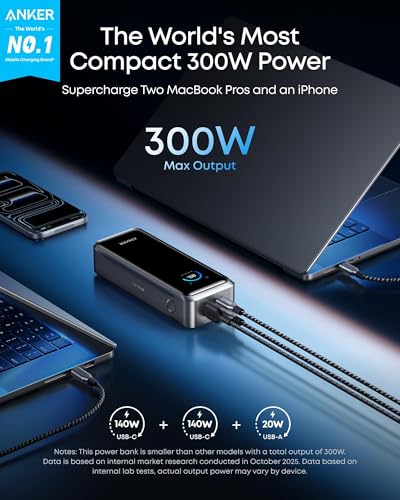
If you're charging an iPhone 15 or newer, anything with 20W USB-C PD will give you around 50% in 30 minutes. For laptops, you'll want 45W to 65W output. I always check the port layout too. Some power banks have one fast port and one slow port, which is sneaky marketing. The total wattage often gets split across ports when you use them at the same time.
Input Speed: How Fast Does the Bank Itself Recharge?
This is one of those power bank specs that quietly gets ignored, then frustrates you later. A 20,000 mAh bank that takes 12 hours to refill is a hassle. One that recharges in 3 to 4 hours is a game changer.
Look for input ratings of at least 18W via USB-C PD. Some newer models support 30W or even 65W input. That means you can plug the bank in with the same fast charger you use for your laptop and have it ready in no time.
I own a 26,800 mAh bank that takes a full day to recharge through micro-USB. It's painful. I use it only when I have no other choice. A second one with USB-C input fully refills in under five hours, and it's the one I grab every time.
Ports and Compatibility: Match the Bank to Your Gear
Ports matter more than you think. A power bank with one old USB-A port in 2025 feels outdated. You want flexibility.
Here are the port types worth knowing:
- USB-C is now the standard. Most new phones, tablets, and laptops use it.
- USB-A is still useful for older gear, earbuds, and watches.
- DC or barrel ports are rare but appear in high-capacity laptop power banks.
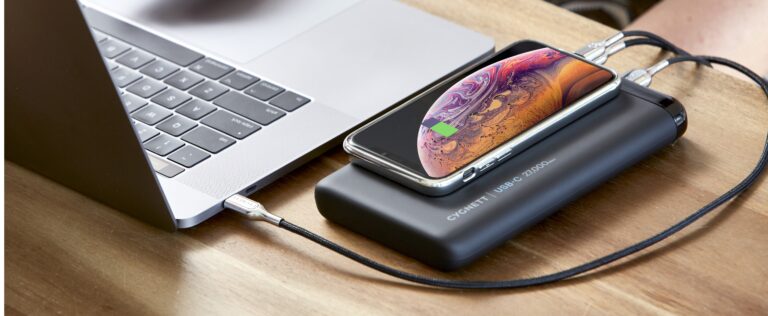
- Wireless charging pads are a nice bonus but waste energy and charge slowly.
If you carry an iPhone, a MacBook, and AirPods, look for a bank with at least two USB-C PD ports. If you travel with mixed gear, a three-port setup saves you from carrying multiple chargers. Also, make sure the cables you plan to use support the wattage. A 100W power bank paired with a cheap 12W cable will bottleneck your charging speed.
Battery Cell Type: Li-Polymer vs Li-Ion
Most modern power banks use lithium polymer (LiPo) cells because they're lighter, safer, and can be made thin. Lithium-ion (Li-ion) cells are still common in budget models and tend to be a bit bulkier.
If portability matters to you, Li-Polymer is the way to go. It also tends to hold its charge longer when sitting on a shelf. I keep a slim LiPo bank in my laptop bag at all times, and after a year it still holds close to its original capacity.
Build Quality and Safety Features
A power bank is basically a small battery wrapped in plastic or metal. The cheaper the wrap, the more likely you'll have issues down the road. Look for solid build, clean seams, and a weight that feels real without being a brick.
More importantly, check for safety certifications. These are often printed right on the back of the unit:
- UL certification
- FCC certification
- CE marking
- RoHS compliance
These mean the power bank has passed basic safety and quality tests. Avoid no-name brands with no certifications. A faulty battery can swell, overheat, or worse. I've seen a cheap power bank bulge like a pillow after a few hot months in a car. That was the last time I skipped safety checks.
Also, look for built-in protections:
- Overcharge protection
- Overheat protection
- Short circuit protection
- Temperature control
These are standard in good banks, but cheap ones often skip them.
Pass-Through Charging: A Small but Handy Feature
Pass-through charging lets you charge the power bank and your devices at the same time. It's perfect for hotel rooms with one outlet or for travel setups where every plug counts.
Not all banks support it well, though. Some throttle the output speed, and a few even warn against using it regularly because it stresses the cells. If you travel often, it's a feature worth having. I use it constantly when I'm working from a cafe with a single wall outlet.
Size, Weight, and Form Factor
A 30,000 mAh power bank with 100W output sounds amazing until you carry it in your pocket. Specs on paper don't show how it feels in your hand.
Think about how you'll actually carry it:
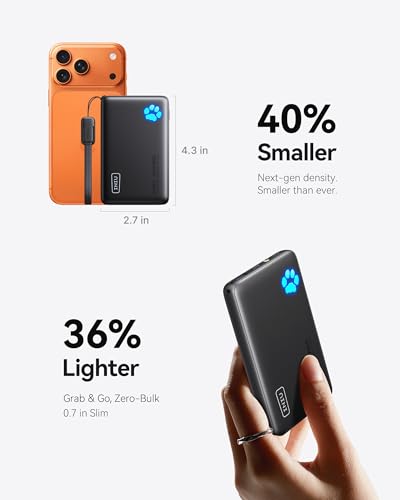
- Pocket carry: stick to 5,000 to 10,000 mAh and under 200 grams.
- Backpack carry: 10,000 to 20,000 mAh is the sweet spot.
- Travel or emergency kits: 20,000 mAh and up is fine.
Also look at the shape. Tall, slim banks slide into a laptop sleeve. Squat, wide ones fit better in a camera bag. Shape is a small thing that makes daily use way easier.
Extras That Actually Matter
Some features look great in ads but don't matter much in real life. Others are quietly useful every day.
Worth having:
- Built-in cable or attached USB-C tip
- Digital percentage display instead of LED dots
- Trickle charge mode for earbuds and watches
- Airplane-safe rating clearly listed
Nice to have but optional:
- Flashlight (usually weak)
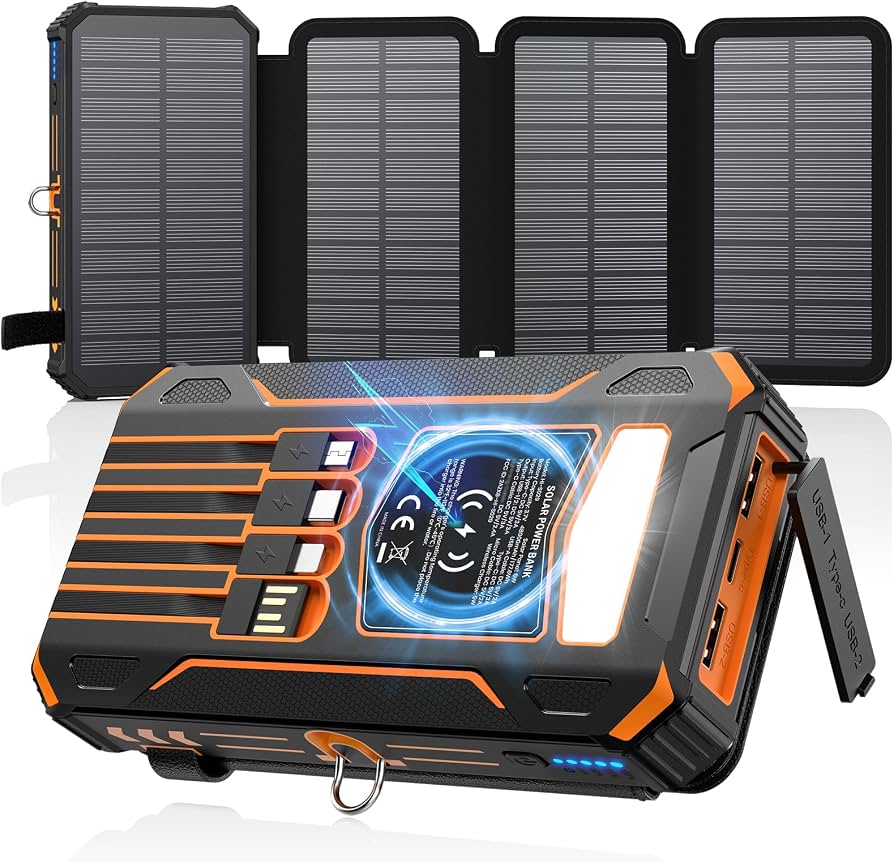
- Solar panel (mostly marketing)
- App connectivity (rarely useful)
A digital display is the one extra I now refuse to skip. Four LED dots that just blink at me don't tell me if I have 15% or 35% left. That matters when I'm deciding whether to charge before heading out.
Air Travel and Airline Rules
If you fly, you already know the rules, but they're worth repeating. Power banks must be in your carry-on, not checked luggage. Most airlines allow up to 100Wh per battery, which is roughly 27,000 mAh at 3.7V.
Banks between 100Wh and 160Wh need airline approval. Anything over 160Wh is banned. Good power banks have their watt-hour rating printed on the side. If it's only listed in mAh, multiply by 3.7 and divide by 1000 to get Wh.
I always check this before any international trip. A 30,000 mAh bank that works fine at home can get confiscated at the gate if it's over the limit.
Common Power Bank Mistakes to Avoid
I've made most of these, so you don't have to:
- Buying by mAh alone without checking output wattage
- Ignoring the input spec and ending up with a bank that takes forever to recharge
- Trusting unknown brands that list fake capacities
- Using the wrong cable for fast charging
- Leaving a power bank in a hot car, which kills the cells
Avoid these, and your power bank will last years instead of months.

How to Match a Power Bank to Your Phone
A simple rule I follow: check your phone's max charging speed first, then pick a power bank that meets or beats it.
- iPhone 15 or newer: 20W USB-C PD
- iPhone 13 or 14: 20W USB-C PD
- Samsung Galaxy S24: 25W USB-C PD
- Google Pixel 8: 27W USB-C PD
- Most Android phones: 18W to 65W depending on model
A 20W power bank will fast charge almost every modern phone. A 30W or 45W bank gives you room to grow if you switch devices later.
What About Charging Laptops and Tablets?
This is where output wattage really matters. A 5W phone charger can't help a 60W laptop. For laptops, look for:
- 45W minimum for MacBook Air and small Chromebooks
- 60W to 65W for MacBook Pro and Windows ultrabooks
- 100W for high-performance laptops
Also make sure the power bank has a true USB-C PD output at that wattage. Some banks claim 65W but only deliver it on one port under specific conditions. Read the fine print.
Reading the Spec Sheet Like a Pro
Once you know what to look for, every spec sheet starts to make sense. Here's a quick mental checklist I run through:
- Capacity in mAh and rated Wh
- Output wattage per port and total
- Input wattage and port type
- Number and type of ports
- Battery cell type
- Safety certifications
- Size and weight
- Airline rating
If a power bank fails on two or more of these, I move on. There are too many good options out there to settle.
Frequently Asked Questions About Power Bank Specs
How many mAh do I need for a power bank?
For most people, 10,000 to 20,000 mAh is the sweet spot. It covers three to five phone charges and still fits in a bag. Heavy users or travelers may want 20,000 to 30,000 mAh.
What is a good wattage for a power bank?
A good modern power bank should output at least 18W to 20W. This covers fast charging for nearly all phones. If you charge a laptop, aim for 45W to 65W.
Are higher mAh power banks better?
Not always. Higher mAh means more charges, but also more weight and bulk. A 30,000 mAh bank is overkill if you only top up your phone once a day.
How long do power banks last?
A good power bank lasts 300 to 500 full charge cycles, which usually means two to four years of regular use. Heat, cheap cells, and bad charging habits shorten that lifespan.
Can I take a power bank on a plane?
Yes, in your carry-on. Most airlines allow up to 100Wh without questions, which is around 27,000 mAh. Anything larger needs airline approval and must still be in your cabin bag.
Choosing a Power Bank You'll Actually Use
After years of testing, the best power bank isn't the one with the biggest number on the box. It's the one that fits your life, charges your gear at full speed, and lasts for years without fuss.
Focus on capacity that matches your day, output that matches your devices, and build quality that doesn't cut corners. Skip the marketing fluff and stick to the specs that actually matter. Do that, and you'll end up with a power bank that earns its place in your bag every single day.