What To Consider When Buying A Power Bank: Easy Guide
When buying a power bank, focus on capacity, charging speed, port types, size, and safety features to match your device needs. I still remember my first power bank purchase years ago. I grabbed the cheapest option at a gas station, only to find it barely charged my phone once before dying. That experience taught me that not all power banks are created equal, and rushing into a decision often leads to frustration. Whether you're a frequent traveler, a student, or someone who simply hates seeing that low battery warning, choosing the right power bank can make a real difference in your daily life. In this guide, I'll walk you through everything I've learned about picking the perfect portable charger, from capacity and charging speed to safety features and brand reliability.
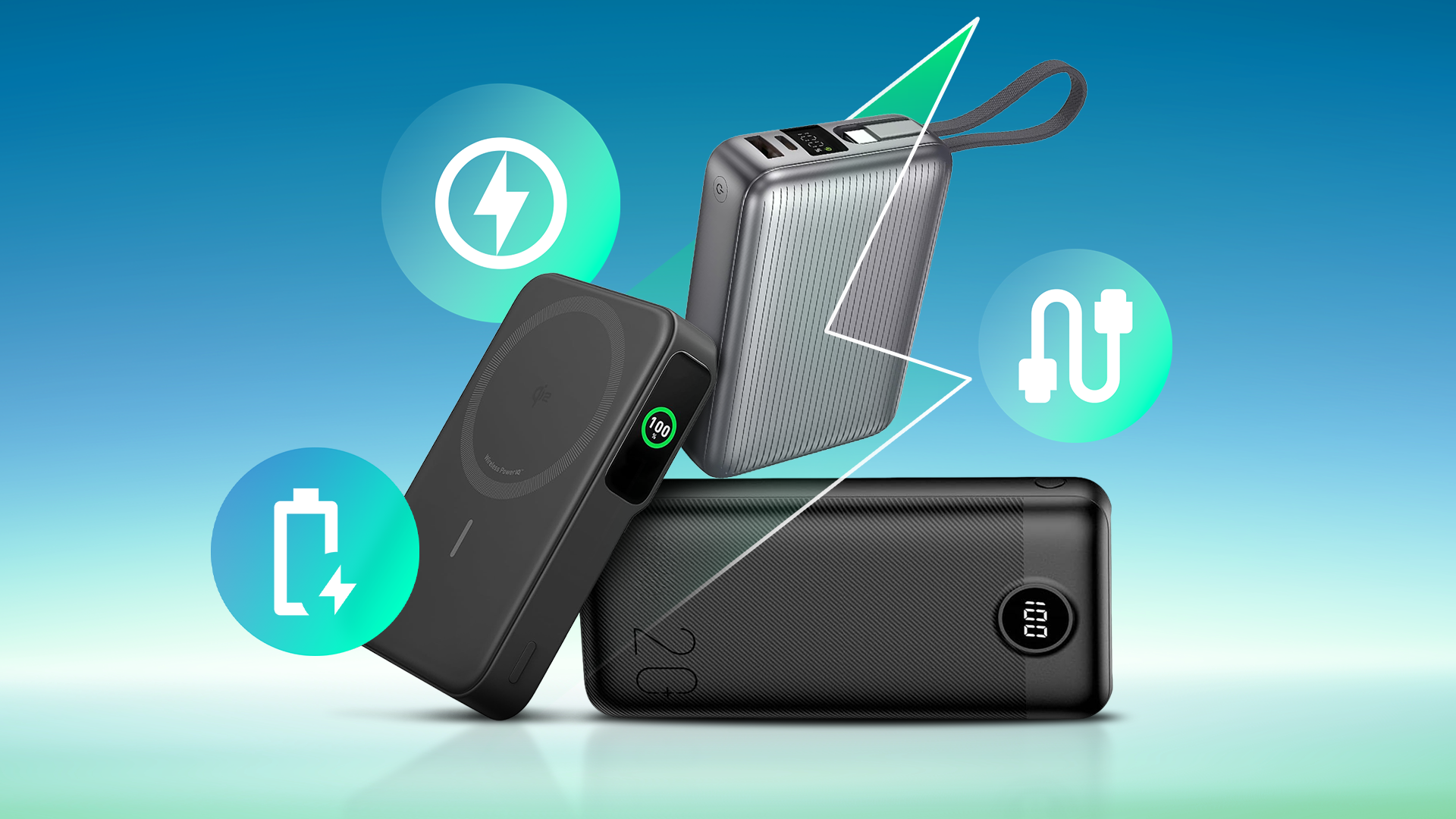
Understanding Power Bank Capacity and mAh Ratings
Capacity is probably the first thing you'll notice when shopping for a power bank, and it's measured in milliamp hours (mAh). Think of mAh as the size of a fuel tank. The bigger the number, the more charge it can hold and the more times it can power up your devices. A typical smartphone battery ranges from 3,000 to 5,000 mAh, so a 10,000 mAh power bank can charge most phones at least twice.
Here's a quick breakdown to help you visualize capacity:
- 5,000 mAh: Enough for one full phone charge. Great for casual use or short outings.
- 10,000 mAh: Can charge a phone two to three times. Ideal for daily commuters.
- 20,000 mAh: Powers a phone five to seven times or charges a tablet once or twice. Perfect for travelers.
- 30,000 mAh or more: Designed for heavy users, campers, or charging multiple devices over several days.
However, keep in mind that real-world capacity is always lower than advertised. Due to energy loss during conversion, a 20,000 mAh power bank typically delivers around 13,000 to 15,000 mAh of usable power. That lost energy is a normal part of the process, not a scam. Manufacturers often calculate capacity at the battery level (3.7V), but your phone charges at 5V, which leads to some inefficiency.
Charging Speed and Output Power
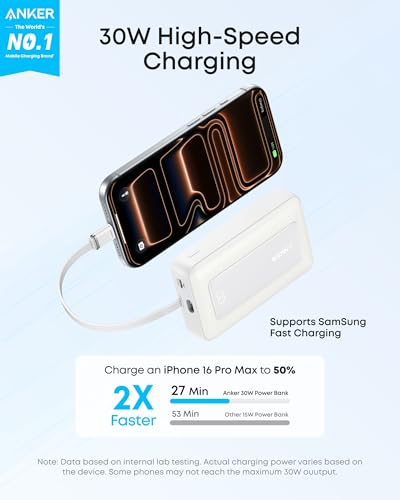
Nobody wants to wait hours for their phone to charge, which is why charging speed matters. The output of a power bank is measured in watts (W) or amps (A), and it directly affects how fast your device powers up. Most modern smartphones support fast charging, so pairing your power bank with the right technology can save you a lot of time.
Look for these common fast-charging standards when shopping:
- USB Power Delivery (PD): Delivers up to 100W. Works with iPhones, iPads, MacBooks, and Android phones.
- Quick Charge (QC): Created by Qualcomm. Found in many Android devices.
- Adaptive Fast Charging: Samsung's proprietary standard.
- VOOC or Dart Charge: Used by Oppo and Realme phones.
If you have a newer iPhone, for example, you'll want a power bank that supports at least 18W PD to get fast charging speeds. Using a 5W charger on a modern phone is like filling a swimming pool with a garden hose. It works, but it's painfully slow.
Personally, I've found that power banks with at least 18W output are worth the small price difference. The time you save over the life of the product is significant, especially if you're charging on the go or during a busy workday.
Port Types and Number of Outputs
Ports are the unsung heroes of power banks. Without the right ones, even the best power bank becomes useless. Before you buy, check which ports your devices use and make sure the power bank supports them.
The most common port types include:
- USB-A: The classic rectangular port. Still common but slowly being phased out.
- USB-C: The modern standard. Supports fast charging and is reversible for easy plugging.
- Micro-USB: Older Android phones and some accessories. Becoming less common.
- Lightning: For older iPhones (iPhone 14 and earlier).
- AC outlet: Found in high-capacity power banks for laptops or appliances.
The number of output ports also matters. If you're traveling with a partner or carrying multiple devices, a power bank with two or three ports lets you charge everything at once. Just remember that charging multiple devices at the same time can slow down the overall charging speed because the wattage is shared between ports.
A few years ago, I bought a power bank with a single USB-A port, thinking that was enough. A year later, I regretted it when I had to choose between charging my phone and my wireless earbuds on a long flight. Now, I only buy power banks with at least two ports, ideally one USB-C and one USB-A, so I have flexibility.
Size, Weight, and Portability
Capacity and portability often work against each other. The higher the mAh, the larger and heavier the power bank tends to be. Before you buy, think about how and where you'll carry it.
For everyday carry in a pocket or small purse, a 5,000 to 10,000 mAh power bank is usually light enough. These typically weigh between 4 and 8 ounces. For travel or long trips, a 20,000 mAh power bank is more practical, but it can weigh around 12 to 16 ounces, similar to a small smartphone. Anything over 30,000 mAh is best kept in a backpack.
I learned this the hard way on a hiking trip. I brought a massive 30,000 mAh brick because I wanted extra power, but by mile five, I was cursing my decision. It was heavy, bulky, and honestly unnecessary for a day hike. Now I match the power bank size to the activity. Pocket-friendly for daily use, mid-size for travel, and large only for camping or emergencies.
Battery Type and Lifespan
Most power banks use lithium-ion (Li-ion) or lithium-polymer (Li-Po) batteries. Both are reliable, but they have subtle differences worth understanding.
Lithium-ion batteries:
- Higher energy density
- Slightly cheaper
- Can degrade faster with heat
Lithium-polymer batteries:
- Lighter and thinner
- More flexible in shape
- Tend to last longer with proper care
The lifespan of a power bank is measured in charge cycles. A good quality power bank should last 300 to 500 full charge cycles before its capacity drops significantly. That means if you use it daily, it should serve you well for about a year or two. If you only use it occasionally, it can last much longer.
To extend the life of your power bank, avoid fully draining it to 0% and don't leave it plugged in for days. Heat is the biggest enemy of lithium batteries, so keep it out of direct sunlight and hot cars.
Safety Features and Certifications
This is the section I wish I had paid more attention to in my early power bank days. Safety features are not just marketing fluff. They're essential for protecting you, your devices, and your home.
A reliable power bank should include:
- Overcharge protection
- Over-discharge protection
- Short circuit protection
- Temperature control
- Surge protection
Also, look for safety certifications like UL, CE, FCC, or RoHS. These certifications mean the product has been tested for safety standards. Avoid no-name brands that don't list any certifications, especially if the price seems too good to be true. Cheap power banks without proper safety circuits have been known to swell, leak, or in rare cases, catch fire.
I once owned a budget power bank that started getting unusually hot during charging. It still worked, but I didn't trust it and tossed it out. That experience taught me that saving a few dollars isn't worth the risk. A power bank is essentially a small battery, and battery safety is not something to gamble with.
Brand Reputation and Warranty
Brand reputation matters more than you might think. Well-known brands like Anker, RAVPower, Aukey, Belkin, and Mophie have built their names on quality, reliability, and customer service. While you might pay a bit more upfront, the peace of mind is worth it.
These trusted brands typically offer:
- 12 to 24-month warranties
- Responsive customer support
- Consistent quality control
- Reliable performance ratings
A solid warranty is your safety net. If the power bank fails within the warranty period, you can get a replacement or refund. Some brands even offer connected equipment warranties, which means they'll cover any damage to your devices if the power bank causes it. That's a level of trust that's hard to put a price on.
Price vs. Value: Finding the Right Balance
Price is always a factor, but the cheapest option is rarely the best one. A good power bank is an investment, and like most things in life, you get what you pay for. That said, expensive doesn't always mean better either.
Here's a general pricing guide based on my research and experience:
- Under $20: Mostly 5,000 to 10,000 mAh power banks with basic features. Fine for light use.
- $20 to $50: The sweet spot for most users. Includes 10,000 to 20,000 mAh with fast charging and good build quality.
- $50 to $100: High-capacity options with multiple ports, advanced safety features, and premium brands.
- $100 and up: Heavy-duty or specialized power banks, including those with AC outlets or solar charging.
I always recommend setting a budget and looking for the best value within that range. Read reviews, compare specs, and check for warranty coverage before making your final choice.
Extra Features That Might Matter to You
Some power banks come with bonus features that can be surprisingly useful:
- Built-in cables: No need to carry extra cords.
- Wireless charging: Great for Qi-enabled phones.
- Solar panels: Handy for camping, but slow in real-world use.
- LED flashlight: Useful during power outages or nighttime travel.
- Digital display: Shows exact remaining battery percentage.
- Pass-through charging: Lets you charge the power bank and your device at the same time.
I personally love power banks with digital displays. There's nothing worse than thinking you have plenty of charge only to find out you're at 5%. A simple percentage readout takes the guesswork out of it.
Frequently Asked Questions About Buying a Power Bank
How many mAh do I need in a power bank?
For most people, 10,000 mAh is a good starting point and can charge a typical phone two to three times. If you travel often or need to charge multiple devices, consider 20,000 mAh or more for extra peace of mind.
Is it safe to use any power bank with my phone?
Yes, as long as the power bank has basic safety certifications and uses a compatible charging standard. Avoid unbranded, cheap power banks with no safety marks, as they can damage your device or overheat.
Can a power bank charge a laptop?
Only if it has a high enough wattage output, usually 45W or more, and a USB-C PD port. Standard power banks designed for phones usually don't have enough power for laptops.
How long does it take to charge a power bank?
It depends on the capacity and input speed. A 10,000 mAh power bank usually takes 3 to 5 hours, while larger 20,000 mAh models can take 6 to 10 hours. Fast-charging inputs can reduce this time.
Should I leave my power bank plugged in overnight?
Most modern power banks have overcharge protection, so it's generally safe. However, unplugging once it's full helps extend the battery's overall lifespan over time.
Final Thoughts on Choosing the Right Power Bank
Buying a power bank doesn't have to feel overwhelming. The key is to focus on what you actually need rather than chasing the biggest number on the box. Think about your daily routine, the devices you carry, and how often you're away from an outlet. Match those needs with the right capacity, charging speed, and port options, and you'll end up with a power bank that feels like it was made just for you. From my own trial and error, I've learned that a mid-range power bank from a trusted brand with at least 18W output and 10,000 to 20,000 mAh capacity is the sweet spot for most people. Take your time, compare your options, and invest in quality. Your future self will thank you the next time you're stuck at 2% with no outlet in sight. If you found this guide helpful, feel free to share it with a friend or drop a comment below with your own power bank tips and experiences.