How To Charge Laptop With A Power Bank: Fast Safe Guide
Use a USB-C Power Delivery power bank rated to your laptop’s wattage to charge it.
I’ve spent years testing portable power solutions and helping people solve battery worries. This guide explains how to charge laptop with a power bank in clear steps. You will learn which power banks work, how to match voltage and wattage, connector options, real-life tips, and safe practices you can trust.
Why use a power bank to charge a laptop?
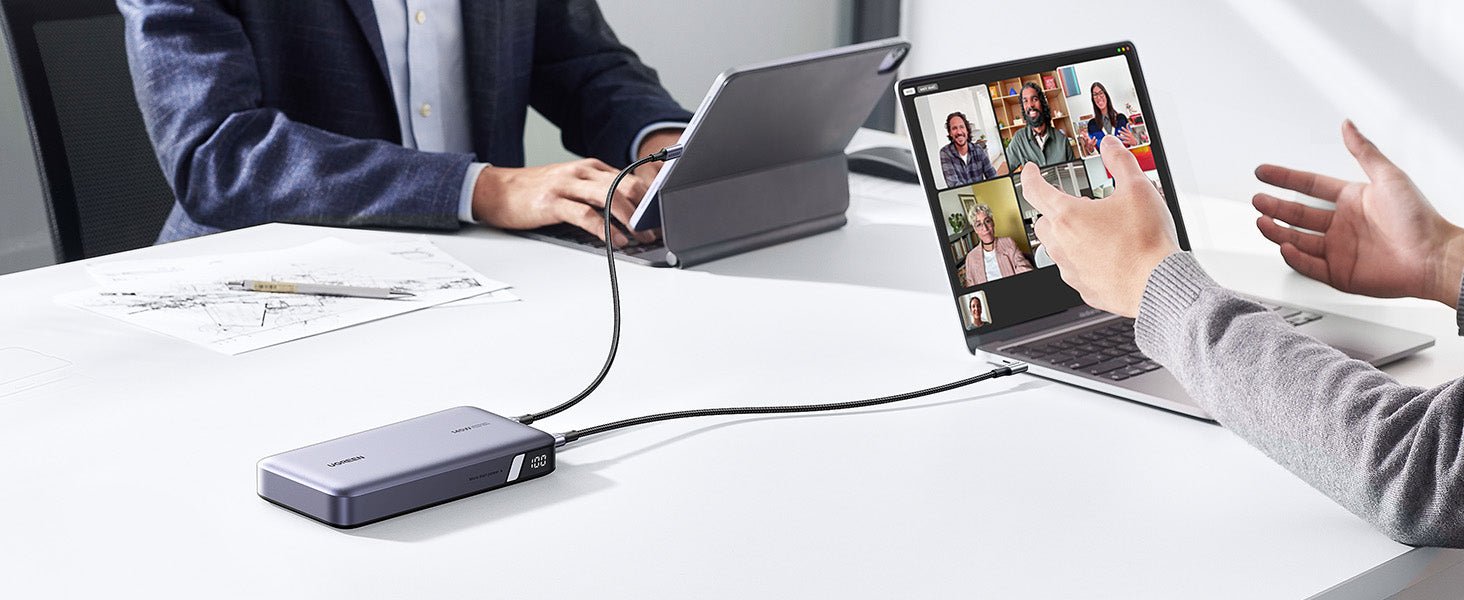
Power banks let you work without an outlet. They add hours of runtime during travel, outdoor work, or power outages. Knowing how to charge laptop with a power bank saves time and stress.
Using a power bank can also protect your workflow. It reduces the need to hunt for sockets. It keeps devices powered during short trips and long meetings.

How to charge laptop with a power bank: step-by-step
- Check your laptop’s power needs.
- Look at the charger label or system info for voltage and wattage. Many laptops need 45W, 65W, 90W, or more.
- Choose a compatible power bank.
- Pick a power bank that supports USB-C Power Delivery and meets or exceeds your laptop’s wattage.
- Match connectors and cables.
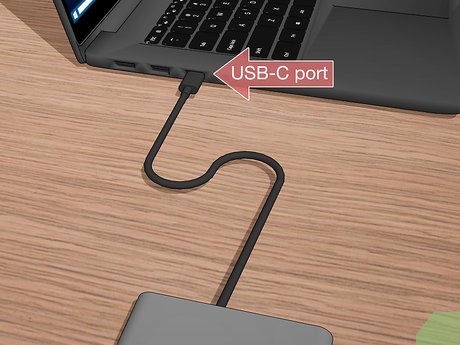
- Use a USB-C to USB-C cable rated for PD, or the specific adapter your power bank provides.
- Turn on and connect.
- Power the bank, plug into your laptop, and confirm charging status on the laptop.
- Monitor charging and temperature.
- Keep an eye on battery percentage and heat. Unplug if anything feels hot or odd.
Practical note: Not all power banks can start charging a laptop from zero. Some need the laptop to be on or the bank to be in a special mode. Learning how to charge laptop with a power bank means checking these details before you travel.
Power bank types and compatibility
USB-C Power Delivery (PD)
- USB-C PD is the common standard for fast charging laptops. It negotiates voltage and current between devices.
- Many modern laptops accept PD at 30W to 100W or more.
High-wattage battery packs
- These packs specialize in laptops and may offer 65W, 90W, or 100W output. They are heavier but effective.
- For gaming laptops, look for 100W+ packs or OEM solutions.
AC output power banks
- Some power banks include a built-in AC outlet. They let you use your normal laptop charger.
- These are bulkier but very flexible.
Compatibility tips
- Confirm your laptop accepts USB-C charging. Older laptops with barrel plugs need a special adapter or an AC outlet power bank.
- Always check the power bank’s output specs and the laptop’s required input to avoid mismatch.
Understanding these options makes it straightforward to decide how to charge laptop with a power bank that fits your needs and gear.

Calculating capacity and runtime
Understand watt-hours (Wh)
- Power banks list capacity in mAh or Wh. Wh is the clearest for laptops.
- Convert mAh to Wh if needed: (mAh × V) / 1000 = Wh.
Estimate real runtime
- Example: A 60Wh laptop and a 200Wh power bank won’t give 3.3 full charges. Expect 60–75% efficiency due to conversion losses.
- Rough formula: usable Wh = rated Wh × 0.7. Then divide laptop battery Wh by usable Wh to estimate charges.
Practical calculation steps
- Find laptop battery capacity in Wh.
- Take power bank Wh and multiply by 0.7 for real-world usable energy.
- Divide usable energy by laptop battery Wh to find full-charge equivalents.
These simple calculations help you pick a power bank that meets your goals and confirm how to charge laptop with a power bank for long trips.
Connectors, adapters, and cables
USB-C to USB-C
- Best for modern laptops that accept USB-C PD. Use a cable rated for the required wattage.
USB-A and proprietary ports
- Many older power banks use USB-A. They rarely supply enough power for laptops without special converters.
- Proprietary outputs need manufacturer adapters.
Barrel-tip adapters and PD trigger cables
- Some power banks include variable tip sets to fit laptops with barrel plugs.
- PD trigger cables can negotiate the right voltage for older laptops, but quality varies.
Cable tips
- Use the shortest, highest-quality cable you have for laptop charging. Long or thin cables can limit power.
- Buy cables rated for 100W if you plan to deliver high wattage.
Choosing the right connector is a core part of learning how to charge laptop with a power bank safely and reliably.

Safety, tips, and troubleshooting
Safety basics
- Only use certified power banks and cables. Cheap units can overheat or fail.
- Avoid charging on soft surfaces that trap heat.
Common troubleshooting
- Laptop not charging: Check PD compatibility and cable rating. Try another USB-C port or power bank mode.
- Slow charging: The power bank may be below the laptop’s required wattage or using a low-voltage profile.
- Power bank not powering laptop at low battery: Some banks shut off at low outputs. Look for a bank labeled "pass-through" or with a dedicated laptop mode.
Best practices
- Keep firmware updated for smart power banks or laptops when available.
- Carry a spare cable and check connectors for dirt or damage.
- Test a new power bank at home before relying on it during travel.
These tips come from hands-on testing and help you use how to charge laptop with a power bank in everyday scenarios without surprises.

Personal experience and lessons learned
I once relied on a mid-range power bank for a long train trip. It claimed 100W output but used a thin cable. Charge was slow. I learned to match cable rating and bank wattage, not just the package claim.
Key lessons
- Always test gear before a trip.
- Keep both PD-capable cables and a small AC adapter if possible.
- Expect 60–75% efficiency. Plan for less than the advertised capacity.
I now bring a 200Wh PD power bank for full-day use. It reliably powers my laptop and phone. Real tests beat specs every time when figuring out how to charge laptop with a power bank.

Frequently Asked Questions of how to charge laptop with a power bank
How do I know if my laptop supports charging from a power bank?
Most modern laptops with USB-C ports support Power Delivery charging. Check your laptop manual or look for a charging symbol by the USB-C port; if unsure, verify input wattage in specs.
Can any power bank charge a laptop?
No. Only power banks with sufficient output wattage and the right connector (usually USB-C PD) can reliably charge laptops. Lower-output banks may power phones but not laptops.
How long will a power bank charge my laptop?
Runtime depends on laptop battery capacity and power bank Wh. Expect about 60–75% of the power bank’s rated Wh to be usable, so calculate accordingly.
Is it safe to use a power bank to charge a laptop overnight?
It’s generally safe with certified devices, but avoid leaving devices unattended for long periods. Monitor initial cycles and keep items on a hard surface to prevent heat buildup.
Do I need a special cable to charge a laptop with a power bank?
Yes. Use a USB-C cable rated for Power Delivery and the wattage you need, usually 60W or 100W rated cables for laptops.
Conclusion
Charging a laptop with a power bank is practical when you know what to check. Match the laptop’s input wattage, choose a PD-capable power bank, use proper cables, and expect real-world losses. Test gear before traveling and follow safety tips to avoid surprises. Try one recommended setup for a week, note the results, and adjust capacity or cables as needed. If you found this guide helpful, leave a comment or subscribe for more portable power tips.