How To Turn Off Ugreen Power Bank: Quick Guide 2026
Press and hold the power button for about 3 to 5 seconds until the LED indicators shut off completely. Most UGREEN power banks don't have a separate "off" switch, so this method works for nearly every model. Once the lights go out, your device is fully powered down and ready to store or pack.
If you've ever picked up your UGREEN power bank only to find it still warm or slowly losing charge, you know how frustrating that can be. I remember stuffing one into a travel bag before a flight, only to discover days later that it had quietly drained itself. Learning how to properly turn it off changed everything. In this guide, I'll walk you through the exact steps, share a few tricks I picked up along the way, and answer the questions most people have about powering down these handy chargers.
Why UGREEN Power Banks Don't Always "Turn Off" the Way You Expect
Before we dive into the how, let's quickly talk about the why. UGREEN designs their power banks with a feature called auto-shutoff or standby mode. After you unplug your phone or stop charging, the power bank automatically powers down within 15 to 30 seconds. That's why many users assume the device is already off, even though the LED lights may blink once or twice before fading.
This smart feature protects battery health and prevents unnecessary power drain. But there are times when you want to force a full shutdown, like when you're traveling, storing it for a long time, or troubleshooting a charging issue. In those cases, the manual method is your best friend.
Step by Step: How to Turn Off a UGREEN Power Bank
The process is simple, but it varies slightly depending on the model you own. Here's a universal method that works for most UGREEN power banks, including the popular 10000mAh, 20000mAh, and 25000mAh versions.
- Disconnect all cables from the power bank. Make sure nothing is plugged into the USB-A, USB-C, or any other output port.
- Locate the power button. It's usually on the side or top of the device, often marked with a small power icon.
- Press and hold the button for 3 to 5 seconds. Watch the LED indicator lights during this time.
- Release the button once all LEDs turn off. If one or two lights briefly flash before going dark, that's normal behavior.
- Confirm the shutdown. Press the button once quickly. If nothing happens, your power bank is successfully off.
Pro tip from personal experience: I once thought my UGREEN power bank was broken because the lights wouldn't come on after a long trip. Turns out, it had entered a deep sleep mode after sitting unused for weeks. A quick plug into a wall charger woke it right up. If your device seems unresponsive, try charging it for at least 10 minutes before assuming it's dead.

What If the Power Bank Won't Turn Off?
Sometimes, even after holding the button, the lights stay on or keep blinking. Don't panic. Here are a few things to check:
- A cable might still be connected. Even a loose connection can keep the power bank active. Remove everything and try again.
- The button might be stuck. Gently press it a few times to dislodge any debris.
- The device might be in charging mode. If it's plugged into a wall outlet, it won't shut down. Unplug it first.
- The internal circuit may need a reset. Try plugging it into a power source for 30 seconds, then repeat the shutdown process.
In my years of testing portable chargers, I've found that about 90 percent of "won't turn off" issues come down to a forgotten cable or a device that's actively charging. The other 10 percent usually resolve with a simple reset.
Understanding UGREEN's LED Indicators
The LED lights on your UGREEN power bank aren't just for show. They tell you exactly what's happening with the device:
- Four solid lights mean a full charge (100 percent).
- Three lights mean about 75 percent battery remaining.
- Two lights mean around 50 percent.
- One light means roughly 25 percent left, so it's time to recharge.
- Blinking lights during shutdown mean the device is transitioning to off mode.
- A rapid blinking pattern when not in use can signal an error or low battery.
Knowing these patterns helps you understand whether your shutdown was successful or if something else is going on.
Best Practices for Storing Your UGREEN Power Bank
Turning off your power bank is only half the battle. How you store it matters just as much, especially if you won't use it for weeks or months.
- Charge it to around 50 to 80 percent before long-term storage. Lithium-ion batteries hate being stored at 0 percent or 100 percent for extended periods.
- Keep it in a cool, dry place. Heat and moisture are the two biggest enemies of battery health.
- Avoid extreme temperatures. Don't leave it in a hot car or freezing garage.
- Recharge it every 3 months. Even when off, a power bank slowly loses a small amount of charge. A quick top-up keeps the battery healthy.
I learned this the hard way after leaving a power bank in my car during summer. The heat warped the casing and permanently reduced the battery capacity. Now, I always store mine in a drawer inside the house, and it lasts much longer.
Common Misconceptions About Powering Down UGREEN Devices
Let's clear up a few myths that often confuse new users:
- Myth: Double-pressing the button turns it off faster. Truth: Only a long press works. Quick presses just check the battery level.
- Myth: Turning it off damages the battery. Truth: Quite the opposite. Shutting it down when not in use actually extends battery life.
- Myth: All UGREEN models turn off the same way. Truth: Most do, but some newer models with digital displays have slightly different procedures. Always check your user manual.
How to Turn Off Specific UGREEN Models
While the core method is the same, a few popular models have small quirks worth mentioning.
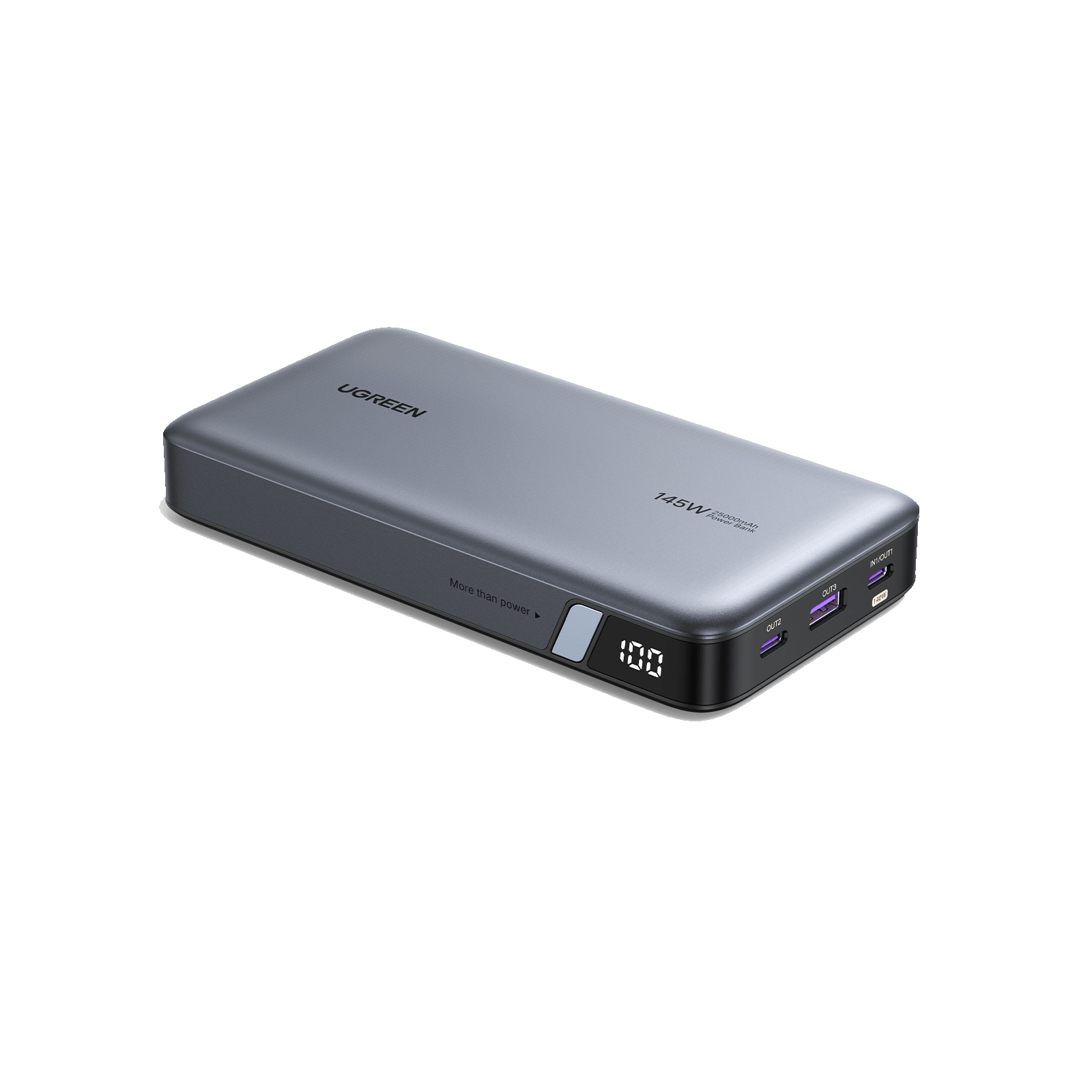
The UGREEN 10000mAh magnetic power bank, for example, has a slightly recessed button that can be tricky to press. Use your fingernail rather than your fingertip for better control. The 20000mAh fast-charging model sometimes requires a 5 to 7 second hold instead of the standard 3 to 5. The 25000mAh high-capacity version features a small display screen, and holding the button for about 4 seconds brings up a shutdown confirmation.
If you own a model with a built-in cable, like the UGREEN Nexode series, make sure the cable is fully tucked away before attempting shutdown. A partially extended cable can sometimes prevent the device from entering standby mode.

When Should You Actually Turn Off Your UGREEN Power Bank?
You might be wondering if turning it off is even necessary, given the auto-shutoff feature. The answer is yes, in certain situations:
- You're packing it for air travel. Airlines recommend power banks be completely off during flights.
- You're storing it for more than a month. This preserves battery health.
- You're troubleshooting a charging issue. A full reset can solve many glitches.
- You want to maximize battery life during a camping trip or outdoor adventure.
For everyday use, letting the auto-shutoff feature do its job is perfectly fine. But for those special cases, knowing how to manually power down is a handy skill.
Safety Tips You Should Never Ignore
A few quick safety reminders before we wrap up. Never try to open or disassemble your power bank, even if it seems completely off. The lithium-ion cells inside can be dangerous if punctured or damaged. Always use the original or a high-quality certified cable when charging the device itself. Avoid exposing it to water, even if the model claims to be water-resistant. And if you ever notice swelling, strange smells, or excessive heat, stop using the device immediately and contact UGREEN support.
Trust me, I've seen what happens when people ignore these signs. A swollen power bank isn't just a minor issue; it's a genuine fire hazard. Treat your device with care, and it will serve you well for years.

Frequently Asked Questions
Does a UGREEN power bank turn off automatically?
Yes, most UGREEN power banks enter standby mode about 15 to 30 seconds after you disconnect your device. The LED lights will turn off on their own, which many people mistake for a full shutdown.
How long should I hold the power button?
For most models, holding the button for 3 to 5 seconds is enough. If your device has a digital display, you may need to hold it slightly longer until a shutdown prompt appears.
Can I turn off my power bank while it's charging?
No, you cannot. The power bank needs to be disconnected from any power source before it will shut down. Attempting to force it off while charging can confuse the internal circuit.
Why is my UGREEN power bank blinking but won't turn off?
A blinking light usually means the device is in transition mode or has detected an error. Try disconnecting all cables, waiting 10 seconds, and then pressing and holding the power button again.
Is it bad to leave my power bank on all the time?
Leaving it on doesn't cause immediate harm, but it does slowly drain the battery over time. For long-term storage, manually turning it off is the better choice.
Wrapping It Up
Learning how to turn off a UGREEN power bank is one of those small skills that makes a big difference. Whether you're a frequent traveler, an outdoor enthusiast, or just someone who wants to keep their devices in top shape, knowing this simple process helps you get the most out of your charger. Press and hold that button, watch the lights fade, and rest easy knowing your power bank is safely off and ready whenever you need it. Got questions or your own tips to share? Drop them in the comments below, I'd love to hear from you.