How To Power Bank Charge: Fast, Safe Guide 2026
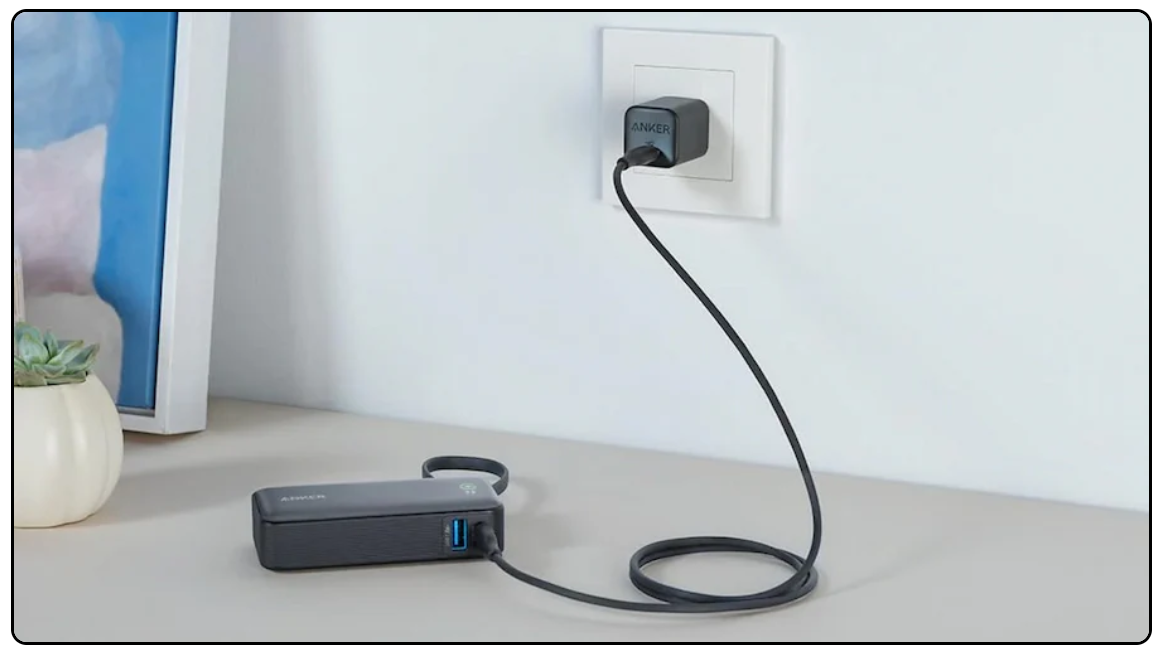
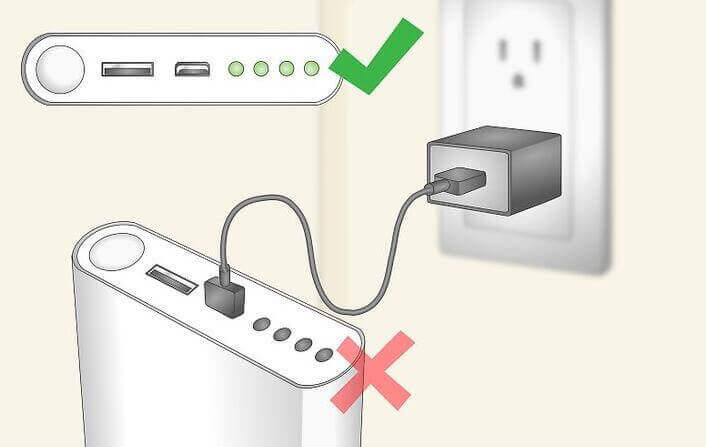
Plug the power bank into a quality wall charger until all LEDs turn solid.
If you want a clear, friendly guide on how to power bank charge without guesswork, you’re in the right place. I’ve tested dozens in real travel and work life, and I’ll show how to power bank charge safely, fast, and with less battery wear. You’ll learn how to power bank charge the bank itself and how to power bank charge your phone, tablet, or laptop the smart way.

What Does “How to Power Bank Charge” Actually Mean?
The phrase can mean two things. First, how to power bank charge the battery inside the power bank. Second, how to use the power bank to charge other devices. This guide covers both so you never feel stuck, at home or on the go.
When people ask how to power bank charge, they also want safe use, fast speeds, and longer battery life. I’ll break it down in simple steps you can act on today. You will also get pro tips and mistakes to avoid from real use.

Know Your Power Bank: Capacity, Ports, and Indicators
Look at the label for capacity, input, and output. Capacity is in mAh or Wh. For a quick estimate, Wh = mAh × 3.7 ÷ 1000. This helps with airline rules and charge time math.
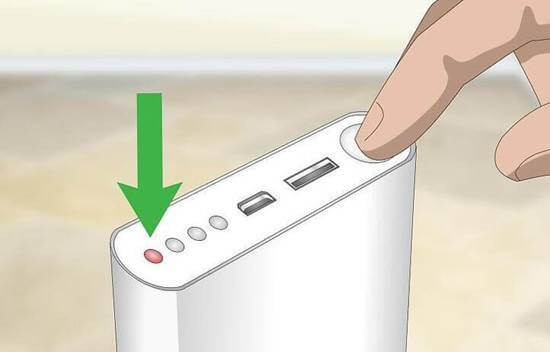
Check ports and standards. Common inputs are Micro-USB, USB-C, or Lightning. Outputs can be USB-A or USB-C with PD or Quick Charge. LEDs or a screen show charge level. They may blink while charging and turn solid when full.
Understanding these basics helps with how to power bank charge without damage. It also tells you what cable and charger you need for best results.
What You Need Before You Start
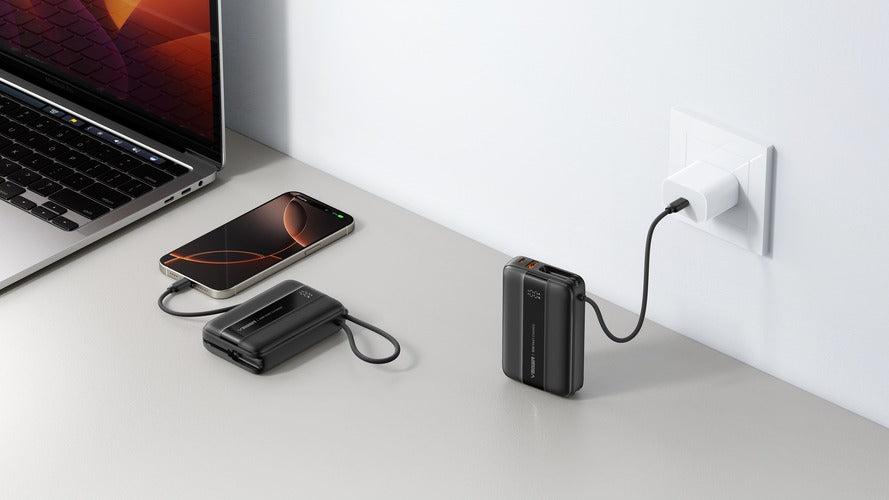
You need a good wall charger. For most banks, 18–30 W is great. For large banks or laptop banks, pick 45–65 W.
Use quality, short cables. For high power PD, use a USB-C cable with an E‑Marker for 60–100 W. Keep ports clean and dry. Avoid bent or frayed cables.
If you want to master how to power bank charge at full speed, match the right charger, cable, and port. This small step saves hours.

Step-by-Step: How to Power Bank Charge the Power Bank
- Check the input port and rating. If it says USB-C PD 18 W, use a PD charger that can do at least 18 W.
- Plug the charger into the wall, then connect the cable to the bank’s input.
- Watch the LEDs. Blinking means charging. Solid means full. Many 10,000 mAh banks take about 3–4 hours at 18 W. Big banks can take 6–10 hours or more.
- Keep it cool. Charge on a hard surface, not a pillow or blanket.
- Unplug when full. This reduces heat and wear.
- Top up monthly if stored. Most banks self‑discharge and like to sit near 40–60%.
These steps are the core of how to power bank charge with less stress and less time.
Step-by-Step: How to Power Bank Charge Your Phone, Tablet, or Laptop
- Pick the right output. Use USB-C PD for newer phones, tablets, and laptops. Use USB-A for older gear.
- Use the proper cable. For PD laptops, pick a USB-C cable rated 60–100 W. For phones, a standard USB-C cable is fine.
- Connect the device. Wake the power bank if it has a power button.
- Check fast charge icons on your device. Terms may say Fast Charging, Rapid, QC, PD, or Super Fast.
- Stop around 80–90% for less battery wear, if you can. It is fine to go to 100% when needed.
- Avoid pass‑through charging unless the bank supports it. Heat can build up.
If you came here to learn how to power bank charge your devices faster, these small steps make the biggest difference.

Fast Charging Standards and Compatibility
USB Power Delivery (PD) is now the most common. It can shift voltage to 5 V, 9 V, 12 V, 15 V, or 20 V. Many phones also support PPS, a fine‑tuned form of PD for better heat control. Laptops often need PD 45–65 W or more.
Qualcomm Quick Charge is still common on USB-A ports. Apple 2.4A and Samsung AFC are older but still seen. If your device and bank do not “speak” the same standard, you get 5 V basic charging. That is slower but safe.
Learning how to power bank charge also means knowing these labels. Match the right pair to get the speed you paid for.

Safety, Care, and Battery Health
Use a certified charger and cable. Look for safety marks like UL, CE, or FCC. Keep your power bank between 50–95°F (10–35°C) while charging. Heat is the main battery killer.
Do not cover the bank during charge. Do not use damaged cables or cracked cases. If it swells, smells odd, or gets very hot, stop and recycle at a proper e‑waste center.
For long life, aim for partial charges when you can. Store at 40–60% if not used for weeks. These habits are part of how to power bank charge and keep it healthy for years.
Troubleshooting: Why It Won’t Charge or Charges Slow
Check the cable first. Most slow issues come from a bad or wrong cable. Try a known good, short cable rated for fast charge.
Verify the charger. If the label says 5 V 1 A, it will be slow. Move to a PD or QC charger with higher wattage. Clean ports with a soft brush to remove lint.
Some banks have a low‑current mode for earbuds and watches. It may need a double tap on the button. If nothing helps, reset the bank by unplugging all cables and holding the button for a few seconds. Knowing how to power bank charge means knowing these quick fixes.

Real-Life Use Cases and Pro Tips
I carry a 10,000 mAh bank on commutes. With a PD 20 W port and a short USB‑C cable, my phone goes from 20% to 70% in about 30 minutes. That is fast, cool, and easy on the battery.
For travel, I switch to 20,000 mAh with two USB-C PD ports. I can top up a tablet and phone at once. I once lost an hour due to a cheap cable that looked fine but only did 5 V 1 A. Since then, I label my fast cables.
If you want real wins in how to power bank charge, pack the right cable set: one high‑watt USB‑C, one USB‑C to Lightning if needed, and one spare. Also bring a compact 30–65 W wall charger.
Buying Smart for Better Charging Results
Pick capacity for your day. 5,000–10,000 mAh for light days. 15,000–20,000 mAh for travel. Over 20,000 mAh for laptops. Airlines cap carry‑on at 100 Wh without special approval.
Choose features that fit how to power bank charge in your life. Look for USB-C PD 30–65 W, clear LED or a screen, low‑power mode for wearables, and strong safety features. If you charge a laptop, make sure it meets your watt needs.
Better cells last longer. Many quality banks use 21700 cells and strong protection chips. Spending a bit more now saves time and worry later.
Frequently Asked Questions of how to power bank charge
How long does it take to charge a power bank?
A 10,000 mAh bank with an 18 W input often takes 3–4 hours. Larger banks can take 6–10 hours or more, based on charger speed.
Can I use my phone charger to charge a power bank?
Yes, but speed depends on the charger. A basic 5 W charger is slow, while a PD or QC charger is much faster.
Is it safe to use a power bank while it’s charging?
Only if the maker supports pass‑through charging. Even then, expect more heat and slower speeds.
Why does my power bank stop charging small devices?
Some banks shut off below a set current. Enable low‑power mode if available, or use a bank made for wearables.
Will fast charging damage my phone or power bank?
Modern fast charge systems are safe by design. Heat is the risk, so use good cables, keep it cool, and avoid stacking devices.
How do I know when my power bank is fully charged?
LEDs or the screen will stop blinking and show 100% or all lights solid. Some banks also drop input current near zero.
Can I bring a power bank on a plane?
Yes, in carry‑on only, up to 100 Wh in most cases. Check your airline rules before you fly.
Conclusion
You now know how to power bank charge the right way: match the charger and cable, watch the LEDs, manage heat, and use the right port for fast, safe power. Small choices add up to big gains in speed and battery life.
Put these tips to work on your next commute or trip. Pick one upgrade today, like a better USB‑C PD charger or a new cable, and feel the difference. If this helped, share it, subscribe for more simple power tips, or drop your questions in the comments.