How Do I Charge My Power Bank Charger: Easy 2026 Guide
Charging a power bank is simple: connect it to a power source using the included USB or USB-C cable and let it fill up until the indicator lights show it's full.
If you've just picked up a power bank or you've had one sitting in a drawer for months, figuring out how to charge it shouldn't feel like rocket science. The good news? It really isn't. I've been using portable chargers for years, from cheap ones I bought at gas stations to high-end models with fast charging, and the process has always been pretty much the same. In this guide, I'll walk you through everything you need to know to charge your power bank the right way, keep it healthy for longer, and avoid some common mistakes I made early on.
What a Power Bank Actually Is and How Charging Works
A power bank is basically a portable battery pack. Inside it, there's a lithium-ion or lithium-polymer battery, the same kind of tech that lives inside your phone. When you charge the power bank, you're filling that internal battery with energy. When you later plug your phone into the power bank, that stored energy flows out to charge your device.
Think of it like a water bucket. You fill the bucket from a tap (your wall charger), and when your phone is thirsty, you pour a little water out of the bucket into it. The process of filling the bucket back up is what we're focusing on here.
Most modern power banks charge through a micro-USB, USB-C, or Lightning input port. Older or budget models sometimes still use mini-USB, though that's rare these days. The key thing to know is that every power bank has an input port specifically for charging the unit itself, and one or more output ports for charging your devices. They look similar, so double-check before you plug in.
What You Need to Charge a Power Bank
Before you start, gather a few things. You probably already have them at home.
- A compatible charging cable, usually USB-A to USB-C, USB-A to micro-USB, or USB-C to USB-C, depending on your power bank model.
- A power source, like a wall adapter, a laptop USB port, or a car charger.
- The power bank itself, with enough charge left in it to power its indicator lights.
One personal tip from experience: always use the cable that came with the power bank or a good-quality replacement. I once used a super cheap dollar-store cable and it took forever to charge, plus it got weirdly warm. Not worth the risk.
Step-by-Step Guide to Charging Your Power Bank
Here's the exact process I follow every time, and it works with virtually any model on the market.
- Locate the input port on your power bank. It's usually labeled "In" or has a smaller, distinct icon.
- Plug the smaller end of your charging cable into the input port.
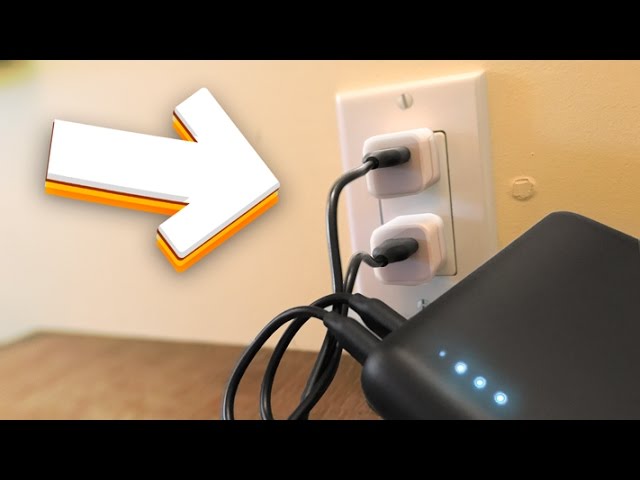
- Plug the larger USB end into a wall adapter, computer, or any powered USB port.
- Check the LED indicator lights. Most power banks have 4 small dots or a digital display. When you plug it in, the lights should blink or light up to show charging has started.
- Wait for it to fully charge. This can take anywhere from 2 to 8 hours depending on the capacity and the power source.
- Unplug once all indicator lights are solid or full. That's your signal it's ready to go.
A quick story: the first time I charged a 20,000mAh power bank, I plugged it into my laptop's USB port and went to bed. Twelve hours later, it was only at 60 percent. Lesson learned. Use a wall adapter, especially one rated at 2A or higher, for much faster results.
How Long Does It Take to Charge a Power Bank
Charging time depends on three main things: the capacity of the power bank, the input rating, and the power source.
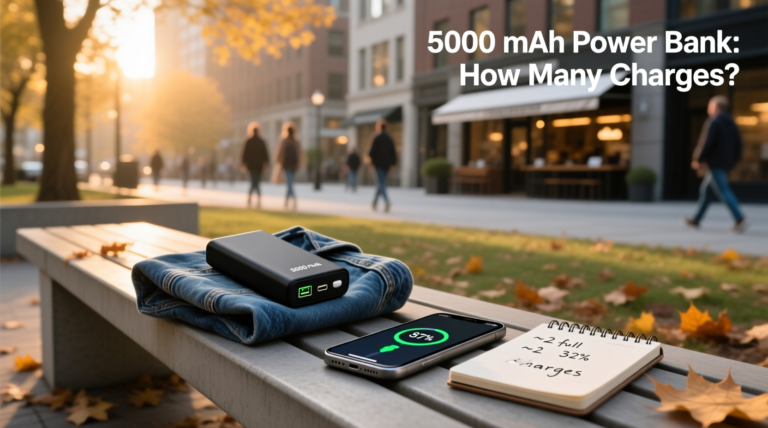
- A small 5,000mAh power bank typically charges in 2 to 3 hours with a 2A wall adapter.
- A medium 10,000mAh unit usually takes 4 to 5 hours.
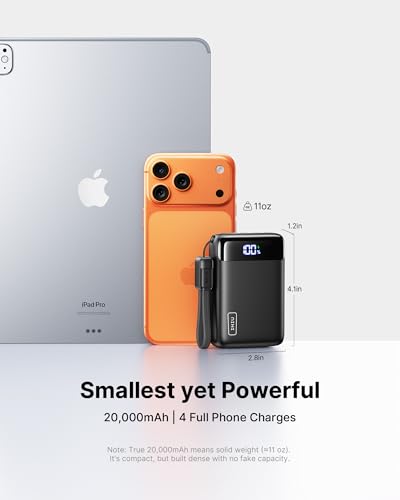
- A large 20,000mAh or 30,000mAh power bank can take 6 to 10 hours or even overnight.
If you charge through a laptop or a low-power USB port, expect the time to roughly double. Wall charging is always faster because wall adapters push more current.
How to Know When Your Power Bank Is Fully Charged
Most power banks give you some kind of visual signal. Here are the most common ones.
- LED dots: 4 dots that light up one by one as it charges. When all 4 are solid and stop blinking, you're full.
- Digital display: Shows a percentage like 87 percent or 100 percent. Easy and clear.
- Color change: Some models blink red while charging and turn green or blue when done.
- No indicator change: Older or cheaper models might just stop blinking and go solid.
I personally love the ones with a digital display. There's no guessing involved. If your power bank only has dots, just wait until all of them are lit and steady.
Best Practices to Keep Your Power Bank Healthy Longer
Power banks aren't indestructible. Treat them well and they'll last for years. Treat them poorly and the battery capacity will drop fast.
- Avoid fully draining it to 0 percent before recharging. Topping it up is better for the battery chemistry.
- Don't leave it plugged in for days after it's full. Once it's at 100 percent, unplug it.
- Keep it at room temperature. Heat is the number one enemy of lithium batteries. I've left one in a hot car and it swelled up slightly. Not a mistake I'll repeat.
- Charge it at least once every 3 months if you're not using it. Batteries slowly self-discharge, and letting it sit at 0 percent for months can damage the cells.
- Use a reliable wall adapter. Cheap adapters can deliver unstable power, which shortens battery life over time.
Common Mistakes People Make When Charging a Power Bank
I've made some of these myself, so I feel qualified to call them out.
- Using a phone charger that's too weak. A 1A old iPhone charger will technically work, but it'll take forever.
- Confusing the input and output ports. The input is for charging the bank, the outputs are for charging your phone.
- Charging through a low-power USB hub. It might not even register as charging.
- Ignoring the indicator lights. If no lights come on, try a different cable first. That's usually the culprit.
- Leaving it in extreme cold or heat. Both can permanently damage the battery.
Can You Charge a Power Bank Without a Wall Outlet
Yes, you can. The power source doesn't have to be a wall socket. Any powered USB port works.
- A laptop or desktop computer: Slower, but it works in a pinch.
- A car charger: Great for road trips. Most car USB ports deliver 1A to 2.4A.
- A solar panel with USB output: Handy for camping, though charging is slow.
- Another power bank: Yes, you can daisy-chain, but it's not super efficient.
I once charged my power bank from my laptop on a long flight. It wasn't fast, but I had nowhere to plug in a wall adapter, so it saved me.
How to Tell If Your Power Bank Is Charging Properly
There are a few simple ways to check.
- The indicator lights are blinking or animating.
- The power bank feels slightly warm, not hot, after a few minutes.
- The charging time matches what the manufacturer says in the manual.
- If you have a digital display, the percentage is increasing.
If none of these things are happening, try a different cable and a different power source. Nine times out of ten, the cable is the problem.

Different Types of Power Banks and Their Charging Methods
Not all power banks are built the same. Here's a quick breakdown.
- Standard USB power banks: Charge via micro-USB or USB-C. Most common type.
- USB-C PD power banks: Support Power Delivery, which means faster charging if you have a compatible wall adapter.
- Solar power banks: Have a small solar panel for emergency top-ups. Slow, but useful outdoors.
- Wireless power banks: Charge your phone wirelessly, but still need to be charged themselves via cable.
- Built-in cable power banks: Have cables attached so you don't lose them, but they charge in the same way.
I've owned a mix of these, and honestly, a basic USB-C power bank with a 10,000mAh capacity is the sweet spot for most people. It's portable, charges fast, and gives you a few phone charges on the go.
Tips for Faster Charging Your Power Bank
If you're in a hurry, a few tricks can speed things up.
- Use a wall adapter rated at 2.4A or higher, ideally with Quick Charge or PD support.
- Use a short, high-quality cable. Long cables can slightly reduce charging speed.
- Turn off the power bank while it charges if it has a power button. Some models draw a tiny bit of energy even when "off."
- Avoid using the power bank to charge your phone while it's charging itself. This creates heat and slows everything down.
What to Do If Your Power Bank Won't Charge
Sometimes things just don't work. Here's a quick troubleshooting checklist.
- Try a different cable. Cables fail more often than the power bank itself.
- Try a different power source. Move from a laptop to a wall adapter.
- Clean the charging port gently with a toothpick or compressed air. Lint can block the connection.
- Check for a power button. Some models need you to press a button to start charging.
- If it still won't charge after all that, the battery may be dead. Power banks have a lifespan of around 300 to 500 charge cycles. After that, capacity drops significantly.
I had a power bank that simply refused to charge after a year of heavy use. Turns out the battery had just reached the end of its life. Replacements are usually cheaper than buying a whole new unit, but in my case, a new one was the better deal.

How Often Should You Charge Your Power Bank
There's no strict rule, but here's what works for me.
- Charge it after each use if you rely on it daily.
- Top it up once a month if you only use it occasionally.
- Charge it before any trip or outing where you know you'll need it.
Think of it like a fire extinguisher. You don't want to grab it in an emergency only to find it empty.
Safety Tips When Charging a Power Bank
Most power banks are safe, but a few precautions are worth knowing.
- Never use a damaged cable. Exposed wires are a real fire risk.
- Don't charge near flammable materials like beds or couches.
- Stop using it if it swells, smells strange, or gets unusually hot.
- Don't leave it charging unattended for long periods, especially overnight, unless it's from a trusted brand.
- Keep it away from water. Even if it's labeled water-resistant, the charging port usually isn't.
A good rule of thumb: if your power bank is hot enough to make you pull your hand away, something is wrong. Unplug it and let it cool down.

Frequently Asked Questions
How do I know if my power bank is charging?
Check the LED indicator lights. They should blink or light up when you plug in the charging cable. If your model has a digital display, the percentage will start climbing.
Can I charge my power bank with my phone charger?
Yes, as long as the cable fits the input port. However, a 1A charger will be slow. For best results, use a 2A or higher wall adapter.
Is it okay to leave a power bank charging overnight?
Modern power banks have overcharge protection, so it's generally safe. But to extend the battery's lifespan, unplug it once it's full.
How long does a power bank last before it needs replacing?
Most power banks last 300 to 500 full charge cycles, which usually works out to 2 to 4 years of regular use. Heavy users may need a replacement sooner.
Can I use my power bank while it's charging?
Technically yes, but it generates extra heat and slows down both the input and output charging. It's better to let it charge fully first, then use it.
Why is my power bank charging so slowly?
You're likely using a low-power source like a laptop USB port or a 1A wall adapter. Switch to a 2.4A or higher adapter and use a short, good-quality cable for faster results.
Conclusion
Charging a power bank is one of those small life skills that feels obvious once you know it, but can be confusing the first time. The basics are simple: use the right cable, plug it into a reliable power source, and wait for the indicator lights to tell you it's full. Treat your power bank well by avoiding extreme heat, not letting it sit at 0 percent for months, and using a decent wall adapter, and it'll stay useful for years.
If you've been putting off charging yours because you weren't sure how, now's the time to plug it in. Once it's topped up, toss it in your bag, and you'll thank yourself the next time your phone hits 5 percent at the worst possible moment. Got questions or your own power bank tips? Drop them in the comments below, I'd love to hear what's worked for you.