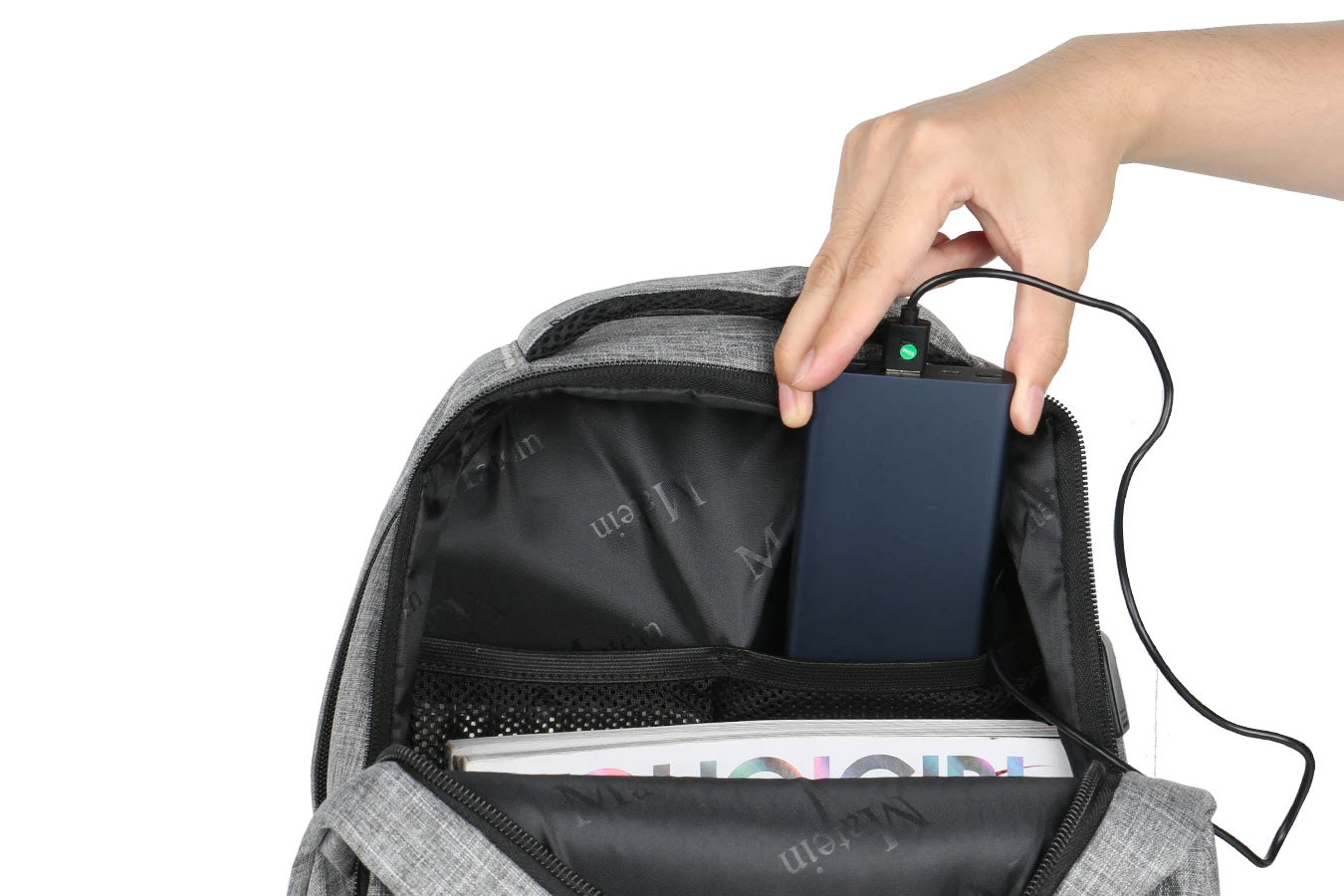
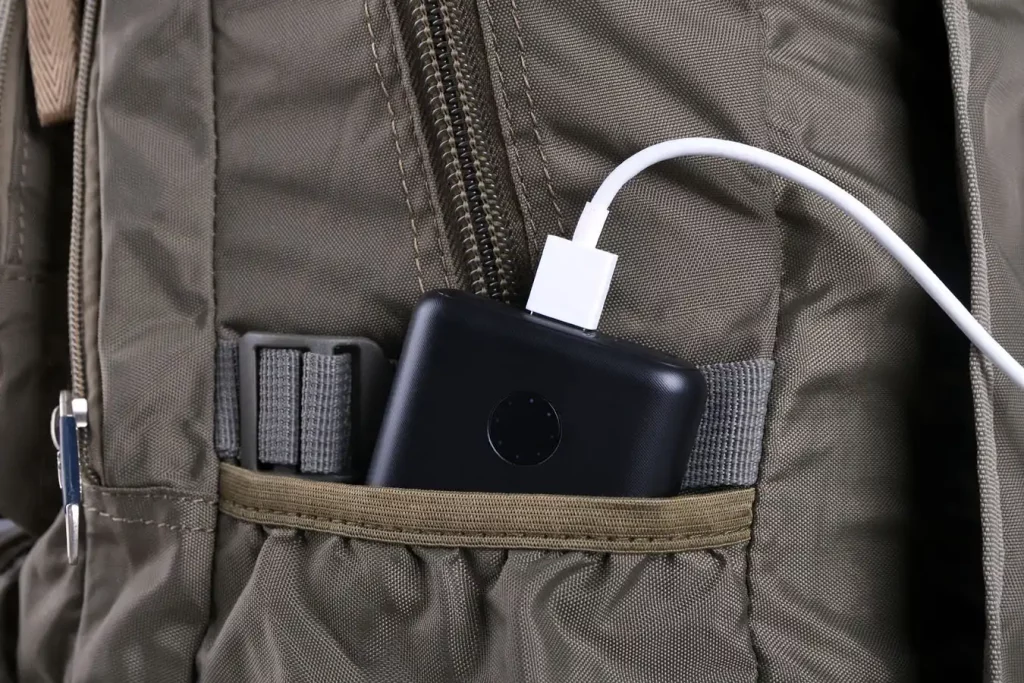
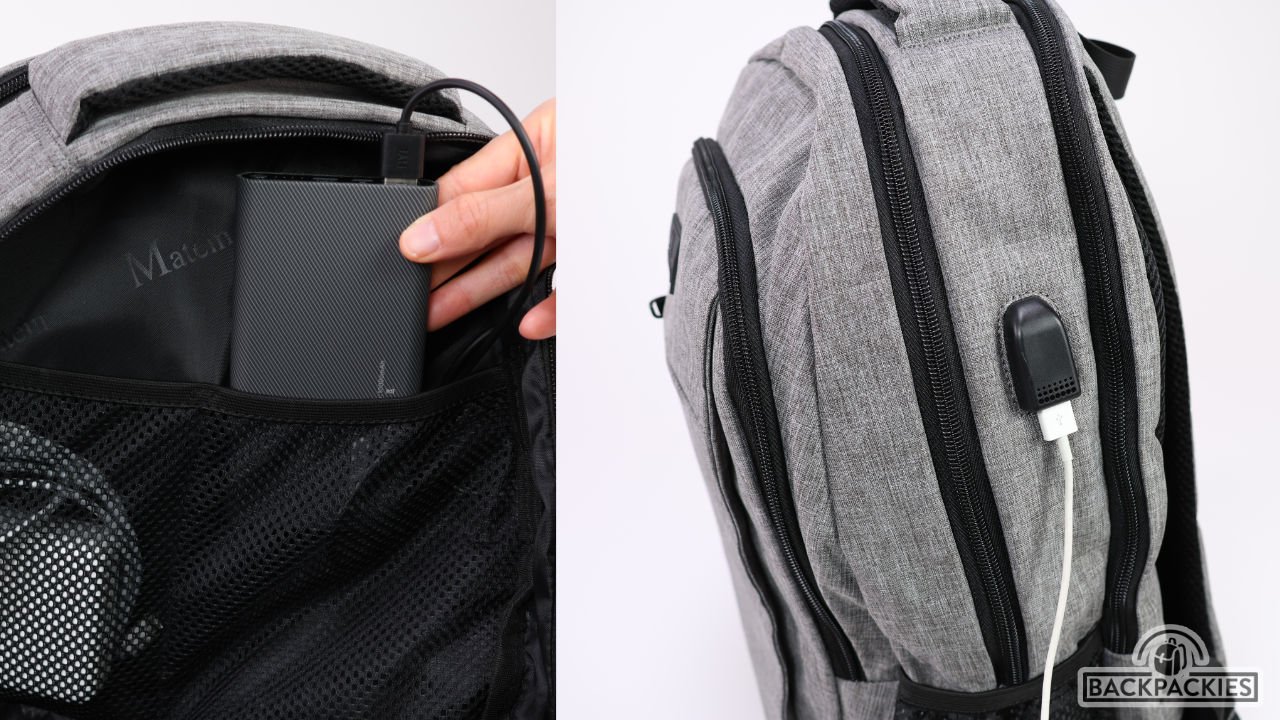
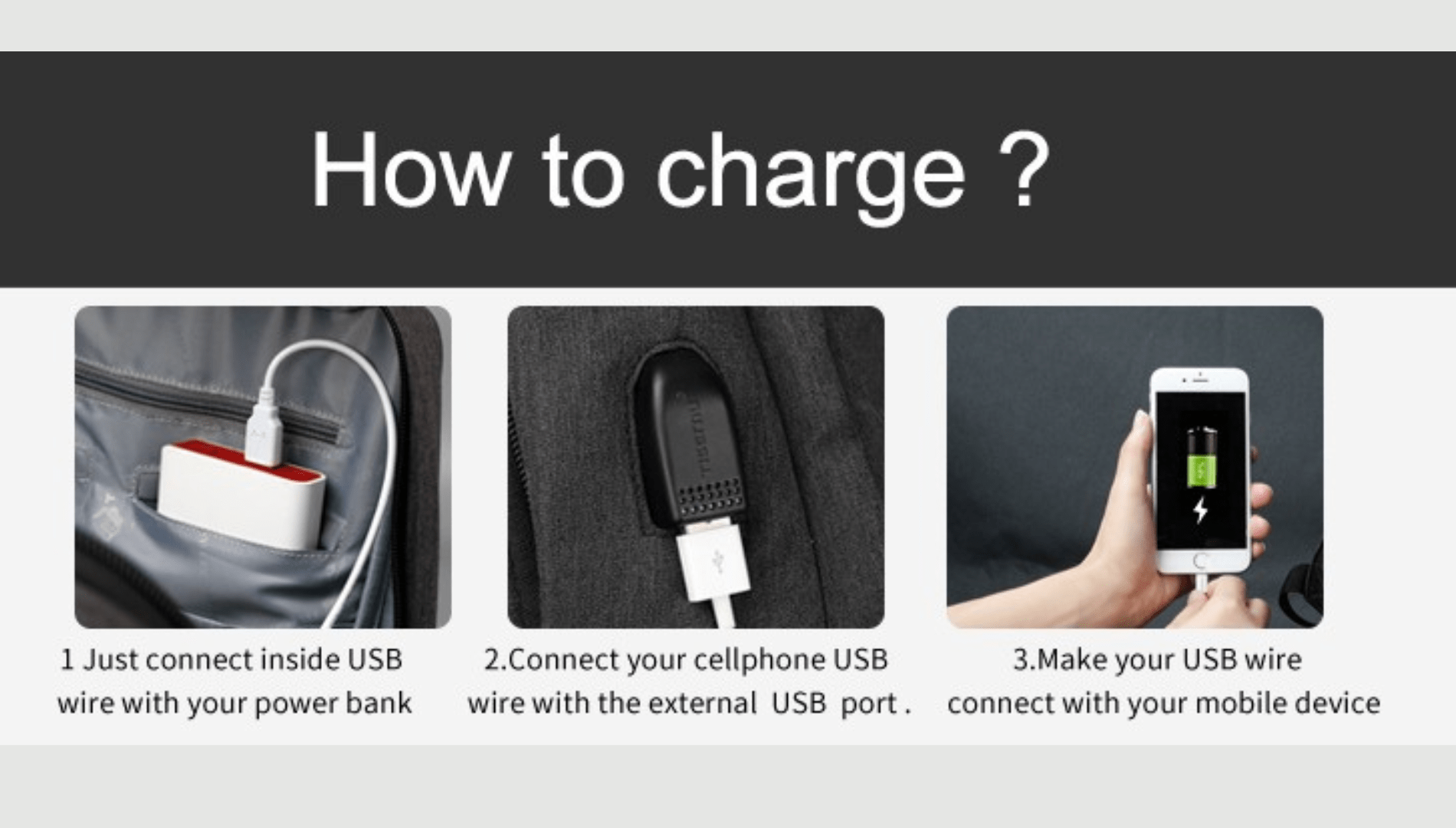
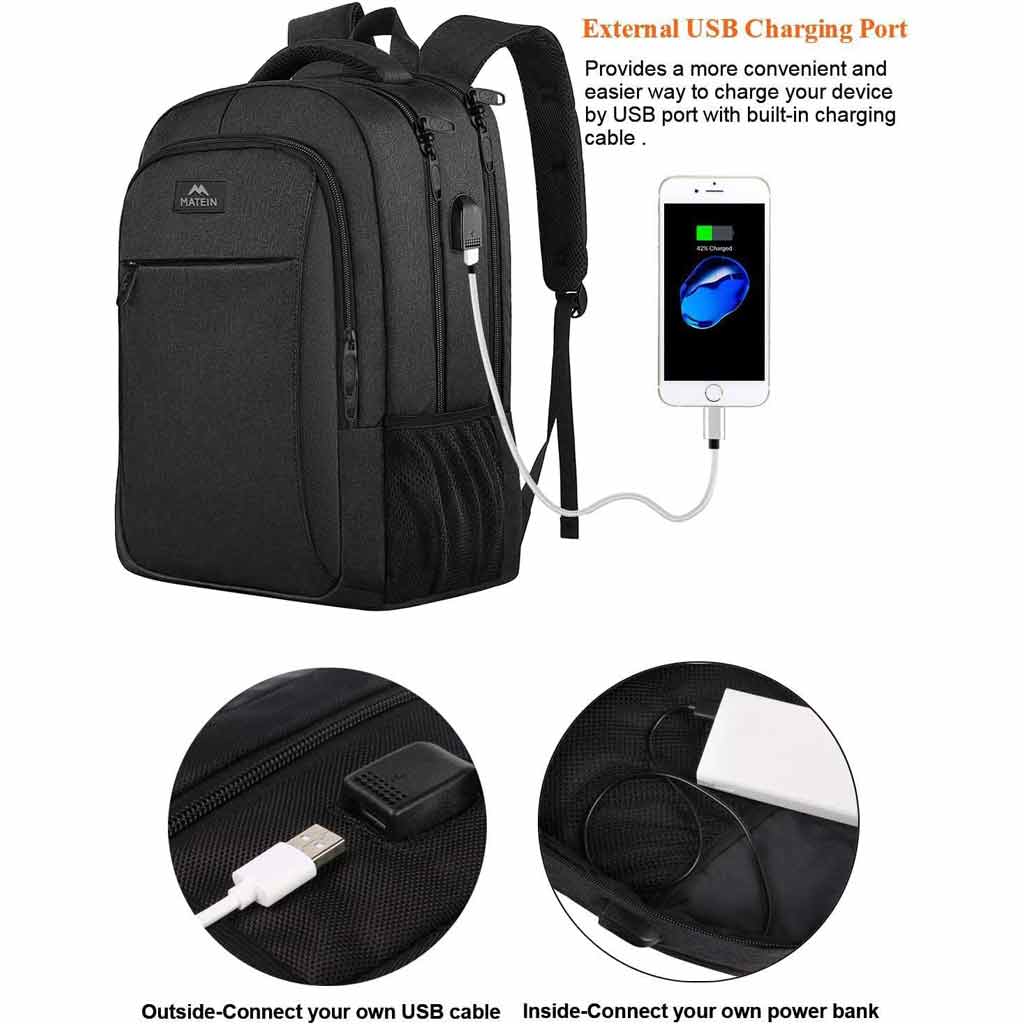
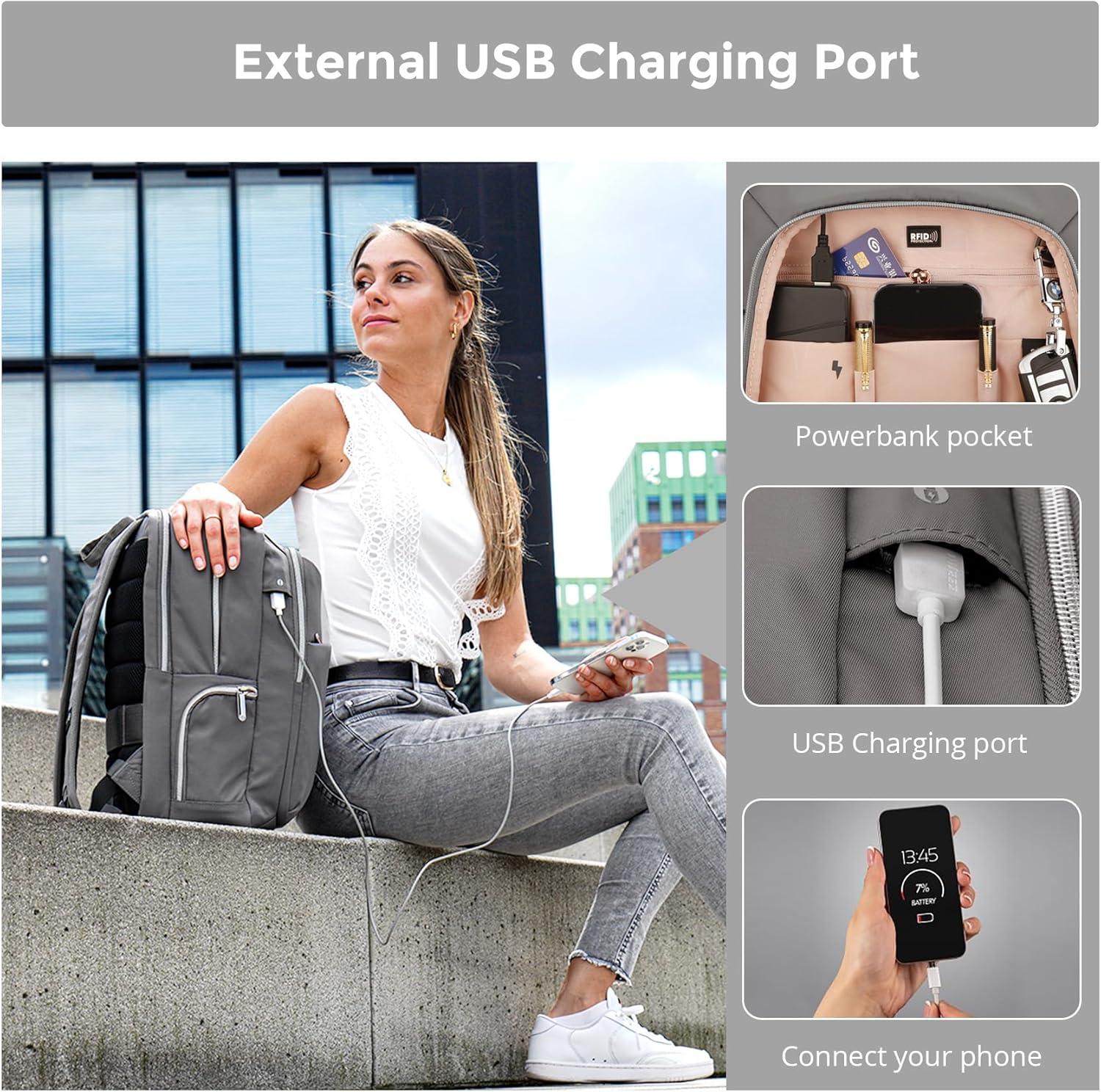
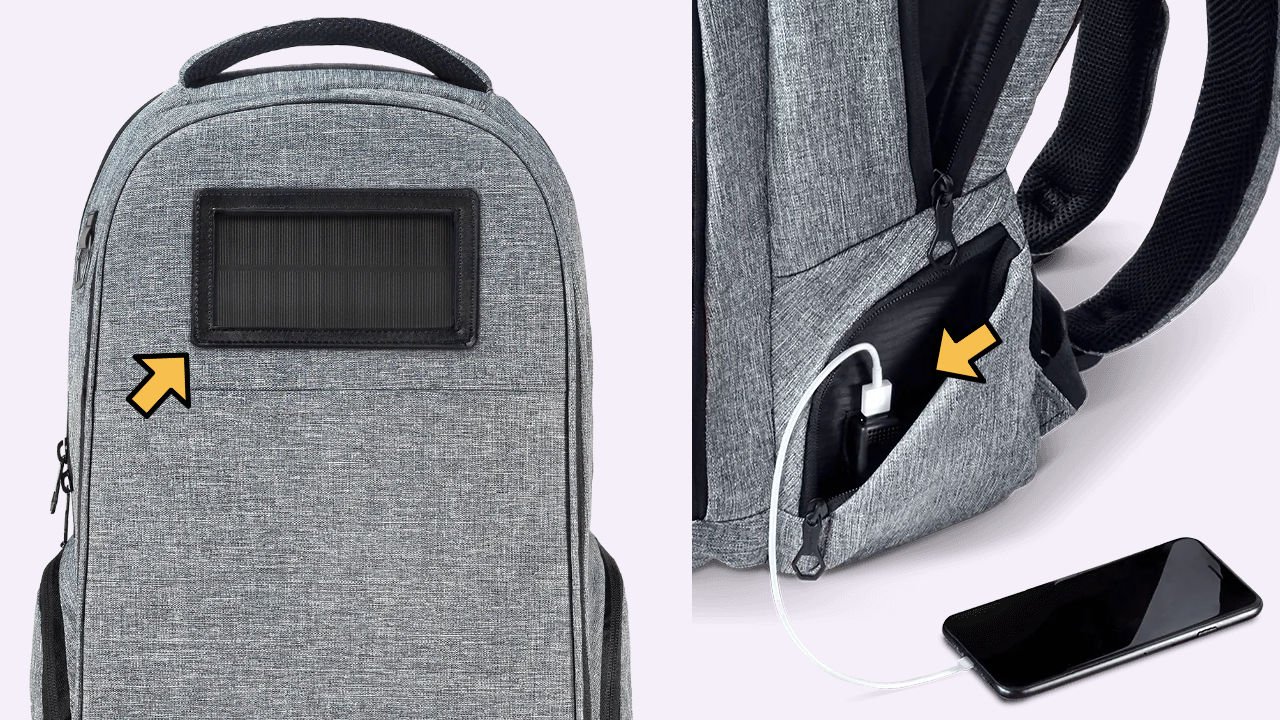
To use a backpack with a USB charging port, connect a compatible power bank inside the bag, then plug your phone’s charging cable into the outside USB port.
A USB charging backpack can help you keep your phone powered during a long commute, a college day, or a trip across the United States. You can charge your device while walking through an airport, waiting for a train, or sitting on a bus. The setup is simple once you know how the built-in port works.
Most USB charging backpacks do not contain a battery that charges your phone by itself. Instead, they have an external USB port connected to an internal cable. You supply the power bank, connect it inside the bag, and use your own charging cable outside. Some models have different designs, so check the manufacturer’s instructions before use.
Source: Bing
How Does a Backpack With a USB Charging Port Work?
A USB charging backpack uses a simple cable system to carry power from a battery pack inside the bag to a port on the outside. This lets you connect your phone without opening the main compartment each time you need to charge it.
Think of the external USB port as an extension cord. It gives you an easy place to connect your charging cable, but it does not create electricity. The power bank supplies the energy, and the cables carry it to your device.
The exact design varies by backpack. Many basic models use a USB-A female port outside and a USB-A male plug inside. Other models may use USB-C, include more than one output, or offer a built-in battery. Never assume every bag supports the same connections or charging features.
Source: Bing
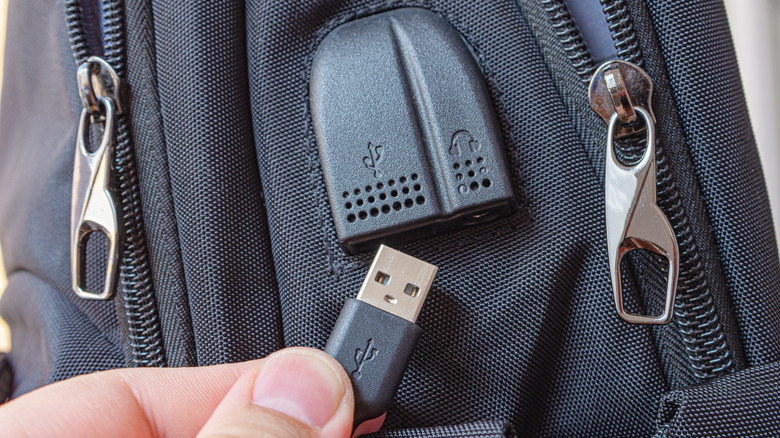
External USB port
This is the port you can reach from outside the backpack. It provides a convenient connection for your phone’s charging cable.
Internal connecting cable
This cable runs from the outer port into the backpack. It connects to a compatible power bank stored inside the bag.
Power bank
The power bank stores energy and sends it through the cable to your phone. Most basic USB backpacks require you to buy this separately.
Phone charging cable
This cable connects the outside USB port to your phone. Choose a cable that fits your phone and supports the charging method you want to use.
Does a USB Backpack Have a Built-In Battery?
Usually, no. Many backpacks advertised with a USB charging port include only the port and connecting cable. You must add a compatible power bank to charge a phone or another USB-powered device.
Some premium or specialized models may include a battery or a dedicated charging system. Read the product label and manual to find out what your backpack includes. If the package contains only the bag and a cable, plan to supply your own power bank.
Port and cable only
Connect your own compatible power bank before attempting to charge a device.
Battery included
Follow the supplied charging and operating instructions. Check whether the battery is removable and what input and output connections it supports.
What Do You Need Before Using a USB Charging Backpack?
Gather the right equipment before your first trip. Most basic USB backpacks need just a charged power bank and a compatible cable for your phone. Checking the connections at home can save time when you are in a busy airport, on campus, or away from a wall outlet.
Read the backpack’s instructions first, especially if it has a USB-C port, multiple ports, a built-in battery, or a special charging feature. The goal is to match each connection correctly rather than force a plug into a port.
Source: Bing
A compatible power bank
Choose a power bank with an output supported by the backpack and your device. A fully charged battery pack is best for your first test.
The correct charging cable
Use a cable that matches the external port and your phone’s charging connector. A USB-C phone may need a USB-A-to-USB-C cable if the backpack uses a USB-A output.
The backpack’s user manual
Check its port type, power limits, cable layout, and any instructions about removing the power bank before washing the bag.
A device that supports USB charging
Most phones, earbuds, and some small electronic devices can charge through USB. Tablets and other devices may need a higher-power output than a basic backpack can provide.
How to Choose a Suitable Power Bank
For everyday use, look at the power bank’s capacity, output power, size, and weight. Capacity is usually listed in milliamp-hours, or mAh. Output power is often shown in watts, or W, and helps indicate how quickly the bank can charge a compatible device.
A larger capacity can provide more stored energy, but it may also make the power bank heavier. A small pack may suit a short commute, while a larger one may be more useful for a full day of travel. Actual charging results vary because of energy conversion losses, device use, and the battery’s condition.
Do not choose a power bank by capacity alone. Check the output port and supported charging standards, especially if you want fast charging. The backpack’s own cable and port may limit performance even when the power bank supports a higher output.
Capacity
Compare the listed mAh rating and the expected length of your day. Treat any estimate of phone charges as approximate rather than guaranteed.
Output power
Check the power bank’s supported voltage, current, and charging standards against the device and backpack instructions.
Size and weight
Choose a pack that fits the internal pocket without straining the cable or making the backpack uncomfortable.
Backpack With USB Charging Port How to Use It Step by Step
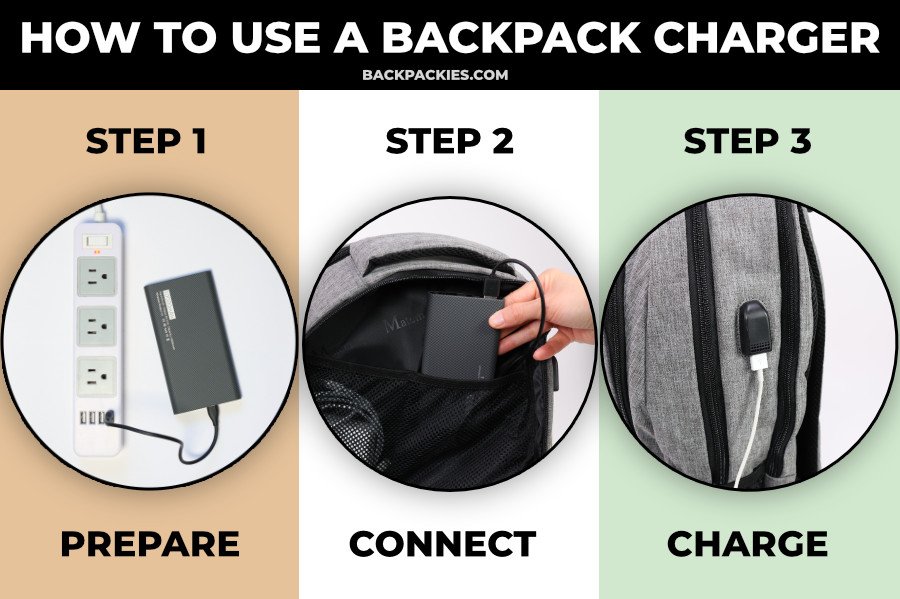
The basic process is the same for many USB charging backpacks: charge the power bank, connect it to the internal cable, connect your phone to the outside port, and check that charging begins. Follow the specific manual if your model uses a different setup.
Set up the backpack at home before you depend on it for work, school, or travel. A quick test helps you spot an incompatible cable or a faulty connection while you still have other ways to charge your phone.
Source: Bing
Step 1: Charge the Power Bank
Use the power bank’s supplied or manufacturer-approved charging cable to connect it to a suitable wall adapter. Plug the adapter into a wall outlet and wait until the power bank indicates that it is charged according to its instructions.
Some power banks show their charge level with LED lights, while others use a small screen. The indicators vary by model, so check the manual rather than assuming that one light always means a full battery. Disconnect the power bank from the wall charger before setting up the backpack unless its manufacturer explicitly supports the arrangement you intend to use.
Check the battery level
Make sure the power bank has enough stored energy for your planned use.
Inspect the pack
Do not use a power bank that is swollen, cracked, leaking, unusually hot, or otherwise damaged.
Step 2: Find the Internal USB Cable
Open the backpack’s main compartment and look for a short cable near the side pocket or a dedicated power bank pocket. The cable often connects directly to the USB port on the outside of the bag.
Some backpacks have a separate compartment for the power bank, while others place the cable in a small inner pocket. Avoid pulling hard on the cable or bending it sharply. If you cannot locate the connector, check the manual or the product’s setup diagram.
Keep the cable accessible
Arrange it so the power bank can connect without tension or sharp bends.
Check for damage
Look for loose connectors, frayed insulation, or a cable that has been pinched by a zipper.
Step 3: Connect the Power Bank to the Backpack
Plug the backpack’s internal cable into the power bank’s compatible output port. For a common USB-A setup, this means inserting the internal USB-A plug into the power bank’s USB-A output. If your backpack uses another connector, follow the instructions for that model.
Push the connector in gently until it fits securely. Never force a plug into a port that does not match. Place the power bank in its intended pocket, keeping the cable clear of zippers, sharp objects, and heavy items that could crush the connection.
Use the correct output
Connect the backpack cable to an output port, not a power bank input port intended for recharging the battery.
Secure the power bank
Keep it stable and protected from impacts, pressure, and moisture.
Step 4: Connect Your Phone to the Outside USB Port
Find the external USB port, which is commonly located on the side of the backpack. Plug one end of your phone’s compatible charging cable into that port, then connect the other end to your phone.
For example, if the backpack has a USB-A port and your phone uses USB-C, use a suitable USB-A-to-USB-C cable. If the backpack has USB-C output, use a compatible cable and confirm that the connection supports the phone’s charging requirements.
Keep the external connection dry. If the backpack’s port has a cover, close it when you are not using it, and do not assume that a covered port is waterproof.
Match the connectors
Check both ends of the cable before connecting them.
Avoid unnecessary force
If the plug does not fit, stop and confirm the connector type.
Step 5: Confirm That Your Phone Is Charging
Look at your phone’s screen for a charging symbol, battery indicator, or charging message. Some devices also make a sound or show a brief notification when you connect the cable.
If the phone does not show that it is charging, do not assume the backpack is defective. Check the power bank’s charge level and power button, if it has one. Then inspect both cable connections and test the phone with a known-working cable or charger when possible.
Once charging starts, you can place the phone in a secure pocket or hold it while walking. Keep enough cable slack for normal movement without letting the cable snag on doors, seats, or other objects.
Successful charging
The phone displays a charging indicator and the connection stays stable.
Slow charging
The phone may still charge if the power source is limited, but the battery may gain power slowly or lose power during heavy use.
Step 6: Disconnect and Store the Equipment
When you finish charging, unplug the cable from your phone and then disconnect the power source as directed by the manufacturer. If the backpack will remain unused for a long time, remove the power bank and store it according to its instructions.
Coil the cable loosely and keep the connectors away from keys, pens, and other items that could damage them. Before washing the backpack, remove the power bank and any removable electronic parts. Follow the care label because some bags cannot be machine-washed even after the battery is removed.
Prevent cable damage
Avoid tight coils, sharp folds, and pulling on the wire to remove a plug.
Prepare the bag for cleaning
Remove the power bank and follow the manufacturer’s cleaning instructions.
How to Use a USB Charging Backpack for Different Devices
A USB backpack can charge more than a phone if its power bank and connection support the device. However, USB compatibility does not guarantee that every device will charge at the same speed or work with every port.
Check the device’s charging requirements before connecting it. A small accessory may need less power than a tablet, and a laptop may require a dedicated USB-C Power Delivery connection or its own approved charger.
Source: Bing
Charging an iPhone or Android Phone
For an iPhone or Android phone, match the cable to the backpack’s external port and the phone’s charging connector. Many recent phones use USB-C, while some older phones use other connectors. Use a reputable cable that supports charging and any required charging standard.
Fast charging depends on the phone, power bank, cable, and backpack connection working together. If one part cannot support the required charging method, the phone may charge at a lower rate. A basic USB port may provide enough power for routine top-ups but may not deliver the maximum charging speed supported by your phone.
For everyday top-ups
A compatible standard USB output can help maintain battery power while you travel or attend classes.
For fast charging
Verify the output rating and supported charging protocol of the complete connection, not just the power bank.
Charging Wireless Earbuds and Small Devices
Many wireless earbud cases and small USB-powered accessories can charge through a backpack port. Use the cable supplied with the device or a compatible alternative, and check whether the accessory needs a particular output or connector.
Small devices often draw less power than phones, but charging still depends on their requirements. If an accessory fails to charge, test its cable and power bank connection separately before concluding that the backpack is at fault.
Earbud cases
Use the correct charging cable and make sure the case’s charging indicator responds.
Small electronics
Check the device manual for supported input power and any restrictions on power-bank use.
Can You Charge a Laptop Through a Backpack USB Port?
Not every USB charging backpack can charge a laptop. Most basic models have a standard USB connection intended for smaller devices, while many laptops need more power and a specific charging method, such as USB-C Power Delivery or a manufacturer-specific input.
A laptop may charge only if the backpack’s power bank, internal cable, external port, and laptop all support the required connection and power level. Some laptop charging systems also require a suitable USB-C cable rated for the intended power.
If laptop charging is essential, check every component’s specifications before buying or connecting it. Do not use a low-power port with the expectation that it will provide laptop charging simply because the plugs fit.
Basic USB backpack
Usually better suited to phones and small accessories than to laptops.
Laptop-compatible system
Must support the laptop’s required charging protocol, voltage, current, and power level across the full connection.
USB Backpack Charging Speed and Power Bank Capacity
Charging speed depends on the power source, the connecting cable, the backpack’s wiring, and the device. The weakest supported part can limit the result, so a high-capacity power bank does not automatically mean faster charging.
Capacity and output power describe different things. Capacity estimates how much energy a battery can store, while output power indicates how quickly it can deliver energy under supported conditions. A power bank with more mAh may run longer without charging a device any faster than a smaller pack.
Source: Bing
How Many Times Can a Power Bank Charge a Phone?
You can make a rough estimate by comparing the usable energy in the power bank with the phone’s battery energy. Because manufacturers often list power bank capacity in mAh at the battery’s internal voltage, a direct comparison with a phone’s mAh rating is only approximate.
For example, suppose a power bank is advertised as 10,000 mAh and a phone has a 5,000 mAh battery. Dividing 10,000 by 5,000 gives a theoretical ratio of two. This does not mean the power bank will deliver exactly two full charges because voltage conversion, heat, cable losses, and device use reduce the energy available to the phone.
Treat the calculation as a rough planning tool, not a guaranteed result. Actual performance depends on the power bank’s design, battery condition, charging conditions, and the phone’s energy needs.
Use estimates carefully
A theoretical capacity ratio is not the same as the number of complete phone charges in real use.
Allow for daily use
Navigation, video calls, mobile data, games, and high screen brightness can consume power while the phone charges.
Why Does My Phone Charge Slowly in a USB Backpack?
Slow charging can be normal when the power bank provides limited output or the backpack’s connection does not support the phone’s fastest charging method. The phone may also slow charging as its battery fills or when its temperature rises.
Start by checking the power bank’s output rating and the charging specifications for your phone. Next, test a known-working cable and confirm that the internal connector is fully inserted. If possible, compare the result with a compatible wall charger under similar conditions.
If the phone becomes unusually hot, charging repeatedly stops, or the cable or port shows signs of damage, disconnect the equipment and investigate before using it again.
Check output limits
Confirm that the power bank and backpack can deliver the charging power your phone supports.
Check the cable
A damaged or unsuitable cable may reduce charging speed or prevent charging.
Check temperature
High temperatures can cause a phone or power bank to limit charging.
How to Fix Common USB Backpack Charging Problems
If your phone will not charge, check the simplest and safest causes first. A drained power bank, loose connector, incompatible cable, or power bank that needs to be switched on can explain many charging problems.
Work through one check at a time. This helps you identify the problem without damaging a port or buying replacement equipment that you may not need.
Source: Bing
Problem: The Phone Does Not Charge at All
Start by confirming that the power bank has charge. Connect a known-working phone and cable directly to the power bank’s output, if the manufacturer permits this test. If the phone charges directly but not through the backpack, inspect the backpack’s internal cable and external port.
If the power bank cannot charge a device directly, try recharging the power bank with its proper input cable. Test only with undamaged equipment and stop if you notice unusual heat, a burning smell, swelling, or other signs of failure.
Check the power bank
Recharge it and turn it on if the instructions require manual activation.
Check both connections
Make sure the internal cable and phone cable fit their ports securely.
Test the components separately
Use a known-working compatible cable or another supported device to help locate the fault.
Problem: The Port Works Only Sometimes
Intermittent charging may indicate a loose connector, worn cable, damaged external port, or pressure on the internal wiring. Check whether the cable has been caught in a zipper or bent sharply when the bag is packed.
Do not keep wiggling a damaged connector to maintain power. Disconnect the power bank and arrange a suitable repair or replacement if a port or cable is loose, cracked, or visibly damaged.
Inspect the cable route
Look for pinched sections, sharp bends, and signs of wear near the connectors.
Reduce pressure
Move heavy objects away from the power bank and its cable.
Problem: The Power Bank Runs Out Too Soon
A power bank may provide fewer charges than expected because of energy conversion losses, battery age, high device use, or a lower actual capacity than you assumed. Phones that run navigation or video calls while charging can use a large share of the incoming power.
Recharge the bank before leaving and check its condition if runtime has dropped sharply. If the battery is damaged, swollen, or unusually hot, stop using it rather than attempting to repair it.
Recharge before travel
Begin the day with a charged power bank instead of relying on a nearly empty one.
Review your power needs
Choose a suitable capacity for the length of your trip and the devices you plan to charge.
Problem: The Phone Shows a Charging Warning
A phone may warn about moisture, debris, an unsupported accessory, or an unreliable connection. Disconnect the cable and follow the phone manufacturer’s instructions. Never push metal objects into a port or use liquids to clean the connection.
If moisture is suspected, do not reconnect the cable until the device and connection are safe to use according to the manufacturer’s guidance. Persistent warnings or visible port damage may require service.
Disconnect first
Stop charging if the phone reports moisture or another safety-related connection problem.
Follow device guidance
Use the manufacturer’s recommended cleaning, drying, or service procedure.
Safety Tips for Using a USB Charging Backpack
Use the backpack as a cable extension system, not as protection against every electrical or battery risk. The power bank remains a lithium battery, and its condition, handling, and storage matter even when it sits inside a padded bag.
Keep the equipment dry, avoid crushing the battery, and disconnect damaged cables. A backpack’s fabric and padding do not make a power bank waterproof, impact-proof, or safe to use when defective.
Source: Bing
Keep electronics dry
Do not charge through a wet port or use a power bank exposed to water unless its manufacturer specifically permits the conditions involved. A water-resistant backpack does not guarantee that its electronics are protected.
Avoid excessive heat
Keep the power bank away from heaters, direct heat, and other hot environments. Stop using it if it becomes unusually hot.
Do not crush the battery
Keep heavy or sharp items away from the power bank. Do not use a swollen, punctured, cracked, or leaking battery.
Use reliable charging equipment
Choose a power bank and cable from a reputable source, and follow the manufacturer’s charging and storage instructions.
Do not leave damaged equipment connected
Disconnect it if you notice a burning smell, smoke, sparks, unusual heat, or a damaged connector. If a battery is smoking or burning, move away and contact emergency services rather than handling it.
Remove the battery before washing
Take out the power bank and any removable electronics before cleaning the bag. Follow the backpack’s care label and never immerse electronic parts unless they are specifically designed for that use.
Can You Use a USB Charging Backpack on an Airplane?
In the United States, spare lithium power banks generally belong in carry-on baggage rather than checked baggage. The Federal Aviation Administration sets limits and handling rules for portable electronic batteries, and airlines may apply additional requirements.
Check the power bank’s watt-hour rating, or Wh, before flying. Many common power banks fall within the usual allowance for smaller spare lithium batteries, but larger batteries may need airline approval or may not be allowed. If the label shows only mAh, the watt-hour value may be printed elsewhere or supplied by the manufacturer.
Keep the power bank accessible if airport security or airline staff need to inspect it. Before your flight, confirm the current FAA guidance and the rules of your airline, particularly for high-capacity packs, international trips, and any restrictions on using or charging power banks during the flight.
Carry the power bank in the cabin
Do not pack a spare lithium power bank in checked baggage unless an applicable rule specifically permits the arrangement.
Check the watt-hour rating
Confirm the battery rating and any approval requirements before heading to the airport.
Follow airline instructions
Airline restrictions may differ, including rules about storing or using power banks during a flight.
Can You Leave a Power Bank Inside the Backpack?
You can usually store a power bank in its intended pocket when it is not charging, provided the manufacturer allows it and the battery remains protected. For long-term storage, follow the power bank’s instructions about charge level, temperature, and whether the device should be disconnected.
Avoid leaving a power bank in a hot car or another place where temperatures may exceed its permitted range. Disconnect it if the backpack becomes wet, the battery is damaged, or the cable shows signs of failure.
For daily use
Keep the battery secured in its pocket and protect it from pressure and moisture.
For long-term storage
Follow the manufacturer’s guidance rather than leaving the power bank connected indefinitely.
Common Mistakes to Avoid When Using a USB Backpack
Most setup problems are easy to prevent if you understand what the backpack can and cannot do. Avoid assuming that the port contains a battery, supports fast charging, or works with every electronic device.
A few simple checks can protect your equipment and help the charging system work as intended.
Source: Bing
Expecting the port to supply power by itself
A basic backpack port is usually passive. Connect a compatible power bank to the internal cable to provide power.
Using an incompatible cable
Check both connector types and the cable’s supported charging features before use.
Assuming all USB ports support fast charging
Charging speed depends on the complete system. A basic port may not support the phone’s fastest charging standard.
Packing the battery under heavy objects
Store the power bank in its intended pocket and avoid pressure that could damage the battery or connectors.
Ignoring moisture or heat warnings
Stop charging when the device reports a safety problem or the battery becomes unusually hot.
Washing the bag with electronics inside
Remove the power bank and any removable electronic components before cleaning, then follow the care instructions.
A Quick Pre-Trip Checklist
Before leaving home, spend a minute checking the charging system. This is especially useful before a long drive, a day of classes, or a flight when you may not have easy access to an outlet.
Battery charged
Confirm that the power bank has enough energy for the day.
Connections secure
Check the internal cable, external port, and phone cable.
Phone charging confirmed
Test the setup briefly and look for the charging indicator.
If flying, confirm the battery’s rating and the airline’s current power-bank requirements.
Frequently Asked Questions
Q
How do I use a backpack with a USB charging port for the first time?
Charge a compatible power bank, connect the backpack’s internal cable to its output port, and place the battery in the intended pocket. Plug your phone’s charging cable into the external USB port, connect the phone, and check for a charging indicator. Follow the backpack’s manual if the connector layout differs.
Q
Do I need to buy a power bank separately?
Usually, yes. Most standard USB charging backpacks include a port and connecting cable but no battery. Check the product description and package contents to confirm whether your model includes a power bank or built-in battery.
Q
Can I charge my phone while wearing the backpack?
Yes, if the backpack’s cable reaches comfortably and the connections remain secure. Keep the phone and cable clear of moving parts, doors, and other snag hazards. For activities that require both hands or involve movement, secure the phone safely instead of letting it hang from the cable.
Q
Why is my USB backpack not charging my phone?
The power bank may be empty, switched off, or connected to the wrong port. The cable may be damaged or incompatible, or the backpack’s internal wiring may have a fault. Check the battery level, reconnect the cables, and test compatible components separately. Stop using the setup if you find damage, unusual heat, or signs of battery failure.
Q
Will a USB charging backpack charge my phone faster than a regular charger?
Not necessarily. Charging speed depends on the power bank’s output, the backpack’s internal connection, the cable, the phone, and the charging standard supported by all components. A suitable wall charger may deliver more power than a basic backpack connection.
Q
Can I charge a laptop using a backpack’s USB port?
Only if the power bank, internal cable, external port, and laptop support the laptop’s required charging method and power level. Many basic USB backpacks are designed for phones and smaller devices. Check the exact specifications before trying to charge a laptop.
Q
Can a USB charging backpack get wet?
Do not assume the charging port or internal cable is waterproof, even if the fabric is water-resistant. Disconnect the equipment if it gets wet, and follow the manufacturer’s instructions before using it again. Never charge through a wet port or handle damaged electronic equipment.
Q
Can I take a USB backpack with a power bank on a plane?
In general, spare lithium power banks should be carried in the cabin, not checked baggage. Check the battery’s watt-hour rating and the current rules of the FAA and your airline before flying. Additional restrictions may apply to high-capacity batteries or to power-bank use during the flight.
✦ Wrapping Up
Conclusion
Learning how to use a backpack with a USB charging port is simple once you understand the setup. Most models need a separate power bank, an internal connecting cable, and a compatible charging cable for your phone. Connect the battery inside the bag, plug your phone into the external port, and confirm that charging begins.
For reliable results, check compatibility, keep the power bank charged, and protect all connections from water, heat, pressure, and damage. If charging fails, test the power bank and cables separately before deciding that the backpack needs repair or replacement.
A USB charging backpack is most useful when you want easy access to portable power during a commute, school day, or trip. It cannot create extra battery capacity or guarantee fast charging, but a compatible setup can help you keep your devices ready when a wall outlet is not nearby.
💡 Key Takeaway
Before your next trip, fully charge your power bank, connect it to the backpack’s internal USB cable, attach your phone to the outside port, and confirm that the phone is charging. Check your backpack manual and airline battery rules whenever they apply.
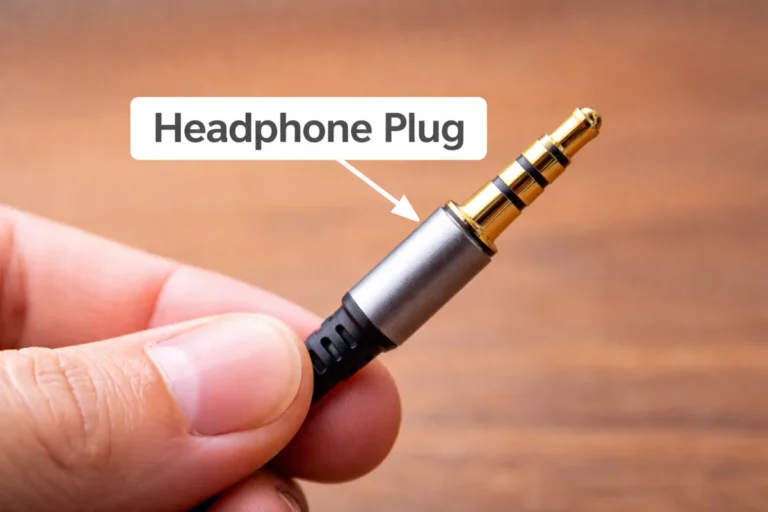
You’ve plugged in a pair of earphones a thousand times. You probably never thought about what was actually happening inside that tiny metal tube. Most people…
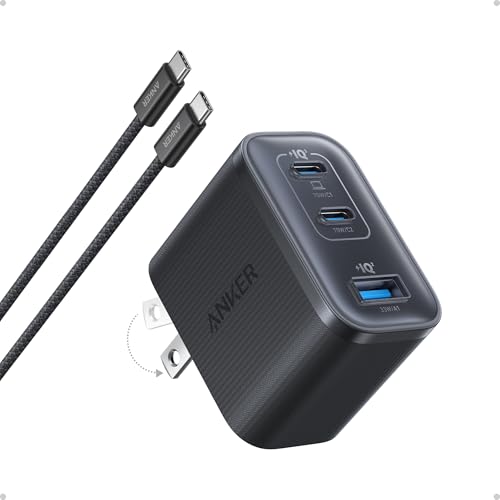
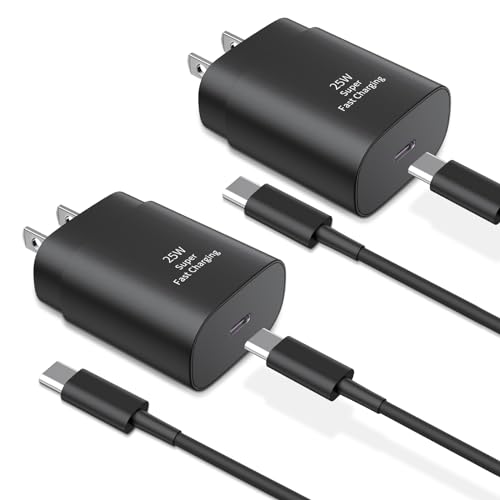
What is considered fast charging? Learn what charging speed means for phones, laptops, and EVs, including watts, standards, real speeds, and battery health.