How to Identify a Fast Charger: A Simple Guide to Watts, USB-C, PD, PPS, and Cables
**Check the wattage, USB PD or PPS support, cable rating, and your device’s maximum charging speed.**
If you have ever picked up a charger and wondered whether it is really fast, you are not alone. A small USB-C plug does not tell you the charging speed. The most useful clues are printed on the charger itself.
The best way to learn how to identify a fast charger is to look past marketing words such as “Turbo” or “Rapid.” Check the output values, power rating, and charging standards. Then compare them with the requirements of your phone, tablet, laptop, or other device.
A useful practical lesson is simple: never judge a charger by its size, color, or connector alone. A compact 30W USB-C charger can be far more useful for a modern phone than an older 5W or 10W adapter, while a 100W charger will not force a phone to take 100W if the phone only supports a lower rate.

What Makes a Charger a Fast Charger?
A fast charger is a power adapter that can deliver more power than basic charging methods and can use a charging system supported by the device. Power is measured in watts (W). You can calculate it with a simple formula: watts = volts × amps.
For example, a charger that can supply 9 volts at 2.22 amps can provide about 20 watts. A charger that can supply 5 volts at 1 amp provides only 5 watts. This is why checking the output label is one of the fastest ways to learn how to identify a fast charger.
Modern USB Power Delivery chargers can support a wide range of power levels. USB PD can negotiate the power needed by a compatible device rather than simply sending the maximum power at all times. A phone rated for 30W may use less than 30W at some points during a charging session.
Fast charging also depends on the device. A 100W charger does not automatically make every phone charge at 100W. The phone, charger, cable, temperature, battery level, and charging protocol all affect the final speed.
- ✦ Wattage
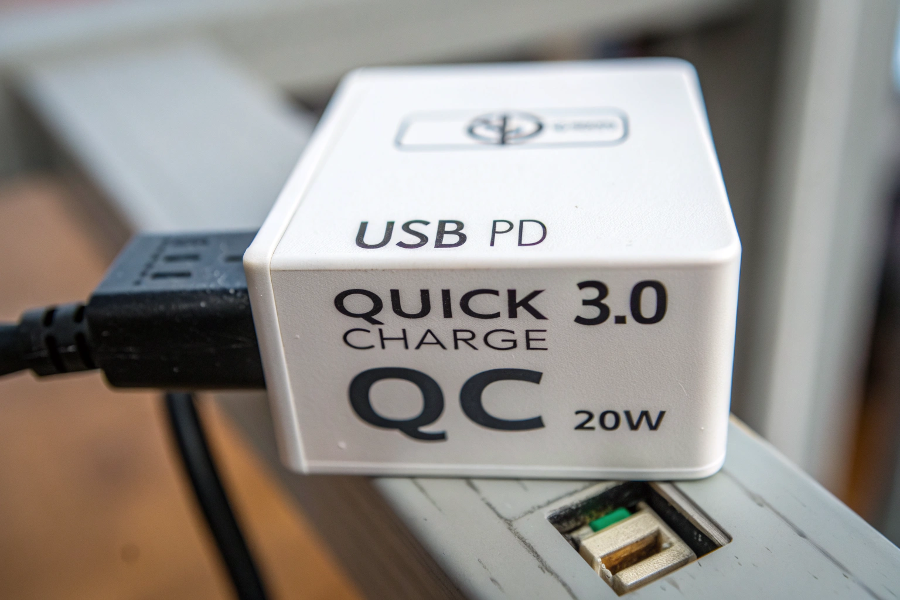
Look for the output power in watts. Common consumer values include 18W, 20W, 25W, 30W, 45W, 65W, and higher.
- ✦ Charging protocol
Look for standards such as USB Power Delivery (USB PD) and PPS. Device makers may also use their own fast-charging systems.
- ✦ Cable capability
The cable must support the power level and charging mode you want to use. A weak or damaged cable can reduce charging performance.
- ✦ Device limit
The phone or other device controls how much power it accepts. A larger charger does not override that limit.
Why Wattage Matters
Wattage is one of the clearest clues when you want to know how to identify a fast charger. In simple terms, more available watts can allow a compatible device to charge faster.
Still, wattage alone is not enough. A charger may advertise a high maximum output but lack the protocol your phone needs. The device may then charge at a lower rate.
- ✦ 5W
A basic charging level found on older phone adapters. It is much slower than many modern fast-charging systems.
- ✦ 18W to 30W
A common range for fast wired phone charging, depending on the device and charging standard.
- ✦ 45W to 67W
Useful for many newer phones, tablets, handheld devices, and some laptops when the device supports the required power.
- ✦ 100W and above
Often aimed at laptops and higher-power devices. The device and cable must support the required power level.
How to Read the Charger Label
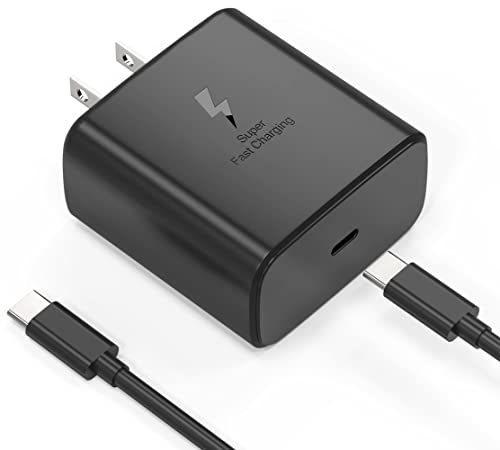
The printed label is often the most reliable place to start. Turn the charger over and look for the section marked “Output.” You may see values such as 5V⎓3A, 9V⎓3A, 12V⎓2.5A, or 20V⎓3.25A.
The symbol ⎓ means direct current output. Multiply volts by amps to estimate the power for each output mode. For example, 9V × 3A equals 27W.
Some chargers list several output modes because they support USB Power Delivery. This is a good sign when your device also supports USB PD. It means the charger can offer different voltage and current combinations based on what the connected device requests.
Do not confuse input and output. Input describes what the charger takes from the wall. Output describes what it can provide to your device. When learning how to identify a fast charger, the output section is the part that matters most.

- ✦ Find “Output”
Look for voltage and current values next to the word “Output.” This tells you what the charger can deliver.
- ✦ Calculate watts
Multiply volts by amps. For example, 5V × 3A equals 15W, while 9V × 3A equals 27W.
- ✦ Check the maximum value
A charger may have several output modes. Identify the highest supported power and then confirm that your device can use it.
- ✦ Check each port
On multi-port chargers, each port may have a different power limit. The total power may also change when more than one device is connected.
A Simple Label Example
Imagine a charger marked 5V⎓3A, 9V⎓3A, and 12V⎓2.5A. The three modes provide 15W, 27W, and 30W. That tells you the charger can reach 30W under the right conditions.
This example shows why the word “fast” is less useful than the actual specifications. When you want to know how to identify a fast charger, numbers give you a much clearer answer.
Look for USB Power Delivery and PPS
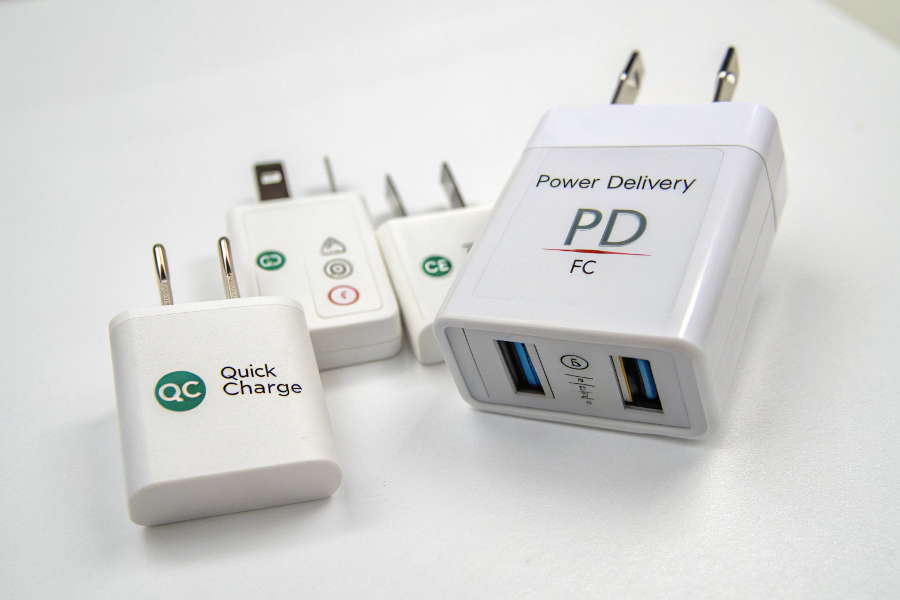
USB Power Delivery, often called USB PD, is one of the most important standards to look for in a modern fast charger. It allows compatible devices and chargers to negotiate a suitable power level. USB PD is widely used for phones, tablets, laptops, and other USB-C devices.
PPS stands for Programmable Power Supply. It is part of the USB PD family and allows more flexible voltage control. Some phones can charge faster or more efficiently when the charger supports the PPS range required by the phone.
A charger marked “USB-C PD” is a strong clue, but you should still check the wattage. A 20W PD charger and a 65W PD charger both support PD, but they are designed for different power needs.
This is a key part of how to identify a fast charger because charging speed is not based on the connector alone. The charging protocol helps the device and charger agree on how much power to use.
- ✦ USB PD
A widely used USB charging standard that supports negotiated power delivery across compatible devices.
- ✦ PPS
A flexible power mode that can adjust voltage in smaller steps. Some modern phones use PPS for higher-speed charging.
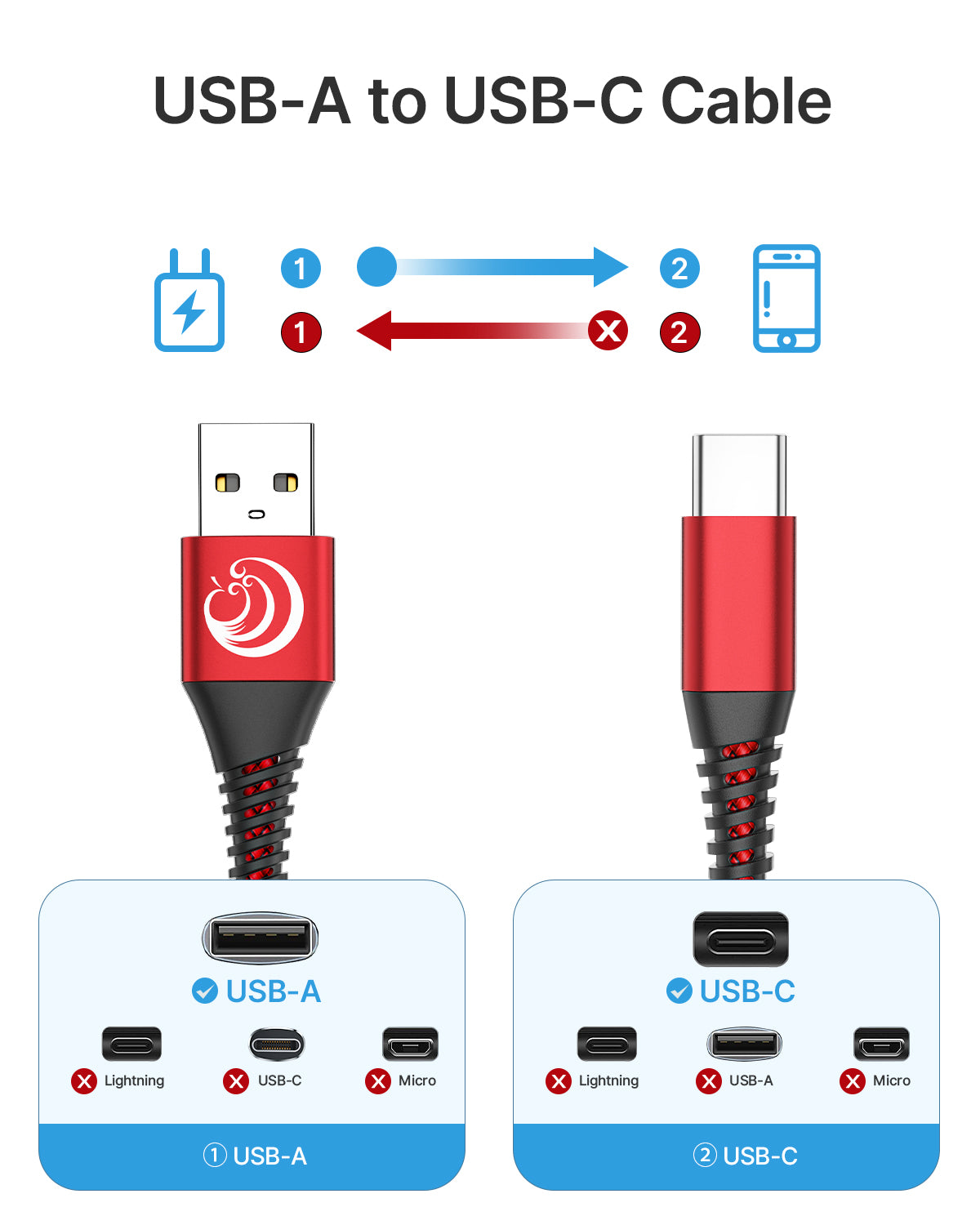
- ✦ USB-C
USB-C describes the connector shape. It does not by itself guarantee a specific charging speed.
- ✦ Proprietary systems
Some brands use their own fast-charging systems. A charger can be powerful but still fail to reach the brand’s top speed without the required protocol.
USB-C Does Not Always Mean Fast Charging
USB-C is a connector type, not a promise of charging speed. Two USB-C chargers can have very different power ratings and charging features.
This is one of the most common mistakes people make when learning how to identify a fast charger. Check the power label and supported standards instead of assuming every USB-C charger is fast.
How to Identify a Fast Charging Cable
The cable matters more than many people realize. A high-power charger cannot always deliver its full capability through a cable that does not support the required power.
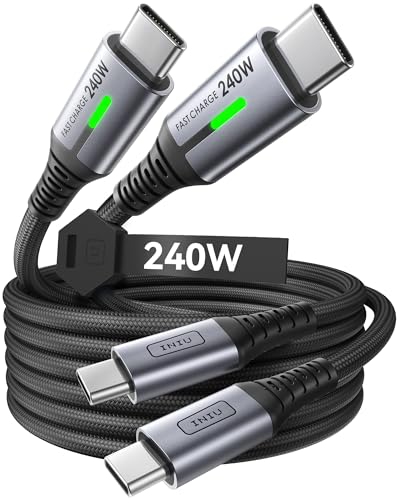
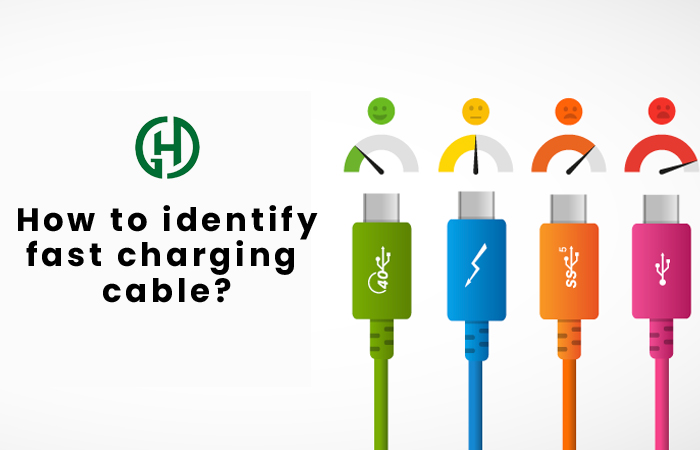
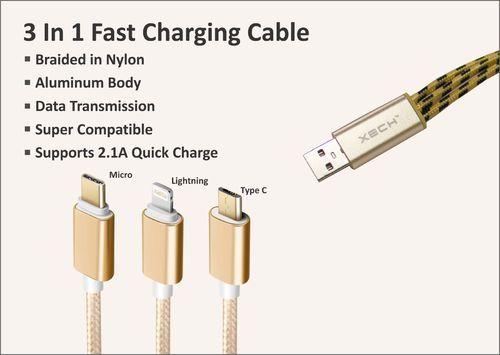
For USB-C to USB-C cables, look for a stated power rating or the appropriate USB-IF power icon when available. Current USB-IF cable labeling uses 60W and 240W power capability markings for compliant USB-C to USB-C cable categories.
Do not assume that a thick cable is always faster. Build quality can help with durability and heat control, but the useful proof is the cable’s rated capability and compatibility with the charger and device.
If a cable has no clear rating, check the manufacturer’s specifications. This is a safer approach than relying on claims such as “super fast” printed on a package.
- ✦ Check the power rating
Look for a stated watt rating or recognized USB-C cable power marking.
- ✦ Check the connector type
USB-C to USB-C is common for modern USB PD charging. Other cable types may support different charging limits.
- ✦ Avoid damaged cables
Cuts, bent connectors, loose plugs, and damaged insulation can cause poor charging performance and may create safety risks.
- ✦ Buy from a trusted source
Use a known brand or a seller with clear technical specifications. Very cheap cables with vague claims deserve extra care.
Can a Normal Cable Support Fast Charging?
Sometimes. The answer depends on the cable design, power rating, connector type, and charging system. Some cables support fast charging at lower power levels, while higher-power USB PD charging may require a cable with a higher rated capacity.
For example, a phone that needs 25W may not require the same cable capability as a laptop that can draw 100W or more. Match the cable to the power level instead of assuming one cable works equally well for every device.
How to Match the Charger to Your Phone
The safest way to learn how to identify a fast charger for your phone is to start with the phone’s own specifications. Search the manufacturer’s support page or product manual for the maximum wired charging power and supported charging protocol.
For example, some modern Pixel phones support USB PD and PPS chargers, while recent iPhones can use USB-C power adapters that support USB Power Delivery. Samsung phones may use USB PD with PPS for certain high-speed charging modes.
The exact requirement changes by model. Even phones from the same brand can have different charging limits. That is why a charger that is ideal for one phone may offer only standard charging on another.
The goal is not to buy the biggest charger you can find. The goal is to buy a charger that supports the power and protocol your device can actually use.

- ✦ Check the phone model
Charging limits vary by model. Do not rely only on the brand name.
- ✦ Check the maximum wired power
Find the highest supported wired charging rate in the device specifications.
- ✦ Check the required protocol
Look for USB PD, PPS, Quick Charge, or another system listed by the manufacturer.
- ✦ Use the right cable
Make sure the cable can support the charger’s output and the device’s charging mode.
Why a 100W Charger May Not Charge a Phone at 100W
A 100W charger means the charger can provide up to that amount under supported conditions. It does not mean every connected device will draw 100W.
A phone may request only 20W, 30W, 45W, or another level. The charger and phone negotiate the available power, and the phone’s charging system controls the final rate.
How to Tell If a Charger Is Actually Fast
Specifications are the first check, but real-world charging behavior can also help. Connect the charger and watch the phone’s charging message. Many phones show words such as “Fast charging,” “Super fast charging,” or a similar status when a supported mode is active.
You can also compare charging time under similar conditions. Start with a similar battery level, use the same cable, keep the screen state similar, and avoid heavy use during the test. This gives you a better comparison than simply looking at how quickly the battery percentage changes during random use.
Remember that charging speed usually changes as the battery fills. Phones often reduce power near a high charge level to manage heat and battery stress. A charger that appears very fast from 10% to 50% may slow down later.
Temperature also matters. If the phone becomes too hot or too cold, its charging system may reduce power. This means a good fast charger can still appear slow under poor conditions.
- ✦ Check the charging message
Your phone may show a fast-charging label when the correct charging mode is active.
- ✦ Compare under the same conditions
Use the same phone, cable, battery range, outlet, and usage pattern for a fair test.
- ✦ Watch temperature
Heat can cause a phone to reduce charging power. A slower rate does not always mean the charger is weak.
- ✦ Test more than once
One charging session can be affected by temperature, background apps, battery level, or software behavior.
Why Charging Slows Down Near Full
Fast charging is not usually a flat-speed process. A phone may accept more power when the battery is low and reduce power as the battery approaches full.
This behavior helps control heat and battery stress. So, when checking how to identify a fast charger, do not judge the charger only by the time needed to reach 100%.
How Multi-Port Chargers Affect Charging Speed
A charger with two or more ports can be very useful, but its power may be shared. A charger labeled 65W does not always provide 65W to every port at the same time.
Some multi-port chargers can give their full rated power to one port when only one device is connected. When two or more devices are connected, the charger may divide its available power between them.
This matters when you charge a laptop and phone at the same time. The laptop may receive less power than expected, while the phone uses the remaining power.
When learning how to identify a fast charger, read the power table for each port. Look for both single-port and multi-port limits.
- ✦ Single-port rating
This is the maximum power a port may provide when used alone, subject to the device and charging protocol.
- ✦ Combined rating
This shows how much power the charger can provide when several ports are active.
- ✦ Port differences
One USB-C port may offer more power than another. Do not assume all ports have the same output.
- ✦ Dynamic power sharing
Some smart chargers change power allocation as devices connect, disconnect, or change their power needs.
Common Signs That a Charger Is Not Truly Fast
Marketing can make charger shopping confusing. Words such as “fast,” “quick,” and “high speed” are not enough to prove that a charger supports the charging mode your device needs.
The best approach is to look for measurable specifications. A trustworthy product page should tell you the output power, ports, supported protocols, and, when relevant, cable rating.
Be careful with chargers that show only a large watt number without explaining how that power is delivered. A high total rating may apply to the whole device rather than one port.
A practical rule is simple: if you cannot find clear output specifications, treat the claimed speed with caution. This is one of the most useful habits when learning how to identify a fast charger.
- ✦ Only the word “fast” is shown
A marketing label without wattage or protocol details does not tell you enough.
- ✦ No clear output table
Reliable chargers normally list their supported output modes.
- ✦ No cable information
A high-power charger should be paired with a cable that can safely support the required power.
- ✦ Unclear brand or seller
Poor product information can make it hard to verify safety, performance, and compatibility.
Do Not Use Charger Size as Proof
Older fast chargers were often large, but modern power electronics allow many high-output chargers to be quite small. Size is therefore a poor way to judge charging speed.
A small charger may support 30W, 45W, 65W, or more, while a larger charger may provide only modest power. Always check the printed specifications.
Fast Charger Safety: What to Check Before Buying
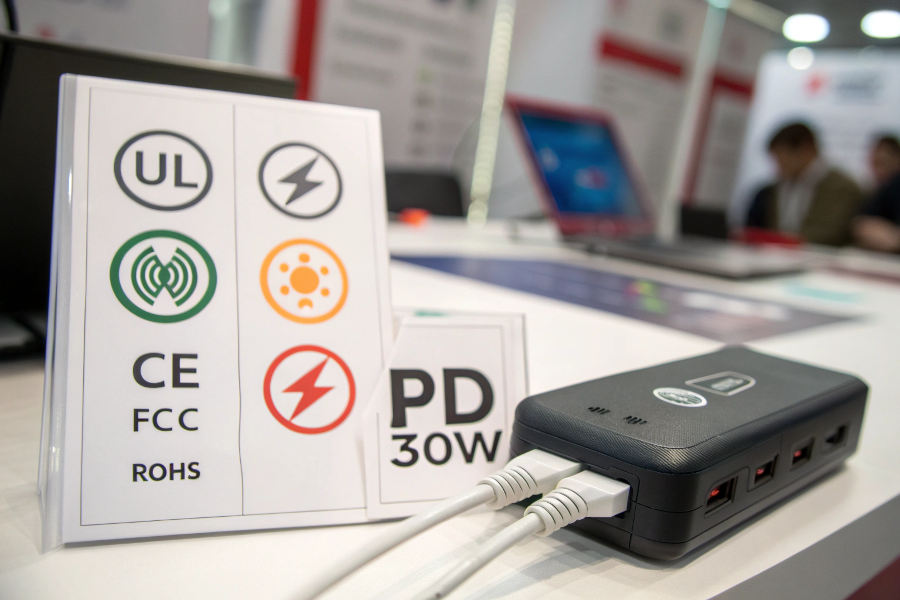
Charging speed should never be the only goal. A charger connects directly to household power, so build quality and safety matter. In the United States, look for products designed for the correct electrical system and sold with clear safety and compliance information.
Avoid damaged chargers, loose plugs, cracked cases, exposed wires, or cables with broken insulation. Do not use a charger that becomes unusually hot, smells like burning plastic, makes repeated electrical noises, or shows other signs of failure.
A reputable manufacturer should provide a model number and clear technical specifications. That information makes it easier to verify the charger’s output and compatibility.
If you are deciding how to identify a fast charger for daily use, think of safety, compatibility, and speed as three separate checks. A charger should pass all three.
- ✦ Inspect the housing
Do not use a charger with cracks, exposed parts, severe discoloration, or other visible damage.
- ✦ Inspect the cable
Replace cables with damaged insulation, bent connectors, loose ends, or other signs of wear.
- ✦ Check technical details
Look for the model number, input rating, output rating, and supported charging standards.
- ✦ Buy from trusted sellers
Clear specifications and traceable product information make it easier to check compatibility and safety.
A Quick Step-by-Step Method to Identify a Fast Charger
If you need a fast answer while shopping or sorting through chargers at home, use a simple checklist. This method takes less than a minute in most cases.
First, find the output label. Next, check the maximum wattage and look for USB PD or PPS. Then check the cable rating and compare all of those details with your device’s official charging requirements.
This process is more reliable than judging a charger by its appearance or by a package that simply says “fast charging.” It also works for many phones, tablets, handheld gaming devices, earbuds, and laptops.
- ✦ Step 1: Find the output label
Look for voltage and current values under “Output.”
- ✦ Step 2: Calculate the power
Multiply volts by amps to find the wattage for each listed output mode.
- ✦ Step 3: Check USB PD or PPS
Look for the charging standards supported by your device.
- ✦ Step 4: Check the cable
Confirm that the cable has a suitable power rating for the charger and device.
- ✦ Step 5: Check your device
Find the maximum charging power and protocol supported by your exact model.
- ✦ Step 6: Test the result
Connect everything and check the phone’s charging status under normal conditions.
The 30-Second Fast Charger Check
For a quick check, look for three things: a clear watt rating, a suitable charging protocol, and a suitable cable. If all three match your device, you have a much stronger case that the charger can provide fast charging.
When in doubt, check the exact charger model on the manufacturer’s product page. This is often faster and more reliable than guessing from the charger’s shape.