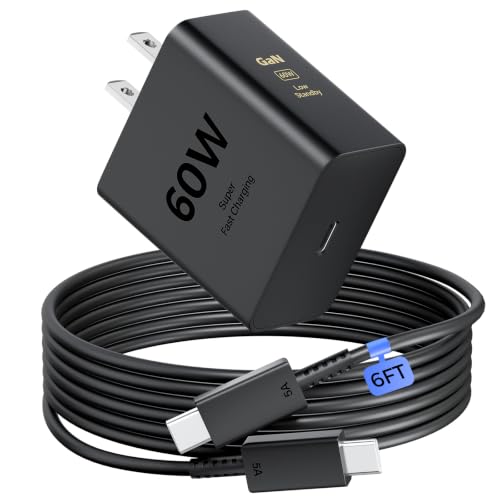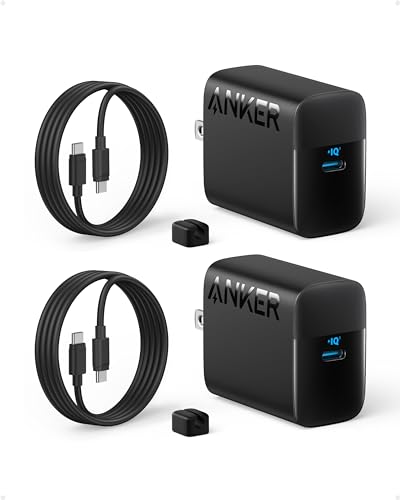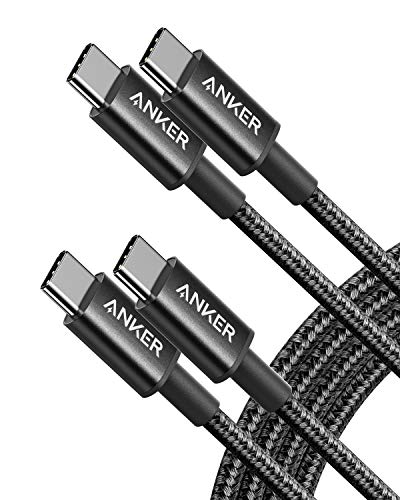
Charging Cable vs Data Cable: Key Differences


Is a Charging Cable Good?
Yes, if your main goal is to charge a device. A charging cable is easy to use and can be a great fit for a bedside table, car, office desk, or travel bag. I often found this type useful when I only needed to top up my phone from a wall adapter or power bank. There was no need to move files or connect the phone to a computer.
The catch is simple. Not every charging cable supports data transfer. If you plug one into a laptop and your phone only charges, the cable may be power-only. That does not make it bad. It just has a narrower job. In the charging cable vs data cable debate, this type wins on simplicity when you only need power.
What Makes It Stand Out / Key Features
- Power DeliveryIt is designed mainly to send electrical power from a charger, computer, car port, or power bank to a device.
- Simple SetupPlug it into a matching port and charger, then charge. There is little setup for basic use.
- Wide Daily UseIt can work well for phones, tablets, earbuds, power banks, and other devices that use the same connector.
- Portable SizeMany charging cables are light and easy to keep in a backpack, car, desk drawer, or travel case.
- Low Data FocusA power-only cable may not support file transfer, device syncing, or other USB data tasks.
- Charging StandardsActual charging speed depends on the cable, charger, device, connector, and supported charging standard.
My Recommendation
Choose a charging cable if you mainly need power. It makes sense for a nightstand, car, travel bag, or power bank. If you often move photos or files, choose a cable that clearly supports data transfer instead.
| Best For | Why |
|---|---|
| Bedside charging | You only need to power your phone or tablet. |
| Car and travel | It gives you a simple way to charge on the go. |
| Power bank users | It is useful when your main task is topping up a device. |
Is a Data Cable Good?
It depends on what you need, but a data cable is often the more useful all-round choice. A proper data cable can charge a device and move information between compatible devices. I noticed the difference most when connecting a phone to a laptop. Instead of using the cable only as a power line, I could use it for tasks such as file transfer when the phone, cable, port, and settings supported it.
For example, I have used a data cable when moving photos from a phone to a computer after a busy weekend. That same cable could also charge the phone. This dual role makes it feel like a small tool with two jobs. Still, data support does not always mean fast data. USB versions differ, so you should check the cable’s stated data speed before buying.
What Makes It Stand Out / Key Features
- Data TransferA compatible data cable can move files and other information between supported devices.
- Charging SupportMost modern data cables can also carry power, although the maximum charging rate depends on the cable and devices.
- Device SyncIt can support tasks that require a wired connection between a phone and computer when the devices and software allow it.
- USB VersionThe USB standard can affect data speed, so a data cable is not automatically a high-speed cable.
- Two Main JobsOne cable can handle charging and data tasks, which can reduce the number of cables you carry.
- Broader UseIt can be useful for phones, tablets, computers, storage devices, cameras, and other compatible USB hardware.
My Recommendation
Choose a data cable if you want one cable for both charging and wired data tasks. It is a practical pick for people who connect phones, tablets, cameras, or storage devices to computers.
| Best For | Why |
|---|---|
| Phone and laptop users | You can charge a phone and transfer compatible files through one cable. |
| Photo and video transfer | A supported data connection makes moving files easier. |
| One-cable setups | One capable cable can handle more than simple charging. |
charging cable vs data cable: Side-by-Side Test
The easiest way to understand charging cable vs data cable is to look at what each cable can actually do. A cable is more than its connector. Its internal wiring and supported standards matter.
A cable can have the right USB connector and still have limited data or power performance. That is why the label matters. When I compare charging cable vs data cable, I look at the job first, then the speed and device limits.
Charging: Which One Powers Better?
Both cable types can charge compatible devices, but the cable alone does not set the full charging speed.
| Feature | Product 1 | Product 2 |
|---|---|---|
| Basic charging | Yes | Yes |
| Fast charging | Depends on cable and standard | Depends on cable and standard |
| Power limit | Varies by model | Varies by model |
⭐ Product A – 8/10 | Product B – 9/10
For charging alone, both can work well. The data cable gets the edge because it can handle more tasks.
Data Transfer: Which One Wins?
This is the clearest difference in the charging cable vs data cable comparison.
| Feature | Product 1 | Product 2 |
|---|---|---|
| File transfer | May not support it | Supported when cable and devices allow it |
| Phone to computer | May charge only | Can support data connection |
| Data speed | Not applicable on power-only models | Depends on USB standard |
⭐ Product A – 3/10 | Product B – 9/10
A true data cable has the clear edge when moving information.
Daily Convenience: Which Is Easier?
For simple charging, a charging cable can be all you need. For mixed tasks, a data cable offers more flexibility.
| Feature | Product 1 | Product 2 |
|---|---|---|
| Simple charging | Excellent | Excellent |
| Mixed tasks | Limited | Strong |
| One-cable setup | Best for charging only | Better for charging and data |
⭐ Product A – 9/10 | Product B – 9/10
Both are easy to use, but a data cable can cover more daily jobs.
Compatibility: What Should You Check?
The connector is only one part of the story. The device, port, cable standard, and charger must also work together.
| Feature | Product 1 | Product 2 |
|---|---|---|
| Connector match | Required | Required |
| Device support | Depends on device | Depends on device |
| Data support | May be absent | Usually a core feature |
⭐ Product A – 8/10 | Product B – 9/10
Neither cable works by magic. Always match the cable to the device and task.
Portability: Which Travels Better?
Both cable types are easy to pack, but one may replace two cables if you need charging and data.
| Feature | Product 1 | Product 2 |
|---|---|---|
| Travel size | Usually compact | Usually compact |
| Charging on the go | Very good | Very good |
| Multiple jobs | Limited | Strong |
⭐ Product A – 9/10 | Product B – 9/10
For travel, a capable data cable can save space because it can cover two common jobs.
Value: Which Gives More?
Value depends on your needs. A simple cable can be enough if you never transfer data.
| Feature | Product 1 | Product 2 |
|---|---|---|
| Charging value | High | High |
| Data value | Low or none | High |
| Versatility | Basic | Higher |
⭐ Product A – 8/10 | Product B – 9/10
A data cable often offers more flexibility, while a charging cable can be enough for a focused job.
Build Quality: What Matters Most?
Cable type does not tell you how durable a cable is. Construction matters more than the label.
| Feature | Product 1 | Product 2 |
|---|---|---|
| Cable strength | Depends on model | Depends on model |
| Connector strength | Depends on model | Depends on model |
| Long-term use | Buy a well-built model | Buy a well-built model |
⭐ Product A – 8/10 | Product B – 8/10
A strong cable is a better cable, no matter whether it is made for charging or data.
Final Verdict: Which Should You Buy?
The charging cable vs data cable choice comes down to one question: what job do you need the cable to do? A charging cable is a good fit if you only need power. It can keep your phone, tablet, earbuds, or power bank ready without extra fuss.
A data cable is the more flexible choice if you also move files or connect devices to a computer. In my charging cable vs data cable test, the data cable made more sense for mixed daily use. But there is no need to buy extra features you will never use. Check the connector, charging support, and USB data speed before you buy.