How to Identify a Fast Charging Cable: A Complete Guide
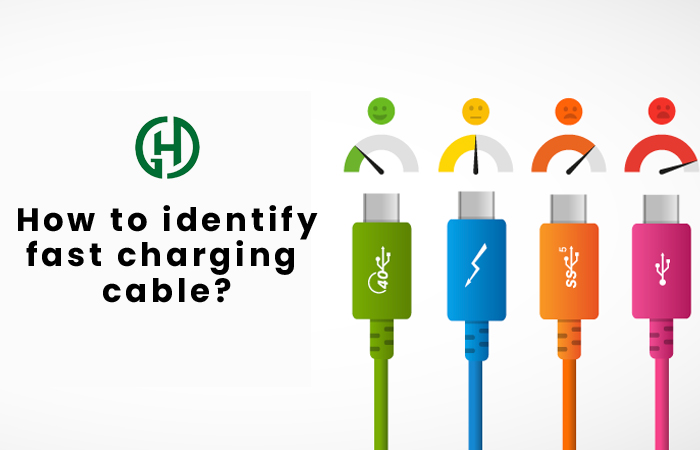
Knowing how to identify a fast charging cable can save you time, money, and frustration. A cable may look thick, new, or premium and still charge slowly. The key is to check what the cable can actually support, not how it looks.
For most US consumers, USB-C is now the main connector to watch. But USB-C describes the shape of the plug, not its charging speed. Two USB-C cables can look almost identical while supporting very different power levels and data speeds.
The same rule applies to iPhone, Android phones, tablets, laptops, power banks, and other devices. Fast charging depends on the whole charging system. The device, charger, cable, and charging protocol must work together.
 display: block; margin: 0 auto; border-radius: 12px; box-shadow: 0 8px 25px rgba(0, 0, 0, 0.12);”>
What Makes a Cable a Fast Charging Cable?
A fast charging cable is built and rated to carry the electrical power required by a compatible device and charger. The cable must have suitable conductors, insulation, connectors, and, for some high-power USB-C cables, electronic identification hardware.
Charging power is measured in watts (W). A simple way to understand it is watts equals volts multiplied by amps. For example, 20 volts at 3 amps provides 60 watts of power. The phone or computer decides how much power it will actually draw.
This means a cable with a high watt rating does not force a device to charge at that rate. It only means the cable can support that level when the rest of the charging system also allows it.
- ✦ Power rating
Look for a stated rating such as 60W, 100W, or 240W. A clear rating is more useful than a claim such as ‘super fast.’
- ✦ USB standard
Check whether the cable supports a relevant USB charging standard, such as USB Power Delivery (USB PD).
- ✦ Cable construction
High-power cables need suitable conductors and connectors. A cable’s appearance alone cannot prove its electrical capacity.
- ✦ Device compatibility
The cable must match the charging needs of the phone, tablet, laptop, or other device.
Fast Charging Is Not the Same as a Fast Charger
A fast charger is the power source. A fast charging cable is the link between that source and the device. You need both parts to support the required charging system.
For example, a 100W USB-C charger cannot make a low-rated cable deliver 100W. Likewise, a 100W cable cannot make a phone that accepts only 25W charge at 100W.
- ✦ Think in terms of the full system
Check the device, charger, cable, and charging protocol together instead of judging the cable by itself.
How to Identify a Fast Charging Cable by Its Label
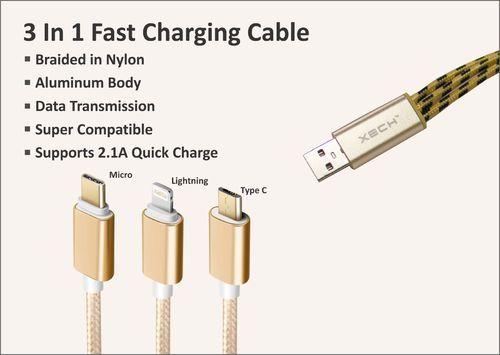
The first place to look is the cable package, product page, or markings on the cable. A trustworthy seller should state the cable’s power rating and key specifications. If a product only says ‘fast charging’ without giving a power rating, treat that claim with care.
USB-C cables can support very different power levels. Modern USB Power Delivery systems can reach much higher power than older USB cables, but the exact limit depends on the cable and the charging setup.
For USB-C cables, terms such as 60W, 100W, or 240W are useful clues. Do not assume that a cable supports the highest USB-C power level just because both ends use USB-C connectors.
- ✦ Look for watts
A clear watt rating gives you a useful starting point. Common ratings include 60W, 100W, and 240W.
- ✦ Check for USB PD support
USB Power Delivery is a major standard for fast charging over USB-C. A cable that supports the required USB PD power level is important for compatible devices.
- ✦ Read the small print
Look for current ratings such as 3A or 5A, along with voltage and power information when supplied by the manufacturer.
- ✦ Avoid vague claims
Words such as ‘turbo,’ ‘rapid,’ or ‘super speed’ do not provide a technical power rating by themselves.
What Does 3A or 5A Mean?
Amps measure the amount of electrical current a cable can carry under the stated conditions. A 5A cable can support more current than a 3A cable when the charging system calls for it.
For higher-power USB-C charging, a 5A cable may need an electronic marker, often called an e-marker. This small chip helps the source and device identify the cable’s capabilities.
- ✦ Do not judge by thickness alone
A thick cable may have good construction, but thickness does not prove a specific current or watt rating.
Check the USB Connector Type and Standard
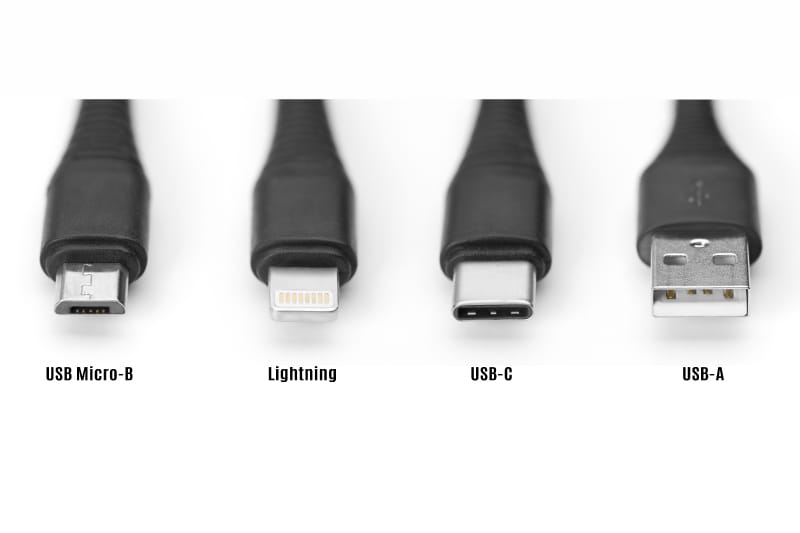
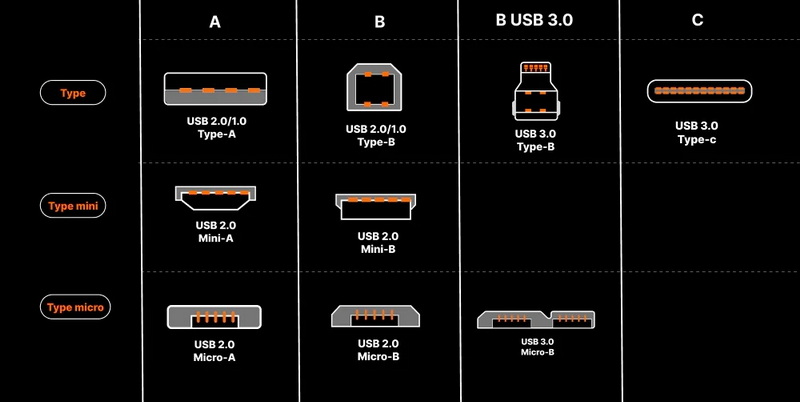
Connector shape is one of the easiest things to check, but it is also one of the most misunderstood. USB-C is a connector type, not a guarantee of fast charging. A USB-C cable can support basic charging, high-power charging, fast data, slow data, or several combinations of these features.
Older USB-A cables can also support faster charging in some charging systems. However, USB-C has become the key connector for modern high-power USB Power Delivery. Many current phones, tablets, laptops, and accessories use USB-C because it can support both power and data through one small connector.
Lightning cables used with older iPhones can also support fast charging when paired with a compatible charger and device. The important point is that the connector alone does not tell you the full performance level.
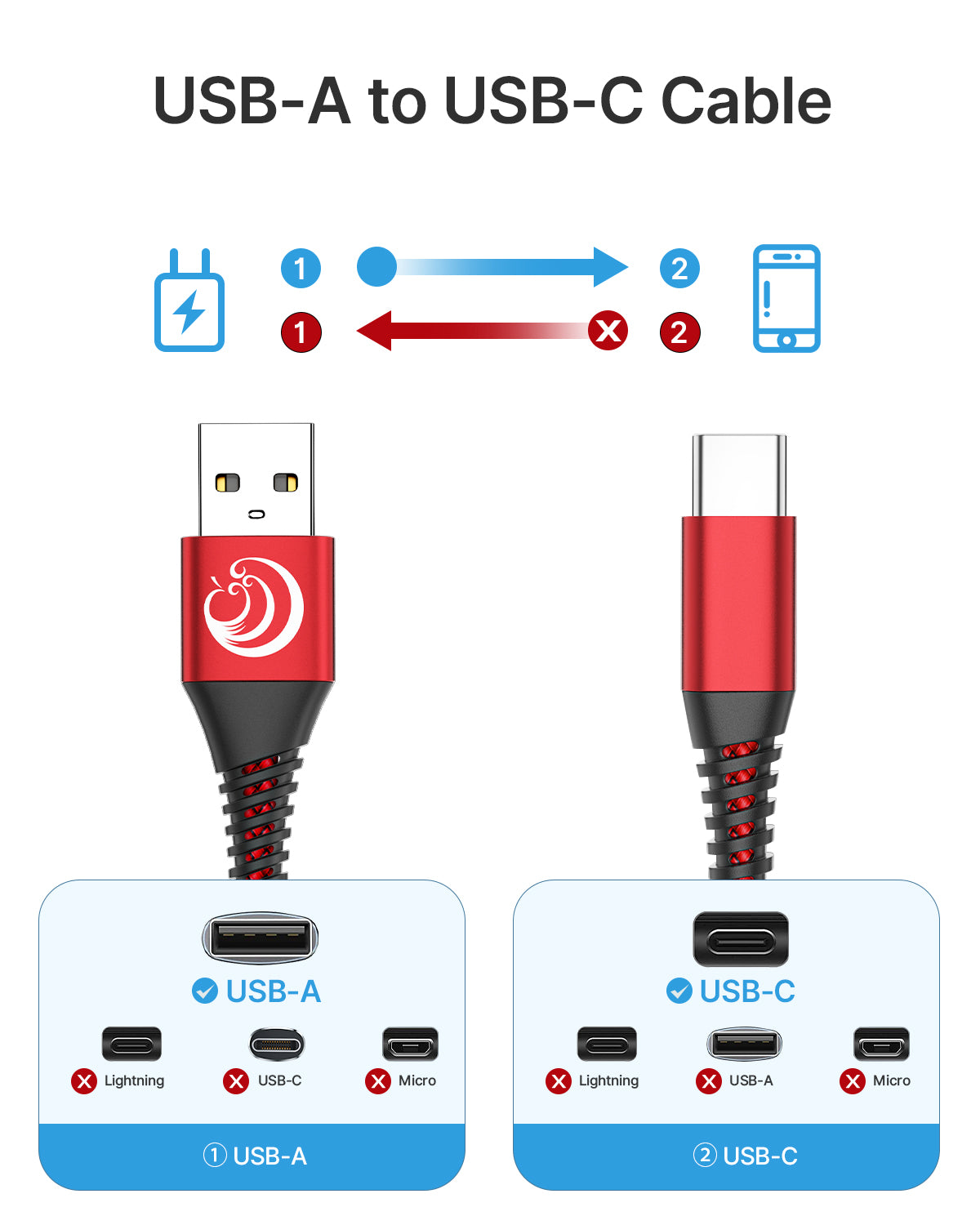
- ✦ USB-C to USB-C
This is common for modern USB Power Delivery charging. Check the cable’s actual power rating before assuming it supports high wattage.
- ✦ USB-A to USB-C
This setup can support fast charging in some systems, but its capabilities depend on the charger, cable, and device.
- ✦ USB-C to Lightning
This can support fast charging for compatible Apple devices, but the charger and device must also support the required charging mode.
- ✦ Micro-USB
Some older devices use Micro-USB and can support faster charging, but its capabilities vary widely by device and cable.
Why USB-C Does Not Automatically Mean Fast Charging
USB-C was designed as a flexible connector standard. The same plug shape can appear on cables with very different power and data capabilities.
When learning how to identify a fast charging cable, separate the physical connector from the cable’s electrical rating. That single habit prevents many common buying mistakes.
- ✦ Connector equals shape
The connector tells you how the cable fits. It does not, by itself, tell you how much power the cable can carry.
Understand USB Power Delivery and E-Marker Cables
USB Power Delivery, or USB PD, is a widely used charging standard that allows compatible devices and chargers to negotiate power. The charger does not simply push its maximum power into every device. The connected equipment communicates and selects a suitable power level.
Some high-power USB-C cables use an e-marker chip. The chip helps identify the cable’s capabilities to the connected USB-C system. This becomes especially important when a setup needs more than the basic current level supported by standard USB-C cables.
If you need a cable for a USB-C laptop, a high-power tablet, or another device that can draw substantial power, check the manufacturer’s specifications. A cable labeled for the needed wattage is safer to trust than a generic cable that only promises ‘fast charging.’

- ✦ 60W cable
A 60W-rated cable can be suitable for many phones, tablets, and some laptops, provided the device and charger also support that power.
- ✦ 100W cable
A 100W-rated cable can handle higher power for compatible USB-C devices and chargers.
- ✦ 240W cable
USB PD Extended Power Range can support up to 240W with compatible equipment and a suitable 240W-rated cable.
- ✦ E-marker
An e-marker can report important cable capabilities to a compatible USB-C charging system. It is not something you can reliably confirm by looking at the plug.
When Do You Need a 5A E-Marked Cable?
A higher-current USB-C charging setup may require a cable with the correct electronic identification. This is why a high-power USB-C cable can cost more than a basic charging cable.
If your laptop charger is rated at 100W or more, check the cable specifications instead of buying the cheapest USB-C cable available. For many high-power setups, the manufacturer’s stated rating is the simplest way to avoid a mismatch.
- ✦ Best practice
For high-power USB-C charging, choose a cable with a clearly stated watt rating from a reputable manufacturer.
How to Test Whether a Cable Really Charges Fast
If the label is unclear, you can test the cable with a compatible charger and device. This is useful because real charging speed can reveal problems that are not obvious from the cable’s appearance.
Start with a charger that is known to support the device’s fast charging standard. Then connect the cable and device while the battery is at a moderate level. Charging often slows as the battery gets closer to full, so a test at very high battery levels may give a misleading result.
For a more precise test, a USB power meter can show voltage, current, and sometimes power. Keep in mind that the reading changes over time because phones and laptops manage charging based on battery level, temperature, workload, and other conditions.
- ✦ Check the device message
Some phones display a fast charging, rapid charging, or similar message when a supported charging mode is active.
- ✦ Use a USB power meter
A suitable meter can provide a clearer view of the power flowing through a compatible USB charging setup.
- ✦ Test at a moderate battery level
Testing when the battery is neither nearly empty nor nearly full can give a more useful picture of charging behavior.
- ✦ Compare with a known-good cable
Use a cable with a verified rating and compare the same charger and device under similar conditions.
Why Your Fast Cable May Still Charge Slowly
A good cable cannot overcome limits imposed by the charger or device. A phone may accept only a certain amount of power even when the charger and cable can provide much more.
Heat can also reduce charging speed. Phones may lower charging power when they get warm to protect the battery and internal components. background apps, screen use, battery health, and charging settings can also affect the result.
- ✦ Device limit
The phone, tablet, or laptop may have a lower maximum charging rate than the cable.
- ✦ Charger limit
A low-power charger cannot deliver the power needed for a higher-speed charging mode.
- ✦ Heat
High temperature can cause a device to reduce charging power.
Fast Charging Cable vs. Normal Charging Cable
The main difference is the electrical capacity and the standards the cable supports. A basic cable may work well for low-power charging but may not be designed for higher current or higher USB Power Delivery levels.
A fast charging cable does not always need to look different. Two cables may have the same length, color, connector shape, and outer material while having different internal construction and power ratings.
This is why checking specifications matters more than judging a cable by its size or appearance. A braided outer jacket can improve durability, but it does not automatically make a cable faster.

- ✦ Power capability
Fast charging cables are rated for the power levels they can safely support under the stated conditions.
- ✦ Internal conductors
Cable construction affects how much current can pass through the cable and how much heat it produces.
- ✦ Electronic identification
Some high-power USB-C cables use e-marker technology to identify their capabilities.
- ✦ Data speed is separate
A cable can support high charging power without offering the fastest data transfer speed, and vice versa.
Does a Thicker Cable Mean Faster Charging?
Not necessarily. A thicker cable may contain larger conductors or extra shielding, but thickness alone does not prove a particular charging rating.
Use the manufacturer’s power specification as the main guide. If the cable has no clear rating, do not assume that its size or braided finish means it supports high-power charging.
- ✦ Look beyond appearance
Use published electrical specifications instead of relying on thickness, color, braiding, or connector size.
Common Mistakes When Choosing a Fast Charging Cable
Many charging problems start with a simple assumption: if the connector fits, the cable must be fast. That is not how modern USB charging works. The cable, charger, and device each have their own limits.
Another common mistake is buying a cable based only on the maximum wattage printed on the package. High wattage is useful only when the cable is genuine, properly rated, and paired with equipment that can use that power.
When learning how to identify a fast charging cable, focus on measurable specifications. Clear labeling, a reputable manufacturer, and compatibility with your device are stronger signs than marketing words.
- ✦ Mistake: assuming USB-C means fast charging
USB-C identifies the connector. It does not guarantee a particular charging speed.
- ✦ Mistake: trusting marketing words
Terms such as ‘ultra fast’ or ‘super charge’ are less useful than a clear watt and current rating.
- ✦ Mistake: ignoring the charger
A high-rated cable cannot create power that the charger does not provide.
- ✦ Mistake: ignoring device limits
A phone that accepts 30W will not charge at 100W just because you use a 100W cable.
- ✦ Mistake: buying from an unknown source
Poor-quality or falsely labeled cables can have weak construction and may not deliver the stated performance.
- ✦ Mistake: confusing data speed with charging speed
USB data standards and charging capabilities are related but separate specifications.
A Simple Buying Checklist
If you are shopping for a replacement cable in the US, keep the checklist simple. First, confirm the connector you need. Then check the required charging standard and power rating for your device.
For a laptop or other high-power USB-C device, match the cable to the charger’s output and the device’s charging needs. For a phone, a reputable cable that supports the phone’s charging standard is usually enough.
- ✦ Step 1
Identify the connector needed by your device and charger.
- ✦ Step 2
Check the maximum charging power your device can accept.
- ✦ Step 3
Check the charger’s output and charging standard.
- ✦ Step 4
Buy a cable with a clear, suitable power rating.
- ✦ Step 5
Test the setup if charging performance still seems slow.